
Oasis 2.0
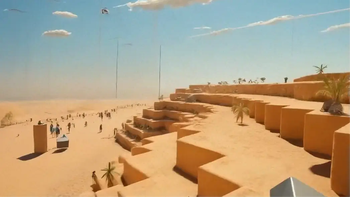
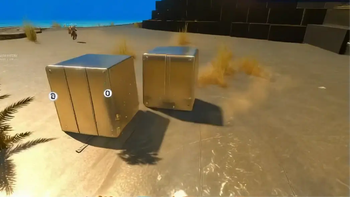
Minecraft but in Venice, in Candyland, on the Moon - or wherever you want. Transform your game to any world or style in real time with some AI magic.
Screenshots




About this Mod

Welcome to Oasis 2.0!
Oasis 2.0 lets you transform your game into any style or world you can imagine, in real time.
Think of it as a texture pack, but infinite. Like custom maps, but with no limits. And way beyond that. It's the mother of all mods.
All you need to do is type /oasis start and enter a prompt - and you'll be instantly transported. Think: Minecraft in Venice, India, New York, or Paris. Explore the jungle or Antarctica. Travel to the Wild West or medieval times. Visit a candy land, the moon, a zombie apocalypse. Or shift styles - anime, pixel art, GTA, Call of Duty… whatever you can think of. Be more creative than us. It’s cool.
Behind the scenes, Oasis 2.0 runs on a real-time video-to-video model developed by a company called Decart, called MirageLSD. It transforms your Minecraft visuals live as you play. FPS may drop a bit, and resolution isn’t perfect - but hey, that just adds to the challenge.

Simple Instructions:
- Make sure you have an instance of Fabric with Minecraft v1.21.8
- Download and install the mod
- Launch Minecraft (yeah, shocking)
- To activate the model, type:
/oasis start
- Then, to change a worlds, just try:
/oasis prompt <your style>, for example:
/oasis prompt Venice in the summer
- You can temporarily hide the effect by holding the
Rkey, toggle it withV, or stop it entirely with:
/oasis stop
- Use the
[and]keys to switch between some of our favorite preset prompts for inspiration - Have a lot of fun!!
- Share with us your results and creations!!
Note: We report the MC version / OS / CPU / GPU vendor to our servers to tailor your experience and debug errors.
oasis2.decart.ai |
Terms of service |
Privacy policy
Contact us:
[email protected] |
about.decart.ai
Available Versions
How to Install Oasis 2.0 on Your Server
Order Server
Order a Minecraft Java server with at least 3 GB RAM (4 GB recommended).
Set fabric Loader
In the panel under "Egg", select the fabric loader and matching Minecraft version (1.21.8).
Install Mod
Open the mod browser in the dashboard and search for "Oasis 2.0". Click "Install" – done! Alternatively, upload the .jar via SFTP to the /mods folder.
Compatibility
Mod Loaders
Minecraft Versions
1.21.8, 1.21.4
Server-side
✗ UnsupportedRecommended RAM
4 GB(min. 3 GB)Frequently Asked Questions
Oasis 2.0 server crashes on startup – what to do?
Most common cause: wrong fabric version or insufficient RAM. Check the server log (latest.log) for "OutOfMemoryError" or "Mixin" errors. With Mado Hosting: ensure at least 3 GB RAM is allocated and the loader matches the mod version (1.21.8). You can switch loaders with one click in the panel.
Is Oasis 2.0 compatible with fabric?
Oasis 2.0 officially supports fabric for Minecraft 1.21.8, 1.21.4. The Mado dashboard automatically detects incompatible loader combinations.
Server lagging with Oasis 2.0 – how to optimize performance?
Recommended RAM: 4 GB (per 8 players). Use /spark profiler to check if Oasis 2.0 consumes the most tick time. Common fixes: reduce server view-distance to 8-10, install "performant" or "starlight" as supplementary mods on Forge. With Mado Hosting, your server runs on NVMe SSDs with dedicated CPU cores for minimal latency.
Similar Mods





Rent Modded Server
Install Oasis 2.0 with just one click on your server.