
Ocean World
Make the ocean lively, and more challenges for adventure.
Screenshots
About this Mod
Description
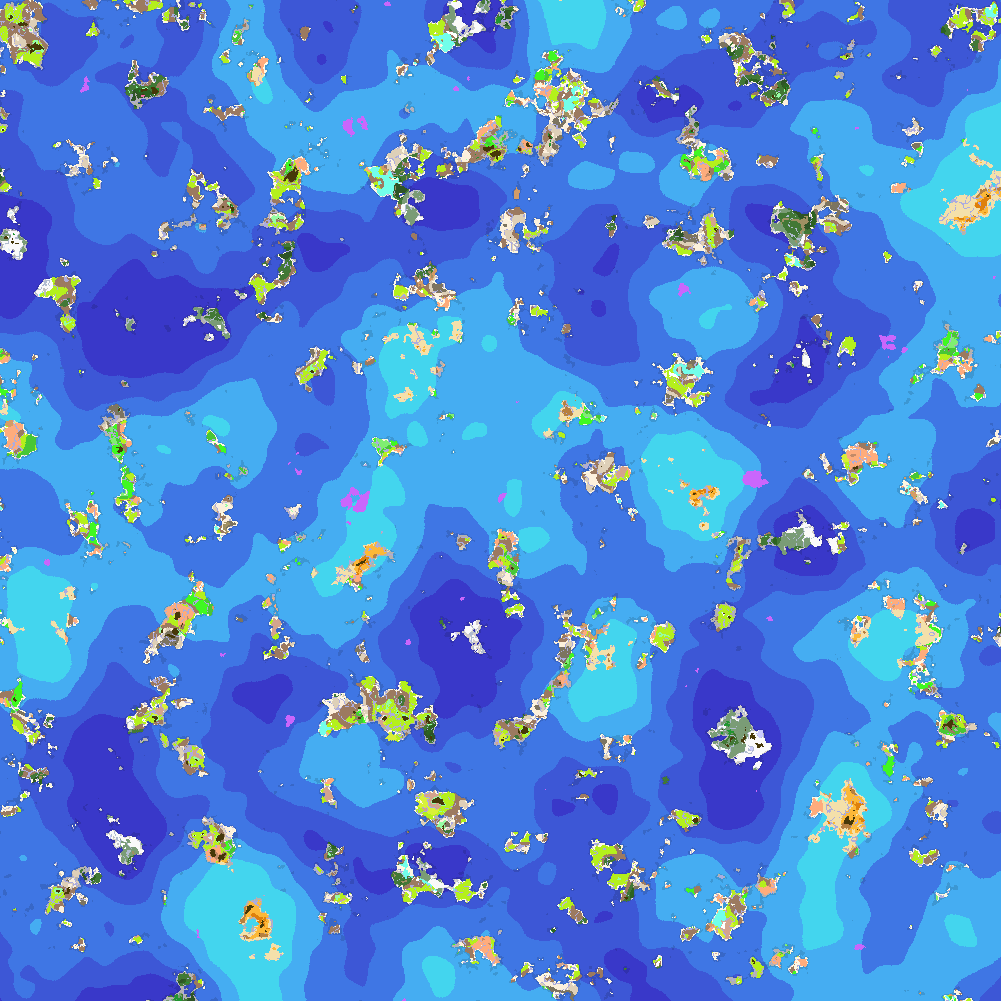
With COVID-2019, El Niño phenomenon, innumerable earthquake, volcanic eruption and especially sea level rise caused by global warming engulfing minecraft, the world generation has changed a lot.
With this mod, you can hardly find landmasses, but island and endless ocean, and even difficult to contact your friends and meet them.
But luckily, you can find a lot of monuments (not only ocean monuments) in ocean or deep ocean biomes instead, such as ocean altars, aristocrats residences, and can even find other illagers (illusioners for example) with ominous banner and trigger raids.
Also, more kinds of sedimentary rocks are added by this mod. How about decorating your house with peridotite, serpentine, black bricks and some other blocks?
Last but not least, you can modify the terrain and biome generation by editing the config file (config/oceanworld-config.json) and create your own world, for example, raising the weight of mushroom fields, or reducing the weight of peaks and mountains. Please read oceanworld-config-readme.md for more information.
Notice that after 1.19.3, this mod does not support modifying terrain generation. The related function is separated to another mod, Customize World Generation.
FAQ
Q: (1.18.2-1.19.2) I tried ocean world with some biome mods (for example, BYG and Emerald Craft), but find something wrong with world generation. How to fix it?
A: Install Ocean Blender as well. But I'm sorry to say that BOP is still not compatible with this even after installing Ocean Blender.
Q: I have no idea how to modify the config file. Can you give me some tips?
A: Use Oceanworld Config Generator to help you modify the config file!
Thanks for the contributors of translations:
| code | Language | contributor |
|---|---|---|
| ru_ru | Русский | grustno_kataem |
Available Versions
How to Install Ocean World on Your Server
Order Server
Order a Minecraft Java server with at least 4 GB RAM (6 GB recommended).
Set forge Loader
In the panel under "Egg", select the forge loader and matching Minecraft version (1.20.1).
Install Mod
Open the mod browser in the dashboard and search for "Ocean World". Click "Install" – done! Alternatively, upload the .jar via SFTP to the /mods folder.
Compatibility
Mod Loaders
Minecraft Versions
1.20.1, 1.20, 1.19.4 (+5 more)
Server-side
✓ RequiredRecommended RAM
6 GB(min. 4 GB)Frequently Asked Questions
Ocean World server crashes on startup – what to do?
Most common cause: wrong forge version or insufficient RAM. Check the server log (latest.log) for "OutOfMemoryError" or "Mixin" errors. With Mado Hosting: ensure at least 4 GB RAM is allocated and the loader matches the mod version (1.20.1). You can switch loaders with one click in the panel.
Is Ocean World compatible with forge?
Ocean World officially supports forge for Minecraft 1.20.1, 1.20, 1.19.4. The Mado dashboard automatically detects incompatible loader combinations.
Server lagging with Ocean World – how to optimize performance?
Recommended RAM: 6 GB (per 5 players). Use /spark profiler to check if Ocean World consumes the most tick time. Common fixes: reduce server view-distance to 8-10, install "performant" or "starlight" as supplementary mods on Forge. With Mado Hosting, your server runs on NVMe SSDs with dedicated CPU cores for minimal latency.
Similar Mods




Rent Modded Server
Install Ocean World with just one click on your server.