Offhand Hotbar
A (hopefully) novel inventory management improvement
Screenshots
About this Mod
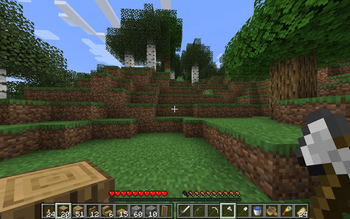
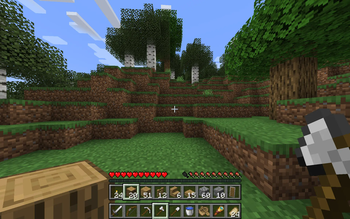
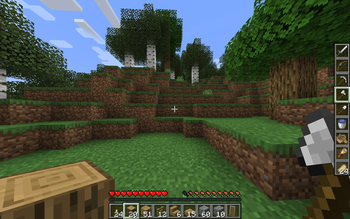
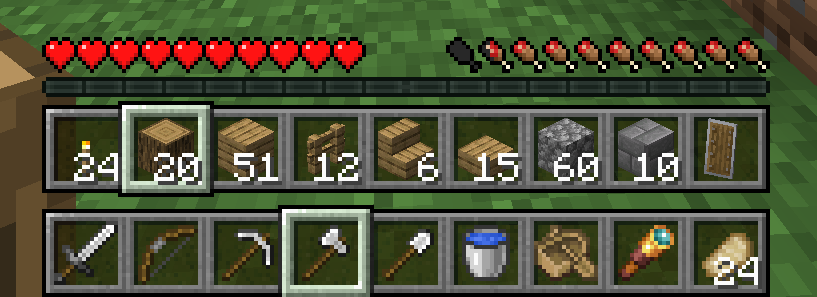
Offhand Hotbar turns the third row of your inventory into a hotbar for your offhand, making your inventory management more flexible. For example, you can hold tools and weapons in mainhand and building blocks in offhand, or you could have weapons in mainhand and various consumables in offhand.
By default, the scroll wheel controls your mainhand selection and number keys control your offhand selection, but this is configurable.
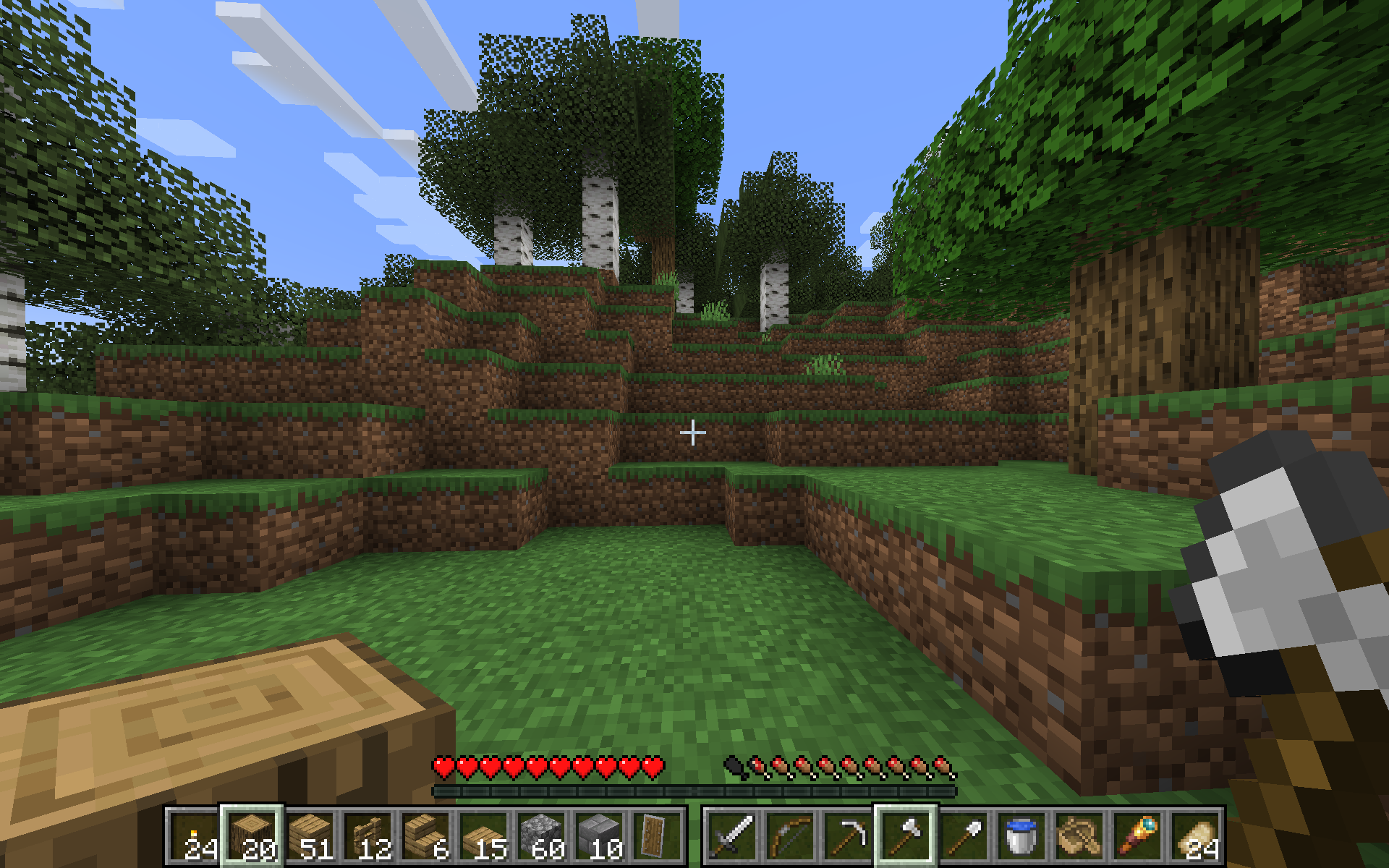
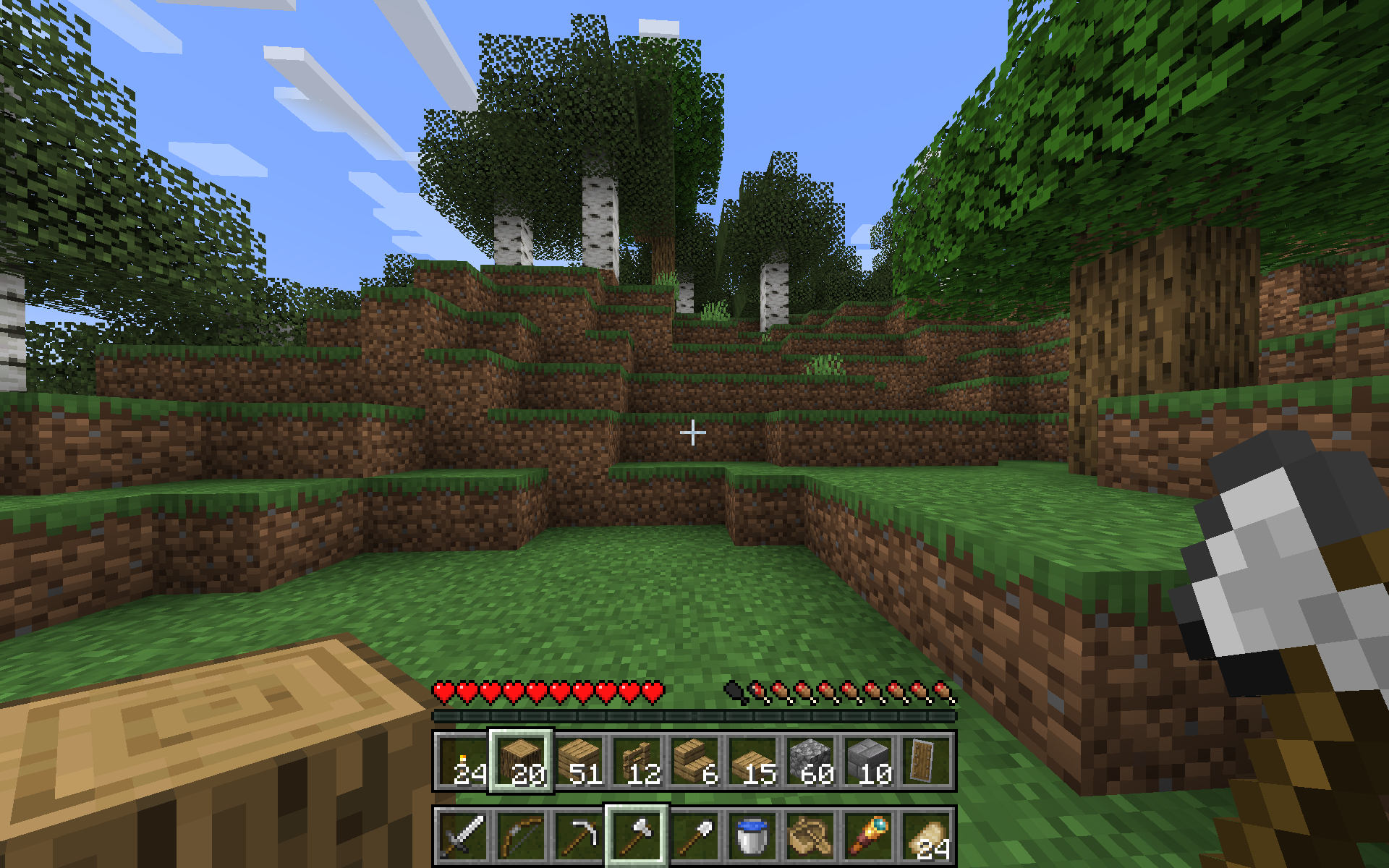
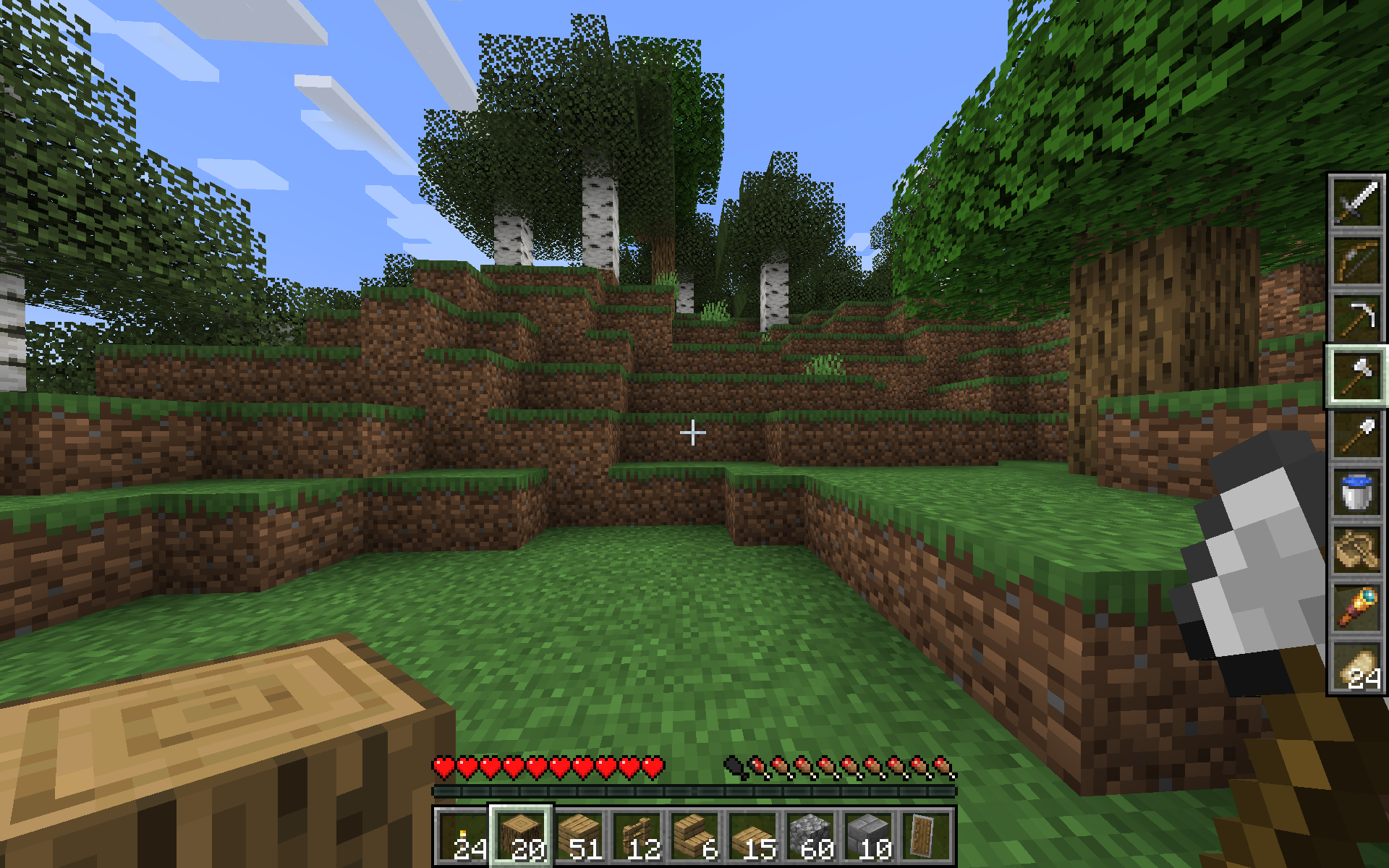
The mod contains several visual layouts to choose from:
| Side-By-Side | Stacked | Vertical |
|---|---|---|
 |
 |
 |
(see Gallery if images are too small on mobile)
Warning: It is possible the rapid item movement may get flagged by anticheat, use on public servers at your own risk.
The mod is still in beta, so please send any feedback or suggestions you think would improve usability to the issues page!
Mechanics
Under the hood, this works by shuffling around items whenever you change selection.
Because gui slots are controlled by the server, it is not easy to replace the inventory slot with the offhand slot in containers, so opening any sort of container or other inventory screen will swap items so that the third row of your inventory is consistent. The original offhand slot becomes the "default" offhand item that is equipped when a container is opened.
The swap hands keybind (default F) still works to swap your currently selected main and offhand items.
Known bugs
Your offhand item and selected item may get swapped around if you disconnect ungracefully (e.g. the server kicks you)
Configuration
Display Mode
The visual layout to use. The options are:
- Side by Side (default)
- Stacked
- Stacked Swapped
- Vertical
- Vertical Swapped
If you have a suggestion for another layout, feel free to open a github issue.
Scroll Controls
If the scroll wheel should control the mainhand or offhand (default: mainhand)
Keyboard Controls
If the number keys should control the mainhand or offhand (default: offhand)
Keybinds
In 1.21.1 you must go to the Controls > Keybinds section to set these, but in 1.21.5+ it is also available in the config screen (thanks Motschen!).
Control Opposite Hotbar
Holding this key will make scrolling and keyboard control the opposite hotbar. For example, if Scroll Controls is set to mainhand, then holding this key and scrolling will instead scroll the offhand. (default: Left Alt)
Scroll Inventory
Holding this key will cycle the three rows of your inventory when you scroll, which changes what is available in your offhand hotbar. (default: R)
Credits
This idea was inspired by an episode of The Spawn Chunks podcast
Available Versions
How to Install Offhand Hotbar on Your Server
Order Server
Order a Minecraft Java server with at least 3 GB RAM (4 GB recommended).
Set fabric Loader
In the panel under "Egg", select the fabric loader and matching Minecraft version (1.21.10).
Install Mod
Open the mod browser in the dashboard and search for "Offhand Hotbar". Click "Install" – done! Alternatively, upload the .jar via SFTP to the /mods folder.
Compatibility
Mod Loaders
Minecraft Versions
1.21.10, 1.21.9, 1.21.8 (+4 more)
Server-side
✗ UnsupportedRecommended RAM
4 GB(min. 3 GB)Frequently Asked Questions
Offhand Hotbar server crashes on startup – what to do?
Most common cause: wrong fabric version or insufficient RAM. Check the server log (latest.log) for "OutOfMemoryError" or "Mixin" errors. With Mado Hosting: ensure at least 3 GB RAM is allocated and the loader matches the mod version (1.21.10). You can switch loaders with one click in the panel.
Is Offhand Hotbar compatible with fabric?
Offhand Hotbar officially supports fabric for Minecraft 1.21.10, 1.21.9, 1.21.8. The Mado dashboard automatically detects incompatible loader combinations.
Server lagging with Offhand Hotbar – how to optimize performance?
Recommended RAM: 4 GB (per 8 players). Use /spark profiler to check if Offhand Hotbar consumes the most tick time. Common fixes: reduce server view-distance to 8-10, install "performant" or "starlight" as supplementary mods on Forge. With Mado Hosting, your server runs on NVMe SSDs with dedicated CPU cores for minimal latency.
Similar Mods



![[TaCZ] Timeless and Classics Zero](https://cdn.modrinth.com/data/SzzJttH8/fd27766d2bb8390d284696b1dbd358f87e081439_96.webp)


Rent Modded Server
Install Offhand Hotbar with just one click on your server.