
Ohmega
A modernised and lightweight data-driven accessory API for Minecraft
Screenshots


About this Mod
Ohmega
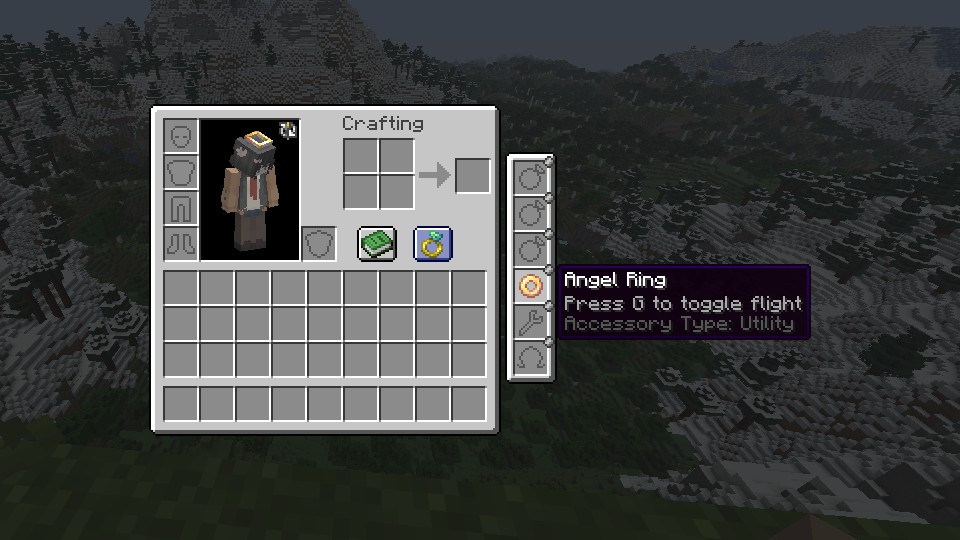
A modernised and lightweight data-driven, loader-agnostic accessory API for Minecraft, versions 1.18+
This mod aims to be a performant and stable alternative to other accessory API mods, while maintaining a plentiful amount of useful features both for users and developers
If you know another language and have some free time, consider helping to translate the mod here. There aren't too many translations needed per language, and your contributions will be extremely helpful.
Features
The following table describes features and the mod's version requirement in which they can be used. I am very open to feature requests, simply join the Discord and leave a message detailing what you would like to see added/changed, or create an issue report on the GitHub issue tracker.
| Feature | Version | Support / detail | Documentation |
|---|---|---|---|
| Multi-loader | >=1.4 | Fabric, Forge, NeoForge | N/A |
| Accessory rendering | >=1.6 | Broad (exp) | No |
| Custom slot types | >=1.3 | Full, data-driven | Yes |
| Data generation | >=1.5.8 | Accessory types, lang | No |
| Key-bound slots | Any | Built-in, dynamic | No |
| Accessory events | >=1.1 | Full (>=1.6) | Partial |
| Attribute modifiers | >=1.1 | Full, conditional | Yes |
| Custom screens | >=1.6 | Full (exp) | No |
| Configs | >=1.3 | Client & server config | N/A |
The Fabric version depends on the 'Fabric API' and 'Forge Config API Port' mods to function, whereas the Forge and NeoForge versions are standalone
For developers
Read the wiki to learn how to mod with Ohmega, and create your own functional accessories. If you have any questions or need support, join the Discord and leave a message with what you would like to know or need guidance with
Available Versions
How to Install Ohmega on Your Server
Order Server
Order a Minecraft Java server with at least 3 GB RAM (4 GB recommended).
Set fabric Loader
In the panel under "Egg", select the fabric loader and matching Minecraft version (26.1.2).
Install Mod
Open the mod browser in the dashboard and search for "Ohmega". Click "Install" – done! Alternatively, upload the .jar via SFTP to the /mods folder.
Compatibility
Mod Loaders
Minecraft Versions
26.1.2, 26.1.1, 26.1 (+25 more)
Server-side
✓ RequiredRecommended RAM
4 GB(min. 3 GB)Frequently Asked Questions
Ohmega server crashes on startup – what to do?
Most common cause: wrong fabric version or insufficient RAM. Check the server log (latest.log) for "OutOfMemoryError" or "Mixin" errors. With Mado Hosting: ensure at least 3 GB RAM is allocated and the loader matches the mod version (26.1.2). You can switch loaders with one click in the panel.
Is Ohmega compatible with fabric and forge and neoforge?
Ohmega officially supports fabric, forge, neoforge for Minecraft 26.1.2, 26.1.1, 26.1. Note: Forge and Fabric mods are NOT cross-compatible – pick one loader and stick with it. The Mado dashboard automatically detects incompatible loader combinations.
Server lagging with Ohmega – how to optimize performance?
Recommended RAM: 4 GB (per 8 players). Use /spark profiler to check if Ohmega consumes the most tick time. Common fixes: reduce server view-distance to 8-10, install "performant" or "starlight" as supplementary mods on Forge. With Mado Hosting, your server runs on NVMe SSDs with dedicated CPU cores for minimal latency.
Similar Mods




![[TaCZ] Timeless and Classics Zero](https://cdn.modrinth.com/data/SzzJttH8/fd27766d2bb8390d284696b1dbd358f87e081439_96.webp)

Rent Modded Server
Install Ohmega with just one click on your server.