
OmniEconomy
Currency & Economy. Integrates with create, but runs fine without it!
Screenshots
About this Mod
OmniEconomy
⚠️ This mod is still early in development
Official: https://omnieconomy.xyz/
Wiki: https://wiki.omnieconomy.xyz/
A comprehensive economy mod for Minecraft that adds a complete monetary system with physical currency, banking, player rewards, and extensive customization options.
What This Mod Does
OmniEconomy transforms your Minecraft server into a fully-functioning economy with:
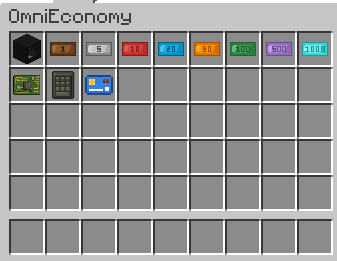
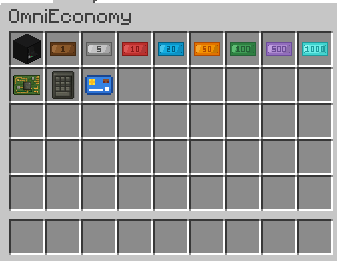
- Physical Currency System: Eight denominations of bills ($1, $5, $10, $20, $50, $100, $500, $1000) that players can carry, trade, and store
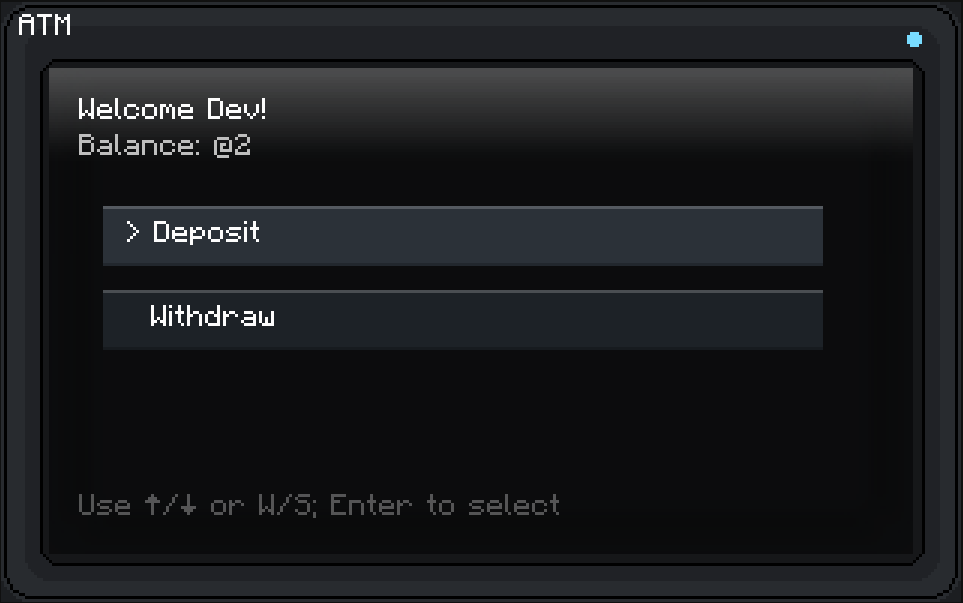
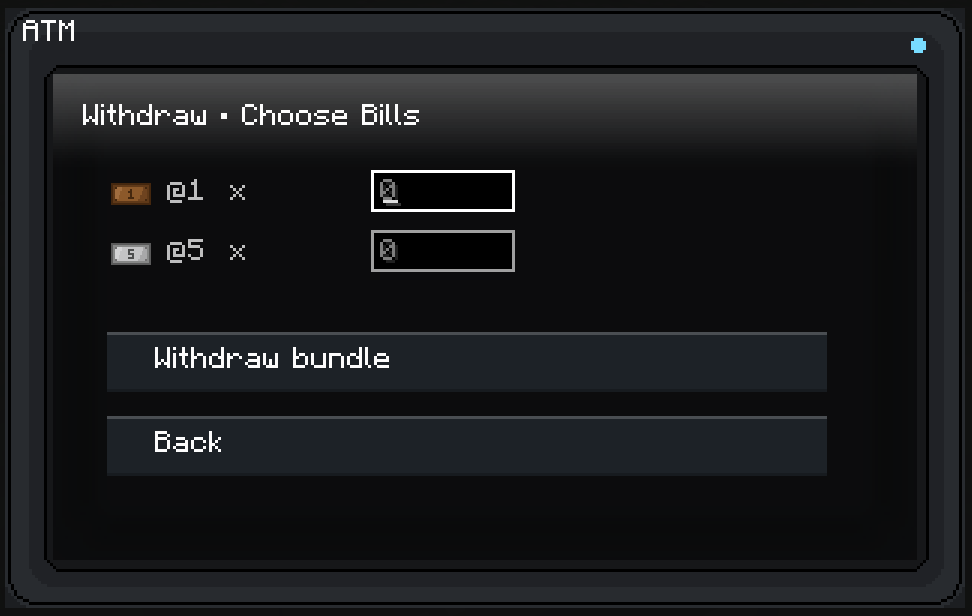
- ATM Blocks: Functional banking machines where players can deposit bills from their inventory or withdraw specific amounts in various denominations
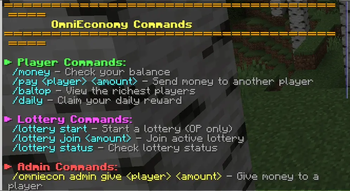
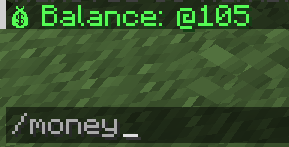
- Player Commands: Check balances, transfer money between players, view leaderboards, and claim daily rewards
- Automated Rewards: Optional playtime rewards that pay players for active gameplay, with configurable AFK detection
- Mob Drop Currency: Mobs can drop money when killed, with configurable drop rates and daily limits to prevent grinding
- Lottery System: Server-wide lottery events where players can pool money for a chance to win big
- Capitalist Greed Enchantment: A unique weapon enchantment (3 levels) that increases currency drop rates from mobs
- Create Mod Integration: Bank card item that enables automatic bill withdrawal when using Create's Stock Ticker shopping lists
Why Download This Mod
For Server Owners:
- Add depth to your server economy without complex plugins
- Highly configurable - enable/disable any feature and adjust all rates and limits
- Includes admin commands for economy management
- Automatic backups of economy data
- Optional anonymous telemetry to help with development
For Players:
- Earn money through gameplay (mob killing, daily logins, playtime)
- Trade currency items directly with other players
- Use ATMs with an intuitive keyboard-navigable interface
- Participate in server-wide lottery events
- Craft ATM blocks and bank cards for convenience
First-Time Setup:
- Configuration file generates on first launch at config/omnieconomy-common.toml
- All features are configurable including currency symbol, command cooldowns, reward amounts, and drop rates
- Economy data saves to world/data/omnieconomy.dat with optional rolling backups
Key Features You Can Configure:
- Enable/disable any command or reward system
- Set maximum player balance limits
- Adjust mob drop chances and daily earning caps
- Configure lottery settings and playtime reward intervals
- Set command cooldowns to prevent spam
Default Commands:
/money- Check your balance/pay <player> <amount>- Send money to another player/baltop- View the richest players/daily- Claim daily reward/lottery- Create or join lottery events/deposit- Deposit all bills from inventory into your account/withdraw <amount>- Withdraw money as optimized bills/omniecon help- View all available commands
Admin Commands:
/omniecon admin give/take/set- Manage player balances/omniecon admin balance- Check any player's balance/omniecon admin resetdaily/resetplaytime- Reset player cooldowns
Crafting Recipes:
- Bills: Not craftable. Obtainable through rewards (or creative menu)
- Circuit Board: Copper, Gold, Redstone, and Iron
- Keypad: Stone Buttons and Iron
- ATM Block: Iron Blocks, Circuit Boards, Chest, and Keypad
- Bank Card: Papers, Ink Sac
Economy data persists across server restarts and can be backed up automatically. All features respect the configured maximum balance limits to prevent overflow issues.
Available Versions
How to Install OmniEconomy on Your Server
Order Server
Order a Minecraft Java server with at least 3 GB RAM (4 GB recommended).
Set neoforge Loader
In the panel under "Egg", select the neoforge loader and matching Minecraft version (1.21.1).
Install Mod
Open the mod browser in the dashboard and search for "OmniEconomy". Click "Install" – done! Alternatively, upload the .jar via SFTP to the /mods folder.
Compatibility
Mod Loaders
Minecraft Versions
1.21.1
Server-side
✓ RequiredRecommended RAM
4 GB(min. 3 GB)Frequently Asked Questions
OmniEconomy server crashes on startup – what to do?
Most common cause: wrong neoforge version or insufficient RAM. Check the server log (latest.log) for "OutOfMemoryError" or "Mixin" errors. With Mado Hosting: ensure at least 3 GB RAM is allocated and the loader matches the mod version (1.21.1). You can switch loaders with one click in the panel.
Is OmniEconomy compatible with neoforge?
OmniEconomy officially supports neoforge for Minecraft 1.21.1. The Mado dashboard automatically detects incompatible loader combinations.
Server lagging with OmniEconomy – how to optimize performance?
Recommended RAM: 4 GB (per 8 players). Use /spark profiler to check if OmniEconomy consumes the most tick time. Common fixes: reduce server view-distance to 8-10, install "performant" or "starlight" as supplementary mods on Forge. With Mado Hosting, your server runs on NVMe SSDs with dedicated CPU cores for minimal latency.
Rent Modded Server
Install OmniEconomy with just one click on your server.