
Omni Tool
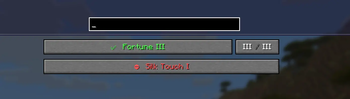
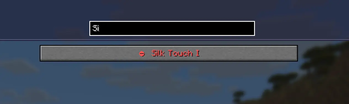
Lets you toggle your enchantments
Screenshots
About this Mod
Omni Tool – Break the Limits of Enchantments
Tired of vanilla enchantment restrictions?
Omni Tool gives you full control over how enchantments behave — powerful, flexible, and designed for both servers and clients.
🚀 Why Omni Tool?
⚡ No More Enchantment Conflicts
- Combine enchantments that were never meant to work together to create the one and only Tool you need.
🎛️ Smart Toggle System
- Enable, disable, and customize enchantments on the fly.
**🎚️ Adjust Levels Freely
- Fine-tune enchantment levels exactly the way you want.
🌐 Built for Everyone
🖥️ Client Mod? Optional.
- Full functionality even without installing anything client-side.
🧩 Seamless Polymer Integration
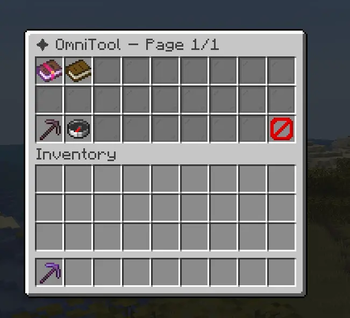
- Players without the mod can access everything via an intuitive GUI (Shift + F).
⌨️ Quick Access
- Open the Custom interface instantly with a keybind (default: X) on the client.
⚙️ Advanced Customization
🔓 Override Conflict Groups
- Choose which enchantments can coexist — even normally incompatible ones.
🛑 Control Curse Behavior
- Prevent curses from being disabled (or change it if you want).
🔄 Live Reloading
- Apply config changes instantly with /reloadomnitool.
💡 Built for Servers
- Omni Tool is designed with server performance and flexibility in mind:
Works fully server-side
No extra Polymer ports required
Custom Reload permission (omnitool.reload)
Take full control of enchantments.
Play your way! Break the rules!
Available Versions
How to Install Omni Tool on Your Server
Order Server
Order a Minecraft Java server with at least 3 GB RAM (4 GB recommended).
Set fabric Loader
In the panel under "Egg", select the fabric loader and matching Minecraft version (1.21.11).
Install Mod
Open the mod browser in the dashboard and search for "Omni Tool". Click "Install" – done! Alternatively, upload the .jar via SFTP to the /mods folder.
Compatibility
Mod Loaders
Minecraft Versions
1.21.11
Server-side
✓ RequiredRecommended RAM
4 GB(min. 3 GB)Frequently Asked Questions
Omni Tool server crashes on startup – what to do?
Most common cause: wrong fabric version or insufficient RAM. Check the server log (latest.log) for "OutOfMemoryError" or "Mixin" errors. With Mado Hosting: ensure at least 3 GB RAM is allocated and the loader matches the mod version (1.21.11). You can switch loaders with one click in the panel.
Is Omni Tool compatible with fabric?
Omni Tool officially supports fabric for Minecraft 1.21.11. The Mado dashboard automatically detects incompatible loader combinations.
Server lagging with Omni Tool – how to optimize performance?
Recommended RAM: 4 GB (per 8 players). Use /spark profiler to check if Omni Tool consumes the most tick time. Common fixes: reduce server view-distance to 8-10, install "performant" or "starlight" as supplementary mods on Forge. With Mado Hosting, your server runs on NVMe SSDs with dedicated CPU cores for minimal latency.
Similar Mods




![[TaCZ] Timeless and Classics Zero](https://cdn.modrinth.com/data/SzzJttH8/fd27766d2bb8390d284696b1dbd358f87e081439_96.webp)

Rent Modded Server
Install Omni Tool with just one click on your server.