
Opaque Chat
A mod that add encrypted networking to Minecraft chat
Screenshots

About this Mod
Opaque Chat
Opaque Chat is a purely client-side Fabric mod that brings end-to-end encryption to Minecraft chat. Communicate securely with your friends on any server without the server owner, console, or other players understanding a single word out of your chat.
Features
- End-to-End Encryption: Your messages are secured using ECDH (secp256r1) for secure key exchange and AES-GCM for symmetric message encryption.
- Secure Group Chats: Create private group chats with Perfect Forward Secrecy and Key Ratcheting to ensure kicked members are mathematically locked out.
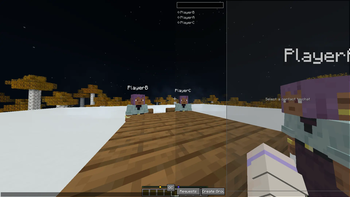
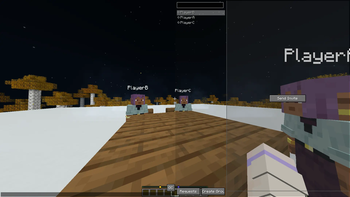
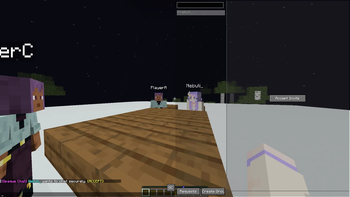
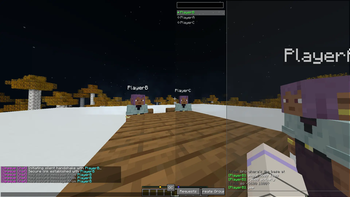
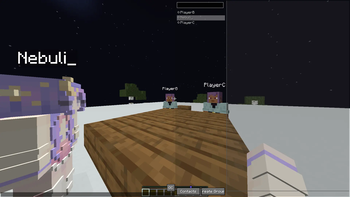
- Seamless GUI Integration: Opaque Chat features a panel built directly into the vanilla Chat screen.
- Highly Configurable: Customize UI colors, layouts, and server-specific chat cooldowns via Yet Another Config Lib (YACL).
- Client-Side Only: Opaque Chat works on any server, as long as the server allows standard chat messages to be sent and received.
How It Works
Opaque Chat intercepts incoming and outgoing chat messages prefixed with !oc_.
When you invite a player, the mod performs a silent cryptographic handshake (!oc_req and !oc_key) to exchange public keys over the server's public chat. Once a shared secret is established, your messages are encrypted (!oc_msg) before they ever leave your client. Server logs will only see base64-encoded strings, while you and your friend see clean, formatted text.
Each key is securely saved in your local config folder and is reused between sessions, meaning you only have to invite a player once!
Dependencies
Fabric Loader & Fabric API
Yet Another Config Lib
ModMenu (Optional, but recommended)
Usage
Opening the Interface
- Open your standard Minecraft chat (
Tby default). - Click the "OC" button in the bottom right corner of the screen to access the Opaque Chat interface.
Starting a Secure Chat
- Send an Invite: Use the GUI action buttons or type
/oc invite <player>in chat. - Accept an Invite: The receiving player will get a notification. They can click
[ACCEPT]in chat, use the GUI "Requests" tab, or type/oc accept <player>.
Sending Messages
Once a secure link is established:
- Select the contact in the Opaque Chat GUI panel and type your message into the "Secure Message" field.
- Alternatively, use the command
/oc msg <player> <message>.
Commands
Opaque Chat operates on client-side. All commands use the /oc prefix.
General & Configuration
| Command | Description |
|---|---|
/oc help |
Displays the in-game help menu with all available commands. |
/oc config |
Opens the visual configuration UI (Requires YACL). |
/oc reload |
Reloads config.json from your disk. |
/oc delay <ms> |
Sets the delay between automated packets for the current server to bypass anti-spam kicks (Default: 5000ms). |
1-on-1 Secure Messaging
| Command | Description |
|---|---|
/oc invite <player> |
Sends a secure ECC handshake request to the target player. |
/oc accept <player> |
Accepts an incoming handshake request and exchanges public keys. |
/oc msg <player> <text> |
Encrypts and sends a 1-on-1 message using the shared secret. |
Contact & Identity Management
| Command | Description |
|---|---|
/oc contact add <player> |
An alias for /oc invite <player>. |
/oc contact remove <player> |
Deletes a player from your saved contacts list. |
/oc contact reload |
Reloads contacts.json from your disk. |
/oc identity reset |
Generates a new ECC keypair and increments your Key Version. Your contacts will automatically heal and update to your new key the next time you message them |
/oc identity reload |
Reloads identity.json from your disk. |
Group Chats
Note: The player who creates a group is permanently assigned as the Group Owner.
| Command | Description | Permissions |
|---|---|---|
/oc group create <name> <members...> |
Generates a secure AES key, creates the group, and silently distributes the key to the listed members. | Anyone |
/oc group invite <name> <player> |
Securely invites a new player to an existing group and automatically syncs the roster for all current members. | Owner Only |
/oc group kick <name> <player> |
Kicks a player, generates a new AES key (ratcheting the version number), and securely distributes the new key to the remaining members to guarantee Perfect Forward Secrecy. | Owner Only |
Available Versions
How to Install Opaque Chat on Your Server
Order Server
Order a Minecraft Java server with at least 3 GB RAM (4 GB recommended).
Set fabric Loader
In the panel under "Egg", select the fabric loader and matching Minecraft version (1.21.11).
Install Mod
Open the mod browser in the dashboard and search for "Opaque Chat". Click "Install" – done! Alternatively, upload the .jar via SFTP to the /mods folder.
Compatibility
Mod Loaders
Minecraft Versions
1.21.11
Server-side
✗ UnsupportedRecommended RAM
4 GB(min. 3 GB)Frequently Asked Questions
Opaque Chat server crashes on startup – what to do?
Most common cause: wrong fabric version or insufficient RAM. Check the server log (latest.log) for "OutOfMemoryError" or "Mixin" errors. With Mado Hosting: ensure at least 3 GB RAM is allocated and the loader matches the mod version (1.21.11). You can switch loaders with one click in the panel.
Is Opaque Chat compatible with fabric and quilt?
Opaque Chat officially supports fabric, quilt for Minecraft 1.21.11. The Mado dashboard automatically detects incompatible loader combinations.
Server lagging with Opaque Chat – how to optimize performance?
Recommended RAM: 4 GB (per 8 players). Use /spark profiler to check if Opaque Chat consumes the most tick time. Common fixes: reduce server view-distance to 8-10, install "performant" or "starlight" as supplementary mods on Forge. With Mado Hosting, your server runs on NVMe SSDs with dedicated CPU cores for minimal latency.
Similar Mods






Rent Modded Server
Install Opaque Chat with just one click on your server.