Open Lights Controller
A controller to manage multiple OpenLights
Screenshots
About this Mod
Open Lights Controller

Requires Open Computers and Open Lights
Setup
- Drop the mod in the mods folder
Blocks
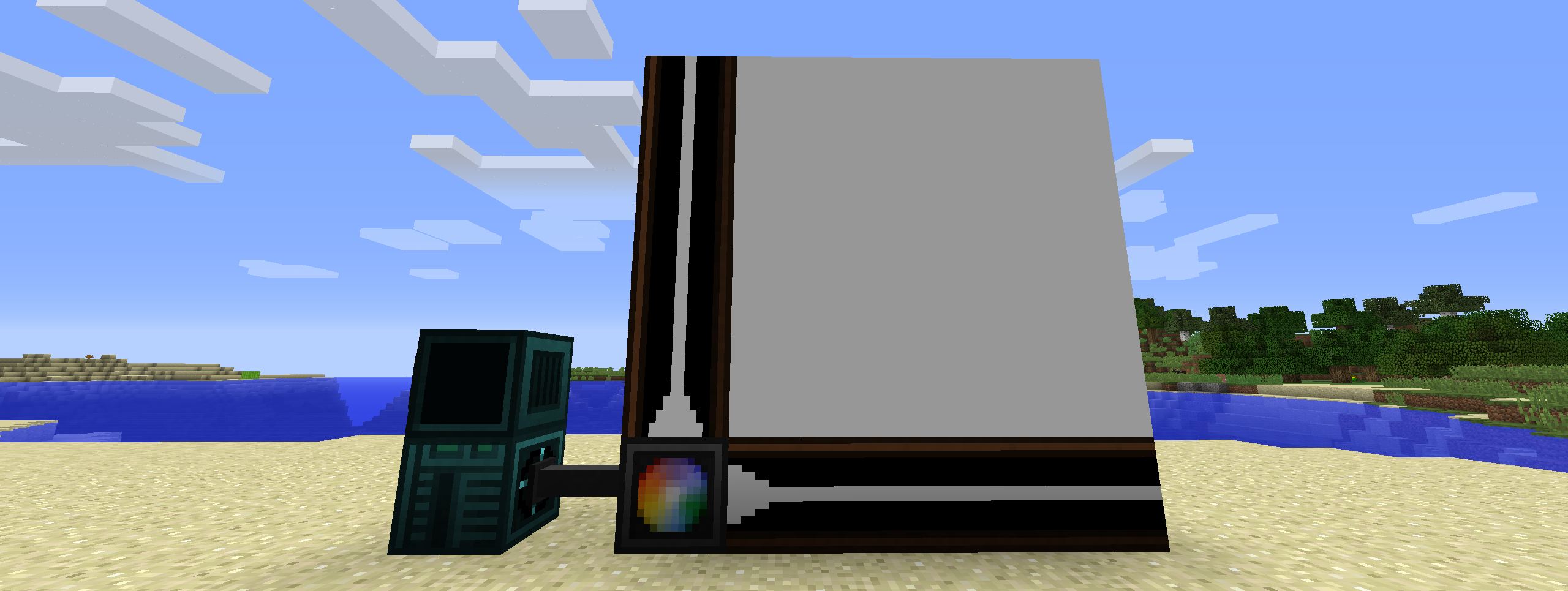
- Open Lights Controller (4 block range)
- Open Lights Controller (8 block range)
- Open Lights Controller (16 block range)
- Open Lights Controller Border
Usage
-- Require component and event
component = require("component")
event = require("event")

-- Get the attached Open Lights Controller component
lc = component.openlightscontroller

-- The letters define which axis the coordinates are for
-- The value on that axis increases as it follows the border blocks away from the controller
lc.calibrate("ZY")
w,h = lc.getSize()

-- The whole grid of lights is filled with yellow and set to brightness 15
lc.fillColor(0xffff00)
lc.fillBrightness(15)

-- The light at (1,1) is set to black
lc.setColor(0x000000,1,1)

-- The lights in the area defined by (2,2) and (w,h)  are set to red
lc.fillColor(0xff0000,2,2,w,h)

-- The changes are applied to the lights
lc.apply()

-- Wait until the interrupt event
event.pull('interrupt')

-- The whole grid of lights is filled with black
lc.fillColor(0x000000)

-- The changes are applied to the lights
lc.apply()
LUA API
[x:number]means these arguments are optional{x:number}means that the arguments are repeatable, or the return value is an array
| Method | Description |
|---|---|
| function apply():string; | Applies the current cached lighting data to the lights. |
| function isCalibrated():bool; | Checks if the light controller is calibrated. |
| function calibrate(direction:string):string; | Calibrate light controller. |
| function getBorderAxes():string, string; | Get border axes. |
| function getBorderDirections():string, string; | Get active border directions. |
| function getSize():number, number; | Get size of light grid. |
| function setColor(color:number, {x:number, y:number}):string; | Set the light color as an RGB value. Returns the new color as an RGB hex string. Use tonumber(value, 16) to convert return value to a usable numeric value. The controller caches this until apply() is called. |
| function fillColor(color:number, [x1:number, y1:number, x2:number, y2:number]):string; | Fills a specific region or the whole grid to a specific RGB value. Returns the new color as an RGB hex string. Use tonumber(value, 16) to convert return value to a usable numeric value. The controller caches this until apply() is called. |
| function setBrightness(brightness:number, {x:number, y:number}):number; | Set the brightness of the light. Returns the new brightness. The controller caches this until apply() is called. |
| function fillBrightness(brightness:number, [x1:number, y1:number, x2:number, y2:number]):number; | Fills a specific region or the whole grid to a specific brightness. Returns the new brightness. The controller caches this until apply() is called. |
| function getColor({x:number, y:number}):{string}; | Get the light color as an RGB hex string. Use tonumber(value, 16) to convert return value to a usable numeric value. The controller returns the current color use getCachedColor() to get the currently cached color. |
| function getBrightness({x:number, y:number}):{number}; | Get brightness of the light. The controller returns the current brightness use getCachedBrightness() to get the currently cached brightness. |
| function getCachedColor({x:number, y:number}):{string}; | Get the light color as an RGB hex string. Use tonumber(value, 16) to convert return value to a usable numeric value. Use getColor() to get the current color of the light. |
| function getCachedBrightness({x:number, y:number}):{number}; | Get brightness of the light. Use getBrightness() to get the current brightness of the light. |
| function getMaximumBorderSize():number; | Get the maximum border size. This changes depending on the tier of the light controller. |
Discord
Download
Available Versions
How to Install Open Lights Controller on Your Server
Order Server
Order a Minecraft Java server with at least 3 GB RAM (4 GB recommended).
Set forge Loader
In the panel under "Egg", select the forge loader and matching Minecraft version (1.12.2).
Install Mod
Open the mod browser in the dashboard and search for "Open Lights Controller". Click "Install" – done! Alternatively, upload the .jar via SFTP to the /mods folder.
Compatibility
Mod Loaders
Minecraft Versions
1.12.2
Server-side
✓ RequiredRecommended RAM
4 GB(min. 3 GB)Frequently Asked Questions
Open Lights Controller server crashes on startup – what to do?
Most common cause: wrong forge version or insufficient RAM. Check the server log (latest.log) for "OutOfMemoryError" or "Mixin" errors. With Mado Hosting: ensure at least 3 GB RAM is allocated and the loader matches the mod version (1.12.2). You can switch loaders with one click in the panel.
Is Open Lights Controller compatible with forge?
Open Lights Controller officially supports forge for Minecraft 1.12.2. The Mado dashboard automatically detects incompatible loader combinations.
Server lagging with Open Lights Controller – how to optimize performance?
Recommended RAM: 4 GB (per 8 players). Use /spark profiler to check if Open Lights Controller consumes the most tick time. Common fixes: reduce server view-distance to 8-10, install "performant" or "starlight" as supplementary mods on Forge. With Mado Hosting, your server runs on NVMe SSDs with dedicated CPU cores for minimal latency.
Similar Mods





Rent Modded Server
Install Open Lights Controller with just one click on your server.