
OpenComputers Community Edition
Modular, persistent, programmable computers and robots.
Screenshots
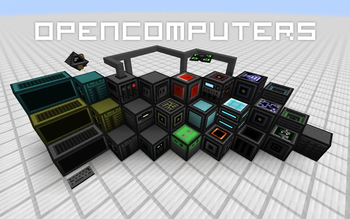
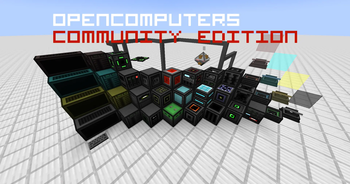
About this Mod
Disclaimer
This project is NOT an official OpenComputers release.
This is an unofficial continuation of OpenComputers.
This project is currently in beta. Features may change, and bugs or unexpected behavior may occur.
Overview
This mod adds computers that can be programmed in Lua 5.2 and 5.3, while preserving compatibility with existing OpenComputers software wherever possible. Computers persist across saves (i.e. execution resumes where the computer was saved when it is loaded again), they are highly modular (there are graphics cards, network cards, redstone cards, ...). If a compatible power generating mod is present, by default they will need power to run - however, like pretty much everything else about the mod, this can be changed in the config.
OpenComputers is designed to fit well with survival gameplay, and is played best in combination with other mods, which allow automating ore processing, and ideally crafting to some extent! Computers are not cheap to craft, so don't expect to build your first computer early when starting a new game. If you want an extra challenge, try the hard mode recipe set (see .minecraft/config/opencomputers/user.recipes for more information).
There are a lot of components in the mod that can be used to extend computers, such as motion sensors, holograms and there are also robots.
Inter-operation with many other mods is provided via the Adapter block (for example reading power information from energy cells and so on).
For more information, please visit the Wiki at http://ocdoc.cil.li/ where, aside from blocks and items in the mod, the built-in Lua APIs are documented as well, so you can read up what you can actually do with the computers.
Credit
Thanks to the original author Sangar, Vexatos, payonel, magik6k, Lord Joda, and all GitHub contributors.
Original Project Link: https://modrinth.com/mod/opencomputers
Available Versions
How to Install OpenComputers Community Edition on Your Server
Order Server
Order a Minecraft Java server with at least 3 GB RAM (4 GB recommended).
Set forge Loader
In the panel under "Egg", select the forge loader and matching Minecraft version (1.20.1).
Install Mod
Open the mod browser in the dashboard and search for "OpenComputers Community Edition". Click "Install" – done! Alternatively, upload the .jar via SFTP to the /mods folder.
Compatibility
Mod Loaders
Minecraft Versions
1.20.1
Server-side
✓ RequiredRecommended RAM
4 GB(min. 3 GB)Frequently Asked Questions
OpenComputers Community Edition server crashes on startup – what to do?
Most common cause: wrong forge version or insufficient RAM. Check the server log (latest.log) for "OutOfMemoryError" or "Mixin" errors. With Mado Hosting: ensure at least 3 GB RAM is allocated and the loader matches the mod version (1.20.1). You can switch loaders with one click in the panel.
Is OpenComputers Community Edition compatible with forge?
OpenComputers Community Edition officially supports forge for Minecraft 1.20.1. The Mado dashboard automatically detects incompatible loader combinations.
Server lagging with OpenComputers Community Edition – how to optimize performance?
Recommended RAM: 4 GB (per 8 players). Use /spark profiler to check if OpenComputers Community Edition consumes the most tick time. Common fixes: reduce server view-distance to 8-10, install "performant" or "starlight" as supplementary mods on Forge. With Mado Hosting, your server runs on NVMe SSDs with dedicated CPU cores for minimal latency.
Similar Mods





Rent Modded Server
Install OpenComputers Community Edition with just one click on your server.