
OptiPainting
Optimizes painting rendering
Screenshots
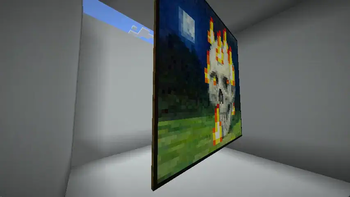
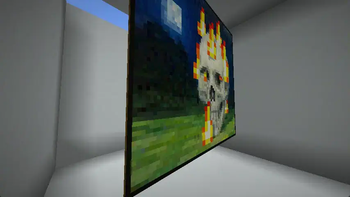
About this Mod
OptiPainting
Optimized painting rendering
What's this mod do?
- This mod optimizes the rendering of paintings, by not rendering the sides of the painting that are never visible.
- In 24w18a, Mojang added data-driven paintings, which allows for custom paintings to be added to the game, up to 16x16 in size.
This mod removes that limit and allows you to have paintings of any size.
How's it optimized?
If you have a look at a painting, you'll notice that on the sides there is a 2px indented frame,
so it sticks out from the wall. In vanilla, these faces are rendered for every single block that the painting is made of.
This is a waste of resources, as the faces are never visible. This mod fixes that by not rendering these faces.
This may seem like a small optimization, but these tiny faces are equivalent to the full block face, so:
- Front - 4 vertices
- Back - 4 vertices
Top - 4 verticesBottom - 4 verticesLeft - 4 verticesRight - 4 vertices
Makes a total of 24 vertices per block on vanilla. And 8 vertices per block on OptiPainting.
That's a 66% reduction in vertices!
- If you have a 16x16 painting, that's 256 blocks, which is 6144 vertices in vanilla, and 2048 vertices in OptiPainting.
- If you have a super-large 64x64 painting, that's 4096 blocks, which is 98304 vertices in vanilla, and 32768 vertices in OptiPainting.

| With OptiPainting | Without OptiPainting |
|---|---|
 |
 |
This example is rendered without the back face to demonstrate what the mod does.
You can see the back of the painting in vanilla and with the mod. (For now!!)
Obviously, if you only have the occasional painting in your world, you won't notice much of a difference, but it
is free optimization none-the-less!
Available Versions
How to Install OptiPainting on Your Server
Order Server
Order a Minecraft Java server with at least 3 GB RAM (4 GB recommended).
Set fabric Loader
In the panel under "Egg", select the fabric loader and matching Minecraft version (1.20.6).
Install Mod
Open the mod browser in the dashboard and search for "OptiPainting". Click "Install" – done! Alternatively, upload the .jar via SFTP to the /mods folder.
Compatibility
Mod Loaders
Minecraft Versions
1.20.6, 1.20.5, 1.20.4 (+9 more)
Server-side
✗ UnsupportedRecommended RAM
4 GB(min. 3 GB)Frequently Asked Questions
OptiPainting server crashes on startup – what to do?
Most common cause: wrong fabric version or insufficient RAM. Check the server log (latest.log) for "OutOfMemoryError" or "Mixin" errors. With Mado Hosting: ensure at least 3 GB RAM is allocated and the loader matches the mod version (1.20.6). You can switch loaders with one click in the panel.
Is OptiPainting compatible with fabric?
OptiPainting officially supports fabric for Minecraft 1.20.6, 1.20.5, 1.20.4. The Mado dashboard automatically detects incompatible loader combinations.
Server lagging with OptiPainting – how to optimize performance?
Recommended RAM: 4 GB (per 8 players). Use /spark profiler to check if OptiPainting consumes the most tick time. Common fixes: reduce server view-distance to 8-10, install "performant" or "starlight" as supplementary mods on Forge. With Mado Hosting, your server runs on NVMe SSDs with dedicated CPU cores for minimal latency.
Rent Modded Server
Install OptiPainting with just one click on your server.