
oraclium
Discover Oraclium our minecraft mod which adds new ores, ingots, armor and tools and new items and an improved crafting table which allows you to create hammers oraclium is a "BetterVanillia"
Screenshots
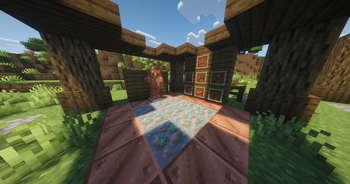

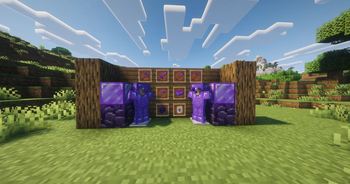


About this Mod
🔮 Oraclium — The Vanilla+ Extension That Enhances Minecraft
⭐ Thank you to everyone who supports the project!
🔔 To discover more content and follow the CobbleStudio universe, visit cobblestudio.
🧱 Overview
Oraclium is a vanilla-like mod designed to enrich Minecraft without altering its core identity.
The goal: to offer a deeper, more varied, and more immersive experience, while remaining true to the style and balance of the original game.
No futuristic machines, no overpowered abilities — Oraclium integrates seamlessly into a survival game, as if Mojang had released a major update focused on exploration, materials, and progression.
If you'd like to share ideas, concepts, or feedback, join the community on Discord.
💎 Key Features
- New Ores — Azurite, Auralite, Ruby, Malachite, and more
- Unique Armor & Tools — Each material has its own distinct identity
- New Biomes — Brand-new environments in the Overworld and the End
- Generated Structures — Ruins, shrines, and mysterious areas to explore
- Improved Explosives — More powerful and fun TNT variants
- Underground Additions — New blocks to diversify caves
- New Enchantments — More progression options
- Compatibility: JEI / Jade — Perfect for modpacks and new players
And this is just a glimpse: Oraclium continues to expand with each update.
🌍 Why Choose Oraclium?
Minecraft can become repetitive once everything has been explored.
Oraclium breathes new life into the game by adding:
- variety,
- progression,
- discovery,
- and a richer atmosphere,
all while remaining perfectly consistent with the game's universe.
The mod integrates seamlessly into modpacks, thanks to its balanced approach and natural compatibility.
Available Versions
How to Install oraclium on Your Server
Order Server
Order a Minecraft Java server with at least 3 GB RAM (4 GB recommended).
Set fabric Loader
In the panel under "Egg", select the fabric loader and matching Minecraft version (1.21.11).
Install Mod
Open the mod browser in the dashboard and search for "oraclium". Click "Install" – done! Alternatively, upload the .jar via SFTP to the /mods folder.
Compatibility
Mod Loaders
Minecraft Versions
1.21.11, 1.21.8, 1.21.4 (+1 more)
Server-side
✓ RequiredRecommended RAM
4 GB(min. 3 GB)Frequently Asked Questions
oraclium server crashes on startup – what to do?
Most common cause: wrong fabric version or insufficient RAM. Check the server log (latest.log) for "OutOfMemoryError" or "Mixin" errors. With Mado Hosting: ensure at least 3 GB RAM is allocated and the loader matches the mod version (1.21.11). You can switch loaders with one click in the panel.
Is oraclium compatible with fabric and forge and neoforge?
oraclium officially supports fabric, forge, neoforge for Minecraft 1.21.11, 1.21.8, 1.21.4. Note: Forge and Fabric mods are NOT cross-compatible – pick one loader and stick with it. The Mado dashboard automatically detects incompatible loader combinations.
Server lagging with oraclium – how to optimize performance?
Recommended RAM: 4 GB (per 8 players). Use /spark profiler to check if oraclium consumes the most tick time. Common fixes: reduce server view-distance to 8-10, install "performant" or "starlight" as supplementary mods on Forge. With Mado Hosting, your server runs on NVMe SSDs with dedicated CPU cores for minimal latency.
Similar Mods




Rent Modded Server
Install oraclium with just one click on your server.