
Ore Stages
Allows blocks like ores to be hidden and staged with Game Stages
Screenshots
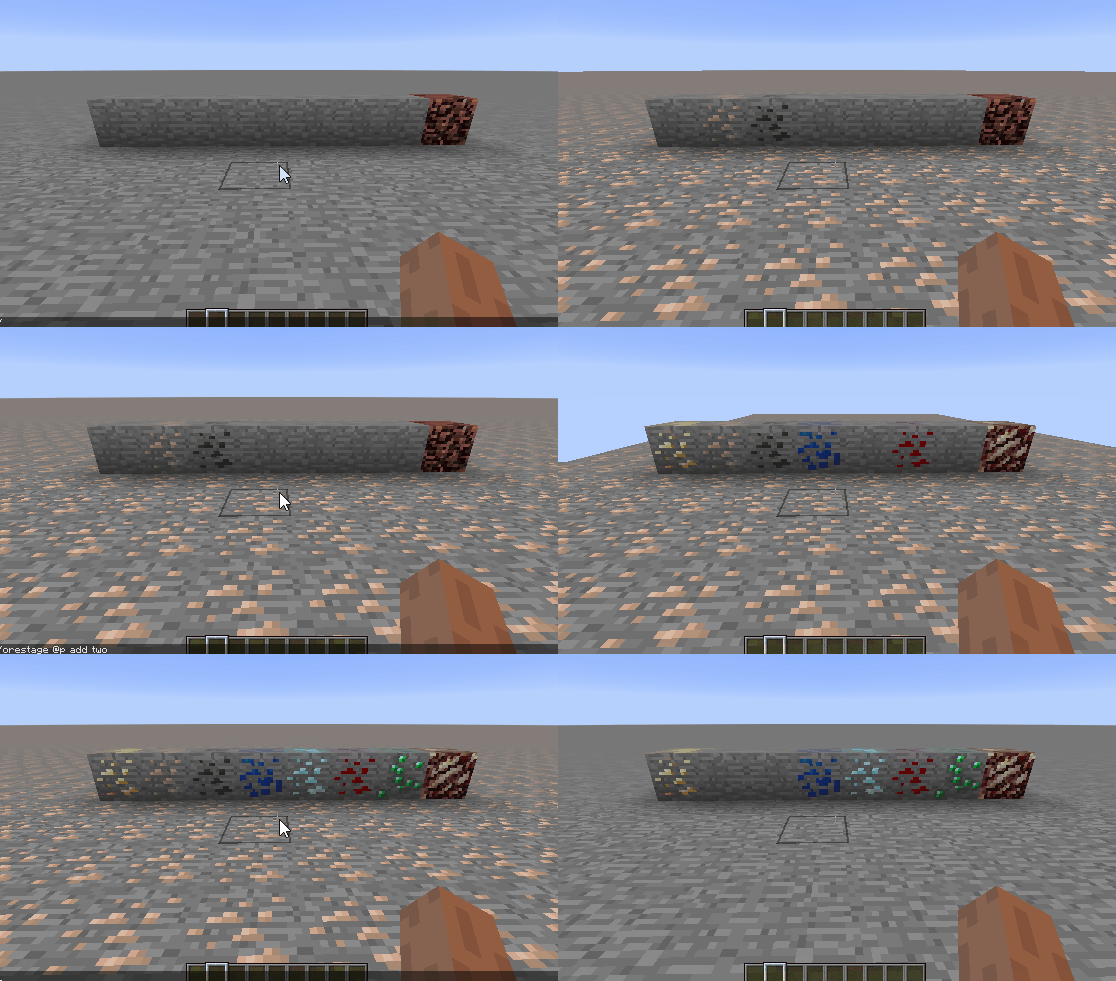
About this Mod
Ore Stages
This mod is an addon for the GameStage API. It allows for blocks in the world, like ores, to be put into game stages. You should check out the GameStage API mod's description for more info. To give a brief run down, stages are parts of the progression system set up by the modpack or server. Stages are given to players through a command, which is typically ran by a questing mod, advancement, or even a Command Block.

This project is sponsored by Nodecraft. Use code DARKHAX for 30% off your first month of service!
Setup
This mod uses CraftTweaker for configuration.
What happens when staged?
If a player does not have the right stage for the block
- The block will look like the block it is hidden as.
- The player will not be able to right click the block.
- The block will drop the items it's replacement would drop.
- The block will take as long to mine as it's replacement.
In situations where no player is present, it will be assumed that there is no stage. This is referred to as defaulting behavior.
Will changing blocks back to normal cause any lag?
Unhiding the blocks is very fast. The process involves reloading the chunk renderers on the the client. While this may sound complicated or laggy, it's actually very simple that on even slower computers will only take a second or two at most. This is the same as pressing f3 + a in vanilla.
CraftTweaker methods
This method can be used to replace a block with vanilla stone.
mods.orestages.OreStages.addReplacement(String stage, IIngredient original);
This method can be used to replace a block with another block.
mods.orestages.OreStages.addReplacement(String stage, IIngredient original, IItemStack replacement);
This method can be used to replace a block with another block by specifying exact block ids. The above two methods only work for blocks with items.
mods.orestages.OreStages.addReplacementById(String stage, String original, String replacement);
The following methods are used to add a replacement which do not use the defaulting behavior. Meaning if no player broke the block (water, explosion, machine) the block will break as if it was not hidden.
mods.orestages.OreStages.addNonDefaultingReplacement(String stage, IIngredient original);
mods.orestages.OreStages.addNonDefaultingReplacement(String stage, IIngredient original, IItemStack replacement);
mods.orestages.OreStages.addNonDefaultingReplacementById(String stage, String original, String replacement);
Example Script
mods.orestages.OreStages.addReplacementById("one", "minecraft:potatoes:*", "minecraft:tallgrass:2");
mods.orestages.OreStages.addReplacementById("two", "minecraft:wheat:*", "minecraft:carrots:3");
mods.orestages.OreStages.addReplacementById("three", "minecraft:nether_wart:*", "minecraft:beetroots");
mods.orestages.OreStages.addReplacement("four", <minecraft:dirt>, <minecraft:stone>);
mods.orestages.OreStages.addReplacement("one", <minecraft:obsidian>, <minecraft:cobblestone>);
mods.orestages.OreStages.addNonDefaultingReplacement("one", <minecraft:torch:*>, <minecraft:redstone_torch>);
mods.orestages.OreStages.addReplacement("five", <minecraft:furnace:*>, <minecraft:stone>);
Available Versions
How to Install Ore Stages on Your Server
Order Server
Order a Minecraft Java server with at least 3 GB RAM (4 GB recommended).
Set forge Loader
In the panel under "Egg", select the forge loader and matching Minecraft version (1.12.2).
Install Mod
Open the mod browser in the dashboard and search for "Ore Stages". Click "Install" – done! Alternatively, upload the .jar via SFTP to the /mods folder.
Compatibility
Mod Loaders
Minecraft Versions
1.12.2
Server-side
✓ RequiredRecommended RAM
4 GB(min. 3 GB)Frequently Asked Questions
Ore Stages server crashes on startup – what to do?
Most common cause: wrong forge version or insufficient RAM. Check the server log (latest.log) for "OutOfMemoryError" or "Mixin" errors. With Mado Hosting: ensure at least 3 GB RAM is allocated and the loader matches the mod version (1.12.2). You can switch loaders with one click in the panel.
Is Ore Stages compatible with forge?
Ore Stages officially supports forge for Minecraft 1.12.2. The Mado dashboard automatically detects incompatible loader combinations.
Server lagging with Ore Stages – how to optimize performance?
Recommended RAM: 4 GB (per 8 players). Use /spark profiler to check if Ore Stages consumes the most tick time. Common fixes: reduce server view-distance to 8-10, install "performant" or "starlight" as supplementary mods on Forge. With Mado Hosting, your server runs on NVMe SSDs with dedicated CPU cores for minimal latency.
Similar Mods




Rent Modded Server
Install Ore Stages with just one click on your server.