
Screenshots
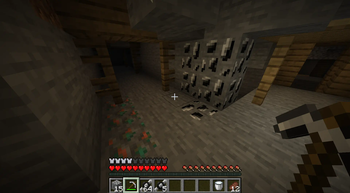
About this Mod
ORECraft
Mine while mining!
Description
ORECraft is a Minecraft mod that brings the concept of cryptocurrency mining into the world of Minecraft. With ORECraft, players can mine a new resource called ORE while playing the game. This mod adds a new layer of gameplay, allowing players to earn and use ORE within Minecraft, trade with other players, or simply enjoy the enhanced mining experience.
Features
- New ore blocks: Deepslate ORE Ore and ORE Ore
- New item: Raw ORE
- CLI integration for mining ORE
- Configurable mining settings
- Client-side commands for managing ORE mining
Installation
- Make sure you have Fabric Loader installed for Minecraft 1.21.1
- Download the latest version of ORECraft from the releases page
- Place the downloaded JAR file in your Minecraft mods folder
- Launch Minecraft with the Fabric profile
Dependencies
INTENDED USAGE WIP
- Launch Minecraft with the ORECraft mod installed
- Explore the world and mine the new ORE ore blocks
- Use the in-game commands to manage your ORE mining operations
- Configure the mod settings using the Mod Menu integration
Commands
(Add information about available commands here)
Configuration
ORECraft can be configured using the Mod Menu integration. You can adjust various mining-related settings to customize your experience.
Development
To set up the development environment:
- Clone the repository
- Open the project in your preferred IDE
- Run the following Gradle tasks:
gradlew genSourcesgradlew eclipse(for Eclipse),gradlew idea(for IntelliJ IDEA) orgradlew vscode(for VSCode and Cursor)
Building
To build the mod:
- Run
gradlew build - The compiled JAR file will be in the
build/libsdirectory
Contributing
Contributions are welcome! Please feel free to submit a Pull Request.
License
This project is licensed under the MIT License. See the LICENSE file for details. But it will probably be changed to a more restrictive license later.
Credits
- Victor De Lomas (victordlp8) - Main developer
Disclaimer
This mod is a prototype created for the Radar Hackathon and is not affiliated with or endorsed by Minecraft, Mojang, or Microsoft.
Available Versions
How to Install ORECraft on Your Server
Order Server
Order a Minecraft Java server with at least 3 GB RAM (4 GB recommended).
Set fabric Loader
In the panel under "Egg", select the fabric loader and matching Minecraft version (1.21.1).
Install Mod
Open the mod browser in the dashboard and search for "ORECraft". Click "Install" – done! Alternatively, upload the .jar via SFTP to the /mods folder.
Compatibility
Mod Loaders
Minecraft Versions
1.21.1
Server-side
✓ RequiredRecommended RAM
4 GB(min. 3 GB)Frequently Asked Questions
ORECraft server crashes on startup – what to do?
Most common cause: wrong fabric version or insufficient RAM. Check the server log (latest.log) for "OutOfMemoryError" or "Mixin" errors. With Mado Hosting: ensure at least 3 GB RAM is allocated and the loader matches the mod version (1.21.1). You can switch loaders with one click in the panel.
Is ORECraft compatible with fabric?
ORECraft officially supports fabric for Minecraft 1.21.1. The Mado dashboard automatically detects incompatible loader combinations.
Server lagging with ORECraft – how to optimize performance?
Recommended RAM: 4 GB (per 8 players). Use /spark profiler to check if ORECraft consumes the most tick time. Common fixes: reduce server view-distance to 8-10, install "performant" or "starlight" as supplementary mods on Forge. With Mado Hosting, your server runs on NVMe SSDs with dedicated CPU cores for minimal latency.
Similar Mods




![CobbleDollars [Cobblemon Addon]](https://cdn.modrinth.com/data/s7N7AsqL/684040a264fc1d7f9b856ec5d2da39767398c7ad.png)
Rent Modded Server
Install ORECraft with just one click on your server.