
oSzoukaua's: Leaf Litter
A little datapack that makes decaying leaves drop leaf litter or petals on the ground!
Screenshots

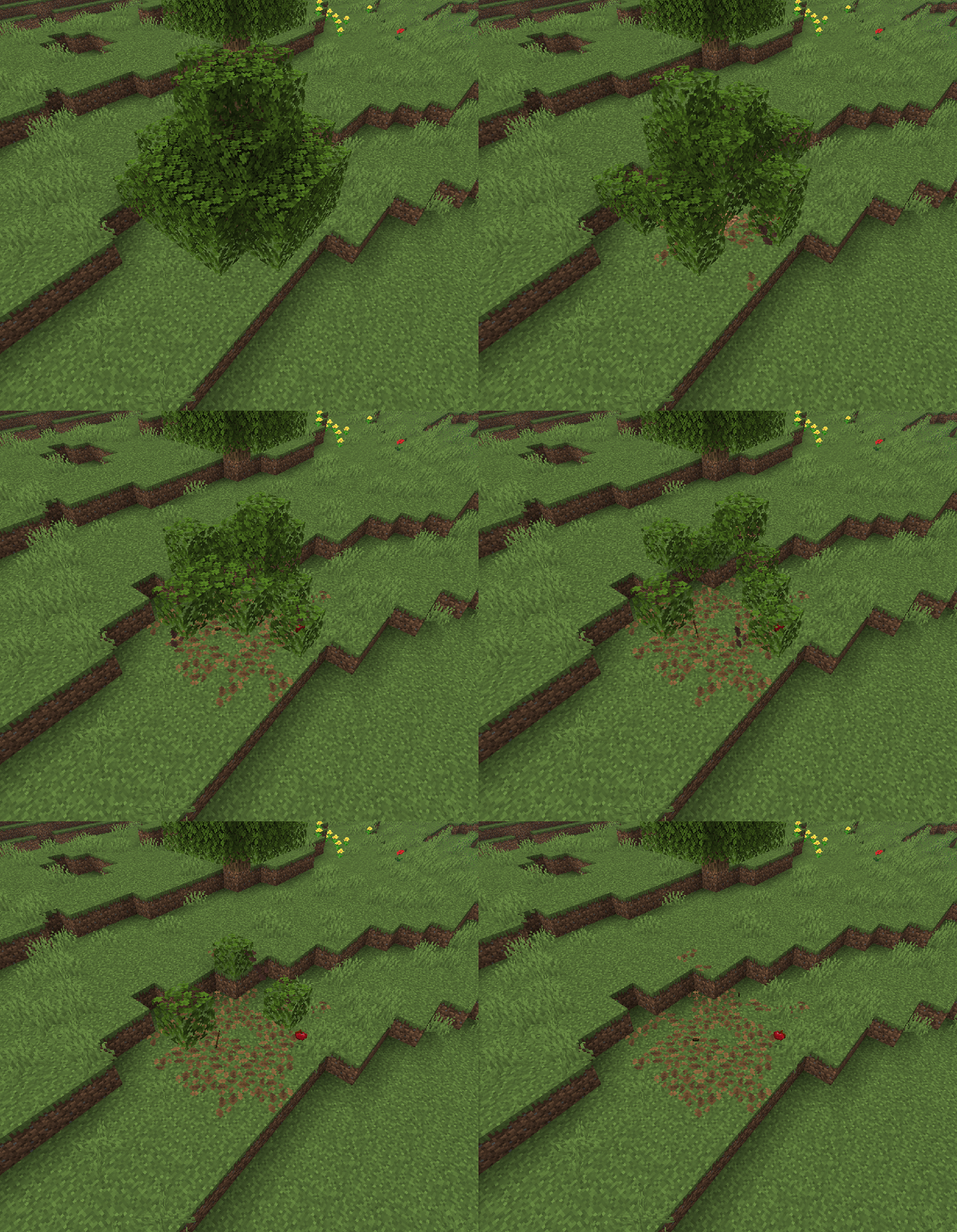
About this Mod
Description:
This Datapack/mod makes it so that once leaves natuarally decay, they will drop down a leaf litter that floats down to the ground, and gets placed! making leaf litter piles around chopped down trees, and pink petal piles around chopped down cherry trees!
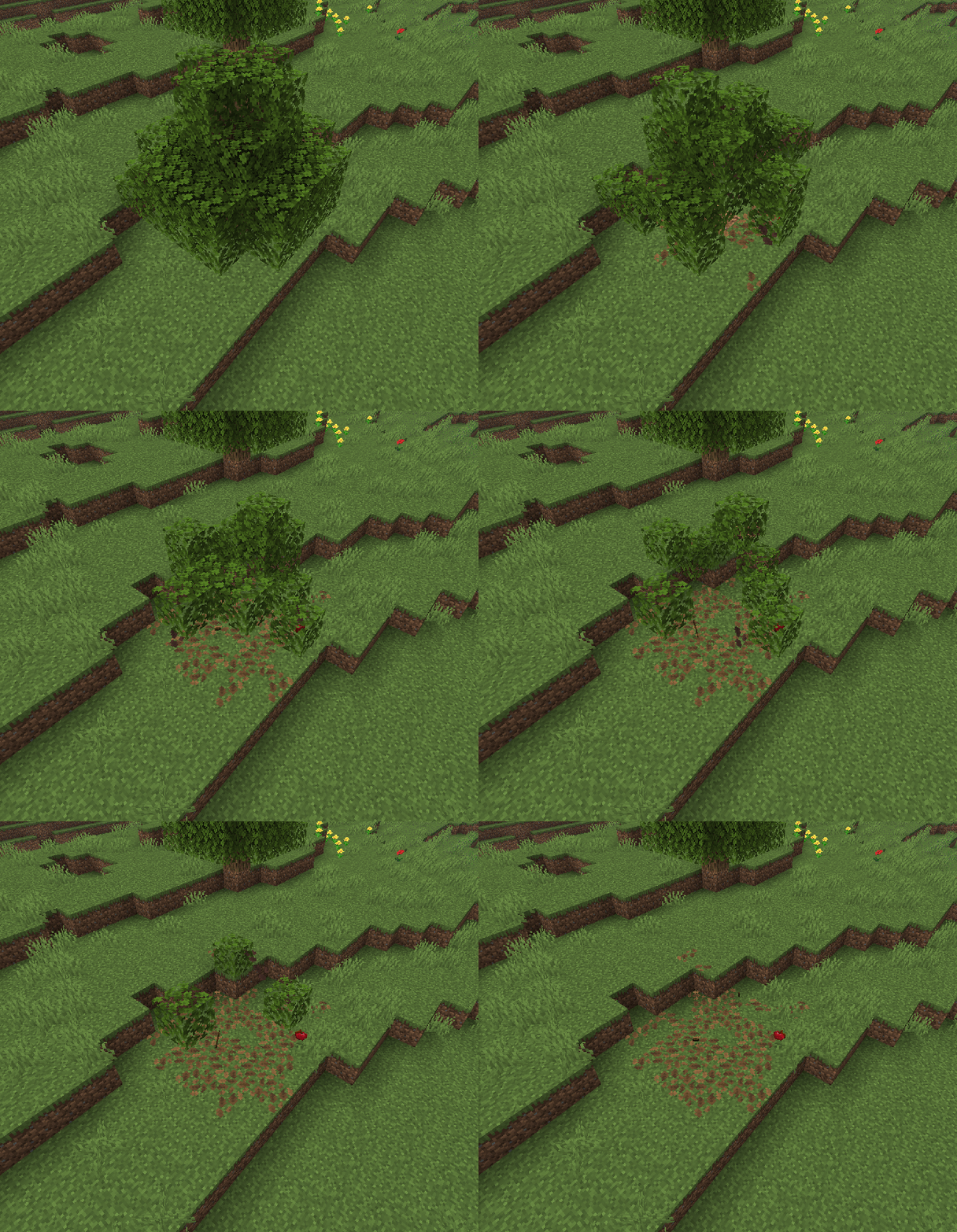
Notes:
Other:
You are free to use this pack in modpacks/youtube videos and many other forms of sharing
If you would like me to port this to any other Minecraft version, i would be more than happy to do so, please contact me! my details are below.
If you do find any issues/have any recommendations, suggestions for optimizations, improvements, or new features to add, feel free to contact me!
Discord
@oSzoukaua

Technical details:
This datapack changes the loot tables of all leaf blocks so that they drop a unique leaf_litter item (pink_petals for cherry trees) with the custom data data "oszu_ll:true", which in a tick will get deleted, and replaced with a litterpetal block display riding an invisible tiny armour stand falling down to the ground, the block display is randomly rotated as it falls, once the armour stands OnGround value is 1b, it and the visual will get deleted, and a litter/petal will attempt to be places/incremented/piled with surounding litter/petal blocks
Available Versions
How to Install oSzoukaua's: Leaf Litter on Your Server
Order Server
Order a Minecraft Java server with at least 3 GB RAM (4 GB recommended).
Set datapack Loader
In the panel under "Egg", select the datapack loader and matching Minecraft version (26.1.2).
Install Mod
Open the mod browser in the dashboard and search for "oSzoukaua's: Leaf Litter". Click "Install" – done! Alternatively, upload the .jar via SFTP to the /mods folder.
Compatibility
Mod Loaders
Minecraft Versions
26.1.2, 26.1.1, 26.1 (+5 more)
Server-side
✓ RequiredRecommended RAM
4 GB(min. 3 GB)Frequently Asked Questions
oSzoukaua's: Leaf Litter server crashes on startup – what to do?
Most common cause: wrong datapack version or insufficient RAM. Check the server log (latest.log) for "OutOfMemoryError" or "Mixin" errors. With Mado Hosting: ensure at least 3 GB RAM is allocated and the loader matches the mod version (26.1.2). You can switch loaders with one click in the panel.
Is oSzoukaua's: Leaf Litter compatible with datapack and fabric and forge and neoforge and quilt?
oSzoukaua's: Leaf Litter officially supports datapack, fabric, forge, neoforge, quilt for Minecraft 26.1.2, 26.1.1, 26.1. Note: Forge and Fabric mods are NOT cross-compatible – pick one loader and stick with it. The Mado dashboard automatically detects incompatible loader combinations.
Server lagging with oSzoukaua's: Leaf Litter – how to optimize performance?
Recommended RAM: 4 GB (per 8 players). Use /spark profiler to check if oSzoukaua's: Leaf Litter consumes the most tick time. Common fixes: reduce server view-distance to 8-10, install "performant" or "starlight" as supplementary mods on Forge. With Mado Hosting, your server runs on NVMe SSDs with dedicated CPU cores for minimal latency.
Similar Mods





Rent Modded Server
Install oSzoukaua's: Leaf Litter with just one click on your server.
Details
- License
- Creative Commons Attribution Non Commercial Share Alike 4.0 International
- Server-side
- Required