
OpenTelemetry Instrumentation Extension
Instrumentation for the Java OpenTelemetry Agent to include additional game telemetry
Screenshots
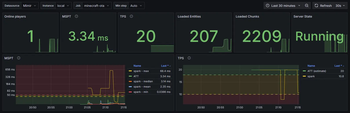
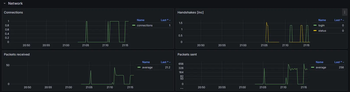
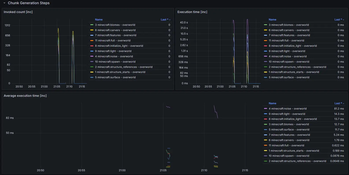
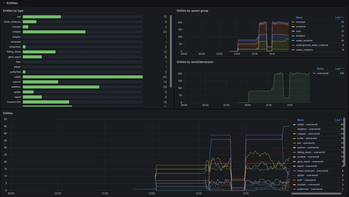
About this Mod
OpenTelemetry can be used to report various monitoring data (including metrics, logs and traces) and is a de-facto industry standard.
This mod provides additional instrumentation for the OpenTelemetry JavaAgent so that various game metrics can be reported. The overall functionality is similar to fabric-exporter.
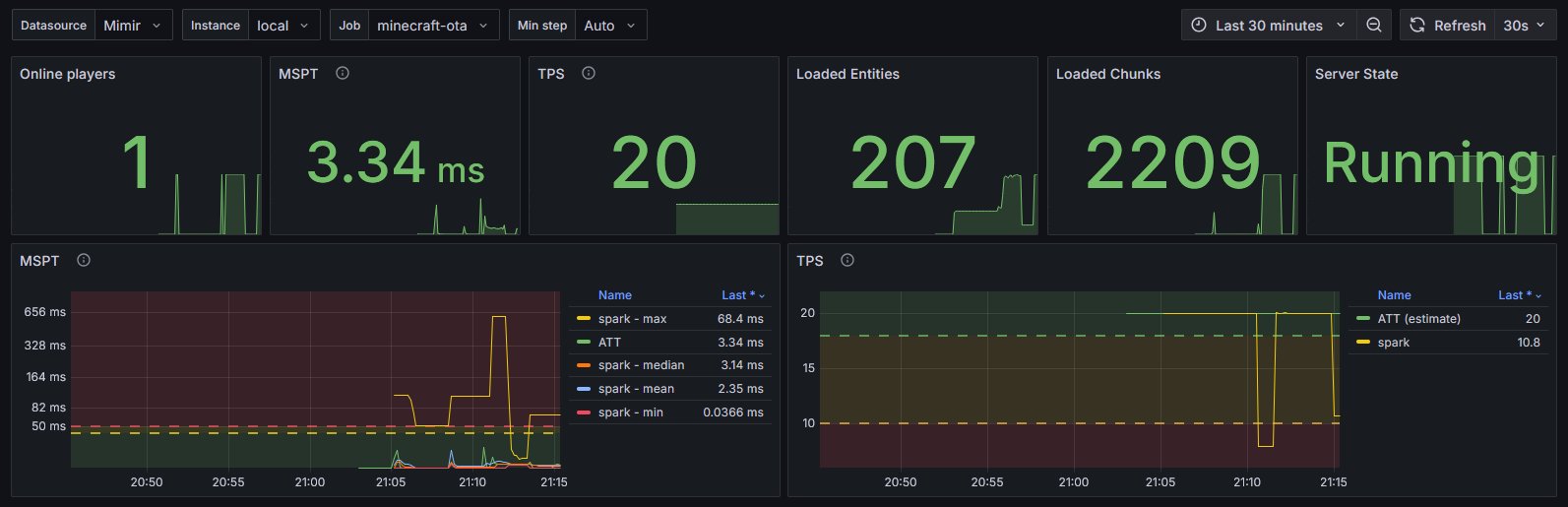
Instrumented/Reported metrics
- MSPT/TPS
- Loaded chunks
- Server state
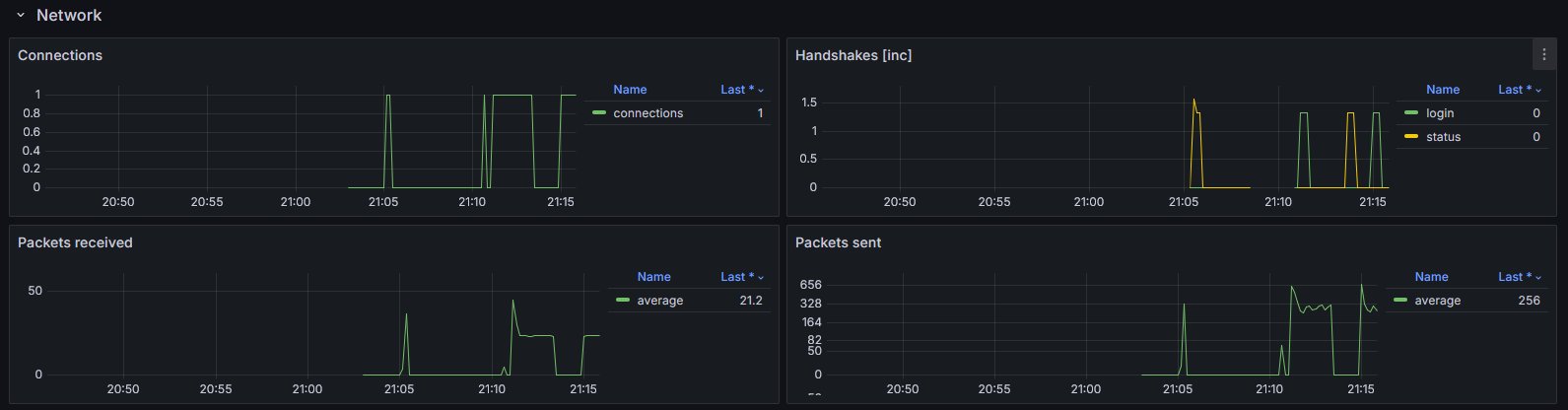
- Networking
- connections
- handshakes
- packets sent/received
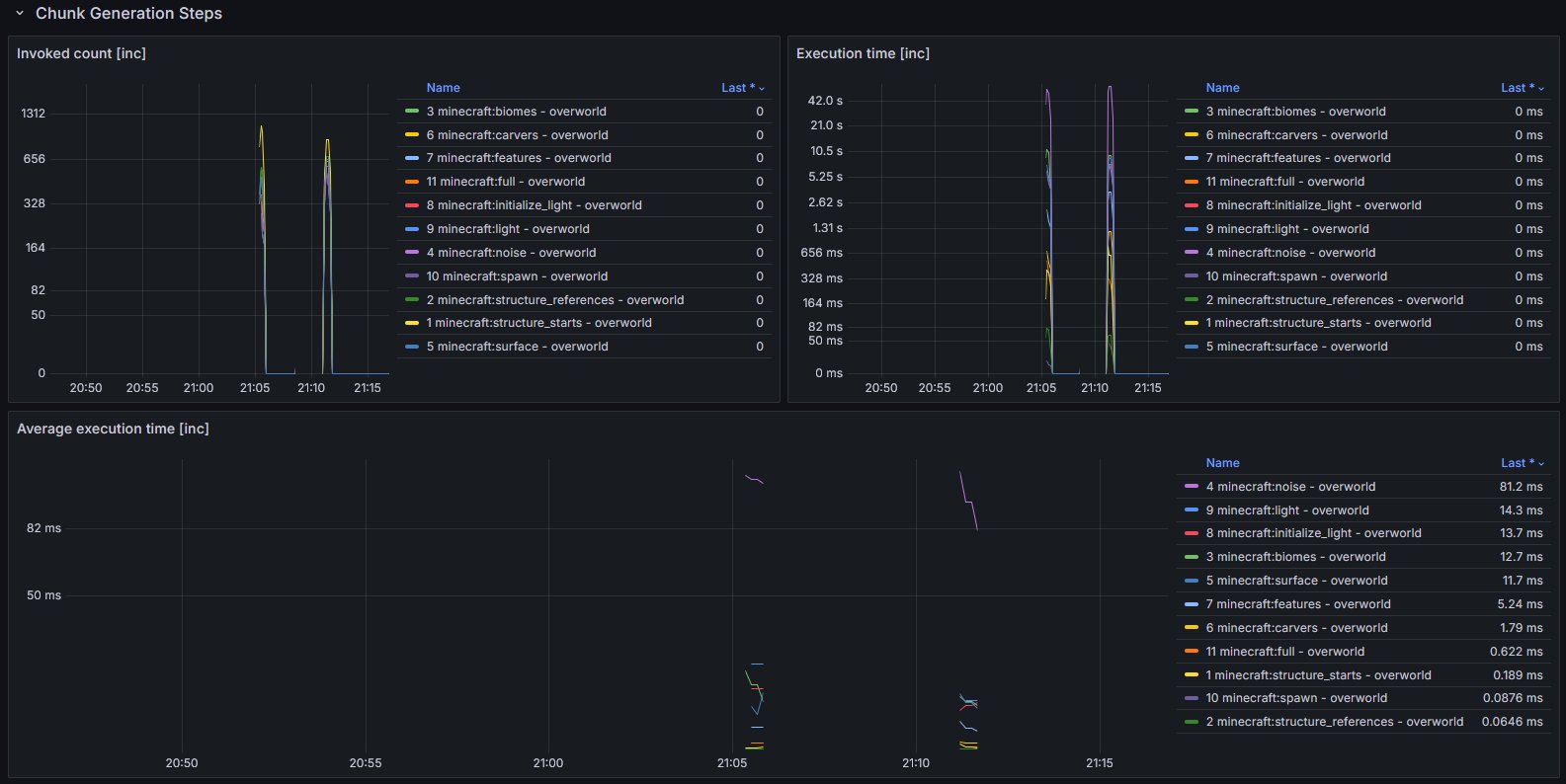
- Chunk generation
- Entities
- grouped by type, spawn ground and world/dimension
- Players
- by world
- online
- total xp (score)
- xp level
- Runtime
- game version
- Fabric version
- Optional data from spark
Setup
- Make sure you have an endpoint where OpenTelemetry data can be ingested.
This could be a OpenTelemetry Collector hosted by you or by someone else (e.g. in the Grafana Cloud). - Setup the OpenTelemetry Java Agent so that it sends data to your ingestion service.
- Add the OpenTelemetry Agent Helper Extension for Fabric.
- This is required so that the OpenTelemetry Agent is correctly detecting and utilizing the mod.
- Simply add and (optionally) configure this mod. It should work out of the box.
- Import the provided dashboard into Grafana
- From Grafana Dashboards
- From the local demo in the repo
Diagram showcasing how the overall infrastructure can look

You may also have a look at the corresponding development setup as it contains an locally running deployment of the full infrastructure.
Dashboard look
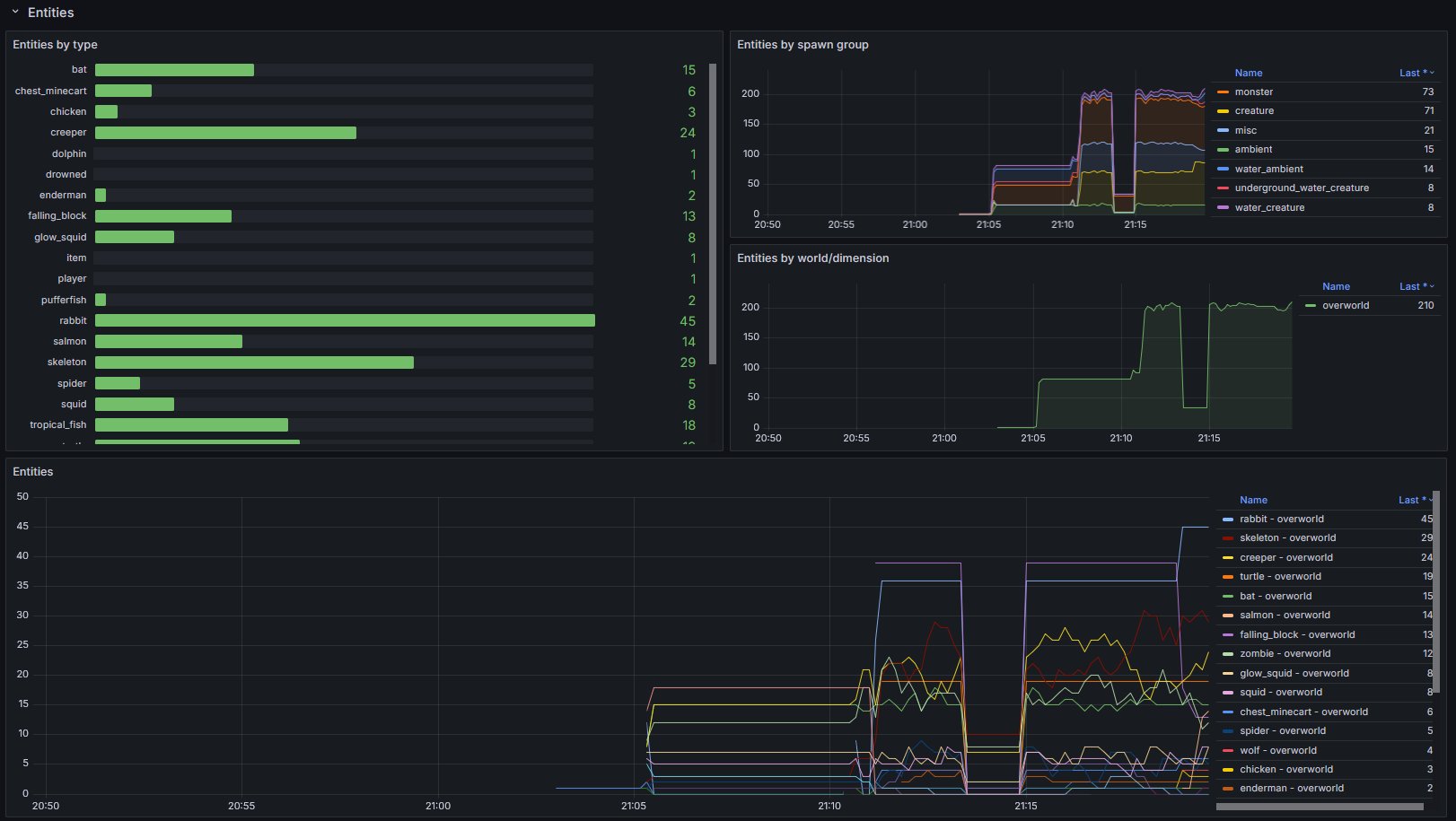
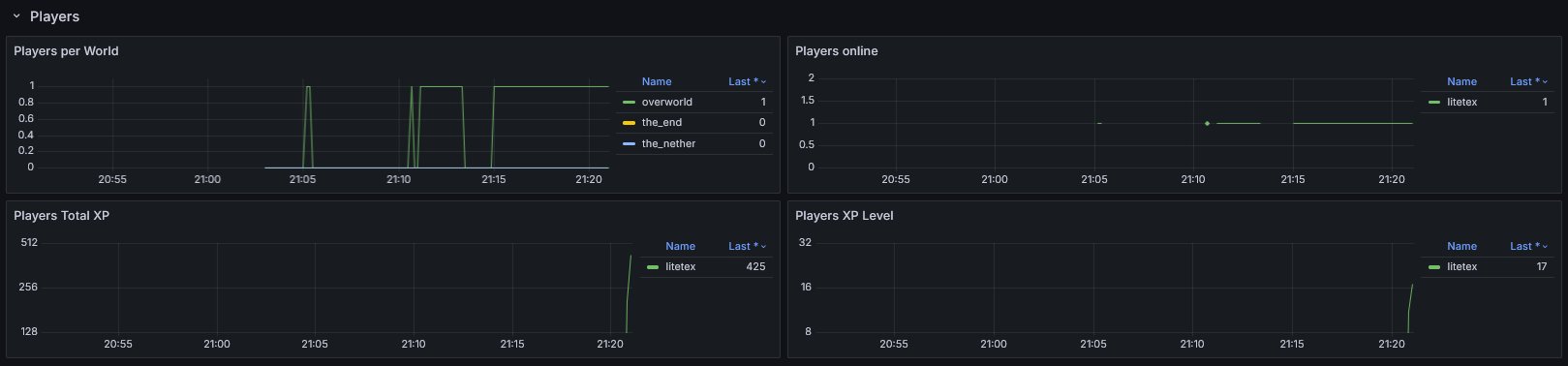
Example integrations
- For
itzg/minecraft-serversee here
Configuration
The configuration is dynamically loaded from (sorted by highest priority)
- Environment variables
- prefixed with
OIE_ - all properties are in UPPERCASE and use
_instead of.or-
- prefixed with
- System properties
- prefixed with
oie.
- prefixed with
- A configuration file located in
.config/oie.json
Full list of configuration options
Please note that the preconfigured values usually work out of the box.
You should know exactly what you're doing when doing modifications.
General
| Property | Type | Default | Notes |
|---|---|---|---|
instrumentation-name |
String |
minecraft |
Used as instrumentationScopeName. A name uniquely identifying the instrumentation scope, such as the instrumentation library, package, or fully qualified class name. Must not be null. |
strip-identifier-namespaces |
bool |
true |
Removes namespaces from Identifier. Disabling this causes identifiers to look like this minecraft:overworld instead of overworld.Usually only required for heavily modded servers. |
Metrics
| Property | Type | Default | Notes |
|---|---|---|---|
metrics.freeze-when-server-paused |
bool |
true |
Stop fetching certain metrics when the server is paused and uses previously cached values. This optimization usually improves the sampling speed for affected metrics by >10x. Outcomes vary and depend on the work required for fetching and how often the server enters idle mode. If the server is not using pauseWhenEmptySeconds (set to <= 0) this optimization will be ignored. |
metrics.prefix |
String |
minecraft_ |
Prefix for all metrics |
metrics.counter-suffix |
String |
_total |
Suffix for counters |
metrics.enabled-only |
List<String> |
- | Only enables the specified metrics. ALL OTHER METRICS WILL BE DISABLED! |
metrics.enabled-additionally |
List<String> |
- | Additionally enables the specified metrics. This is only relevant for metrics that are not enabled out of the box. |
metrics.disabled |
List<String> |
- | Disables the specified metrics |
metrics.enable-player-details-samplers |
bool |
true |
Determines if the PlayerDetailsSamplers (e.g. Online, TotalXP, XPLevel) are enabled |
Available Versions
How to Install OpenTelemetry Instrumentation Extension on Your Server
Order Server
Order a Minecraft Java server with at least 3 GB RAM (4 GB recommended).
Set fabric Loader
In the panel under "Egg", select the fabric loader and matching Minecraft version (26.1.2).
Install Mod
Open the mod browser in the dashboard and search for "OpenTelemetry Instrumentation Extension". Click "Install" – done! Alternatively, upload the .jar via SFTP to the /mods folder.
Compatibility
Mod Loaders
Minecraft Versions
26.1.2, 26.1.1, 26.1 (+9 more)
Server-side
✓ RequiredRecommended RAM
4 GB(min. 3 GB)Frequently Asked Questions
OpenTelemetry Instrumentation Extension server crashes on startup – what to do?
Most common cause: wrong fabric version or insufficient RAM. Check the server log (latest.log) for "OutOfMemoryError" or "Mixin" errors. With Mado Hosting: ensure at least 3 GB RAM is allocated and the loader matches the mod version (26.1.2). You can switch loaders with one click in the panel.
Is OpenTelemetry Instrumentation Extension compatible with fabric?
OpenTelemetry Instrumentation Extension officially supports fabric for Minecraft 26.1.2, 26.1.1, 26.1. The Mado dashboard automatically detects incompatible loader combinations.
Server lagging with OpenTelemetry Instrumentation Extension – how to optimize performance?
Recommended RAM: 4 GB (per 8 players). Use /spark profiler to check if OpenTelemetry Instrumentation Extension consumes the most tick time. Common fixes: reduce server view-distance to 8-10, install "performant" or "starlight" as supplementary mods on Forge. With Mado Hosting, your server runs on NVMe SSDs with dedicated CPU cores for minimal latency.
Similar Mods






Rent Modded Server
Install OpenTelemetry Instrumentation Extension with just one click on your server.