
Otherworldly Ornaments
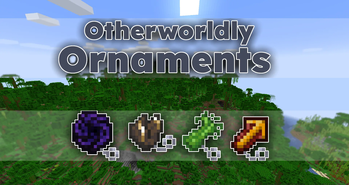
Find ornaments stemming from other worlds that provide you with unique buffs and allow you to travel to their dimension
Screenshots
About this Mod
Otherworldly Ornaments
Find ornaments stemming from other worlds that provide you with unique buffs and allow you to travel to their dimension
This data pack was made for Data Pack Jam 11 within a week
Warning:
⚠ This pack only works in 24w06a or 24w07a ⚠


Obtaining an Ornament
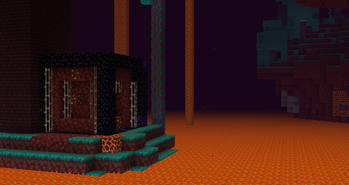
Each ornament can be found in a structure in it's respective dimension.
All ornaments of dimensions you can't travel to by regular means, can also be found in the overworld.
Ornaments
Ornaments activate their effect when held in the offhand.
If you right click with an active ornament, you switch between it's dimension and the overworld.


Droughtstride
As you lose saturation, your speed increases but your jump height decreases.
Alpgrow
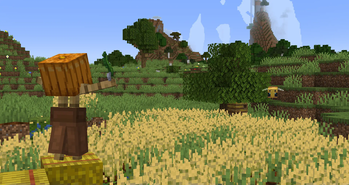
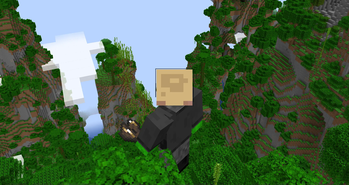
As you scale mountains, you grow to their size. As you dive into the depths, you shrink.
Quickscorch
Increase mining speed as you mine but your tool will start to burn your hands.
Voidfall
Falling into the void shatters all your gear but you reappear high up in the sky unharmed.
New Dimensions
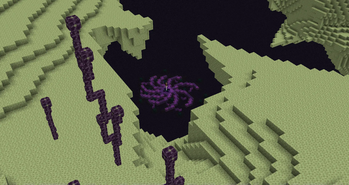
Every ornament allows you to travel to it's dimension, for some ornaments, new dimensions are added.
Amplified
In this dimension the terrain is amplified, like the world generation type you can select when generating the world.
All biomes and structures are in the same location as they are in the overworld.
Superflat
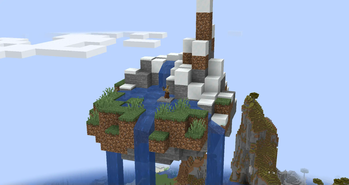
In this dimension, all surface blocks are at y=63 creating an almost perfectly flat dimension.
This causes oceans to be dry land and mountains to be a stoney surface with floating aquifers.
All biomes and structures are in the same location as they are in the overworld.
Technical Info
Read this section if you want to test the pack or modify things about it.
Locate a newly added Structure
To locate a structure near you, you can run the following command in chat:
locate structure psdpj11:<...>
Give yourself the Ornaments
To get one of the Ornaments, you can run the following command in chat:
loot give @s loot psdpj11:artifact/<...>
Modify what Biomes/Dimension the Structures Spawn in
You can simply add or remove biomes from the tags located at:
/data/psdpj11/tags/worldgen/biome/<...>.json
Modify how often the Structures Spawn
To make the structures more or less common, you can change the "spacing" and "separation" in the files located at:
/data/psdpj11/worldgen/structure_set/<...>.json
Higher values make the structure spawn less frequently.




Available Versions
How to Install Otherworldly Ornaments on Your Server
Order Server
Order a Minecraft Java server with at least 4 GB RAM (6 GB recommended).
Set datapack Loader
In the panel under "Egg", select the datapack loader and matching Minecraft version (24w07a).
Install Mod
Open the mod browser in the dashboard and search for "Otherworldly Ornaments". Click "Install" – done! Alternatively, upload the .jar via SFTP to the /mods folder.
Compatibility
Mod Loaders
Minecraft Versions
24w07a, 24w06a
Server-side
✓ RequiredRecommended RAM
6 GB(min. 4 GB)Frequently Asked Questions
Otherworldly Ornaments server crashes on startup – what to do?
Most common cause: wrong datapack version or insufficient RAM. Check the server log (latest.log) for "OutOfMemoryError" or "Mixin" errors. With Mado Hosting: ensure at least 4 GB RAM is allocated and the loader matches the mod version (24w07a). You can switch loaders with one click in the panel.
Is Otherworldly Ornaments compatible with datapack and fabric and forge and neoforge and quilt?
Otherworldly Ornaments officially supports datapack, fabric, forge, neoforge, quilt for Minecraft 24w07a, 24w06a. Note: Forge and Fabric mods are NOT cross-compatible – pick one loader and stick with it. The Mado dashboard automatically detects incompatible loader combinations.
Server lagging with Otherworldly Ornaments – how to optimize performance?
Recommended RAM: 6 GB (per 5 players). Use /spark profiler to check if Otherworldly Ornaments consumes the most tick time. Common fixes: reduce server view-distance to 8-10, install "performant" or "starlight" as supplementary mods on Forge. With Mado Hosting, your server runs on NVMe SSDs with dedicated CPU cores for minimal latency.
Similar Mods




Rent Modded Server
Install Otherworldly Ornaments with just one click on your server.