Oxidizable Copper Gear
Adds oxidation and waxing mechanics to copper tools and armor
About this Mod
Oxidizable Copper Gear
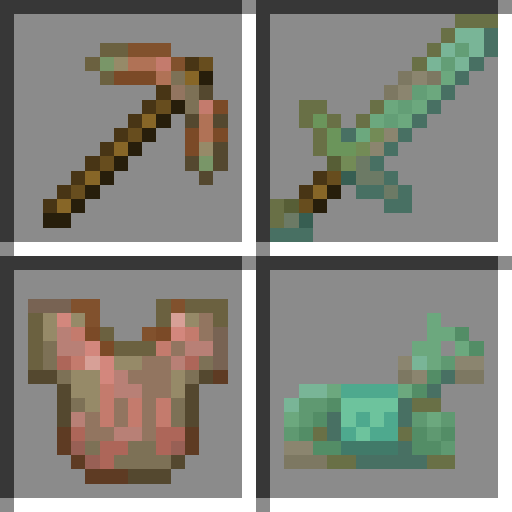
This mod makes copper tools and armor oxidize over time, much like copper blocks. Can also be used as a framework to make any item oxidizable.

Items will oxidize while they're in your inventory, equipped, or dropped on the ground. They won't oxidize if they're stored in a chest for example.

Oxidization speed is similar to the speed copper blocks oxidize at. It's also increased depending on how much the item durability differs from the current oxidation state.
Crafting recipes:
Items can be waxed by combining them with honeycomb.

Items can be dewaxed by combining them with any axe, where the axe will remain and take one durability damage.

Oxidation on items can be reduced by combining them with any axe, where the axe will remain and take one durability damage.

Adding your own oxidizable items
This mod can also be used as a framework to make any item oxidizable by creating a data pack and resource pack. The default data pack which makes copper tools and armor oxidizable can be disabled like any other data pack if desired.
- In the data pack, add your items to the
oxidizableitem tag from this mod (example). This tells the mod to:- Make your items oxidize over time
- Allow oxidation-related crafting recipes to be used on your items
- Add exposed, weathered, oxidized and waxed variants of your items to creative tabs
- In the resource pack, add models and textures for oxidation stages of your items (example).
- The
itemsfolder has to be under the namespace of the mod which adds the item you're adding assets for, or theminecraftnamespace in case of vanilla items, as you're overriding the original files. - Models and textures can be under any namespace, but this mod's namespace is recommended (
oxidizable_copper_gear).
- The
Available Versions
How to Install Oxidizable Copper Gear on Your Server
Order Server
Order a Minecraft Java server with at least 3 GB RAM (4 GB recommended).
Set fabric Loader
In the panel under "Egg", select the fabric loader and matching Minecraft version (1.21.11).
Install Mod
Open the mod browser in the dashboard and search for "Oxidizable Copper Gear". Click "Install" – done! Alternatively, upload the .jar via SFTP to the /mods folder.
Compatibility
Mod Loaders
Minecraft Versions
1.21.11, 1.21.10, 1.21.9 (+5 more)
Server-side
✓ RequiredRecommended RAM
4 GB(min. 3 GB)Frequently Asked Questions
Oxidizable Copper Gear server crashes on startup – what to do?
Most common cause: wrong fabric version or insufficient RAM. Check the server log (latest.log) for "OutOfMemoryError" or "Mixin" errors. With Mado Hosting: ensure at least 3 GB RAM is allocated and the loader matches the mod version (1.21.11). You can switch loaders with one click in the panel.
Is Oxidizable Copper Gear compatible with fabric and neoforge?
Oxidizable Copper Gear officially supports fabric, neoforge for Minecraft 1.21.11, 1.21.10, 1.21.9. The Mado dashboard automatically detects incompatible loader combinations.
Server lagging with Oxidizable Copper Gear – how to optimize performance?
Recommended RAM: 4 GB (per 8 players). Use /spark profiler to check if Oxidizable Copper Gear consumes the most tick time. Common fixes: reduce server view-distance to 8-10, install "performant" or "starlight" as supplementary mods on Forge. With Mado Hosting, your server runs on NVMe SSDs with dedicated CPU cores for minimal latency.
Similar Mods




![[TaCZ] Timeless and Classics Zero](https://cdn.modrinth.com/data/SzzJttH8/fd27766d2bb8390d284696b1dbd358f87e081439_96.webp)

Rent Modded Server
Install Oxidizable Copper Gear with just one click on your server.