
Packified
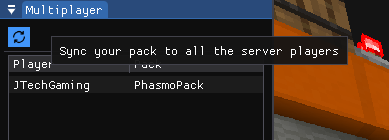
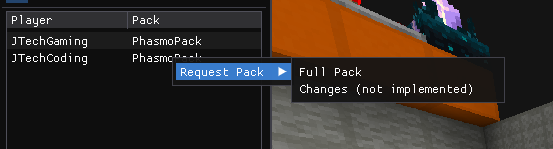
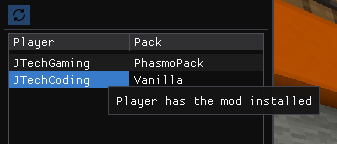
This mod adds a full in-game resource pack editor with the ability to sync any pack changes, as well as entire packs to other players on the server.
Screenshots
About this Mod

Packified
Packified is a powerful and seamless in-game resource pack editor that lets you edit, add, and update textures, models, and other assets without ever leaving Minecraft! No more switching between external editors and the game. Even better, you can sync your entire resource pack with other players with a single button press, and other players can request to download your pack.
Keep in mind, although the mod is now out of beta, it is still incredibly complex and bound to have numerous incompatibilities with other mods. Especially rendering related mods, or mods that modify resource pack directories.
Features:
In-Game File Editor – Modify JSON files, textures, and more inside Minecraft.
Sync Changes in Multiplayer – Share your modified resource packs with other players in real time.
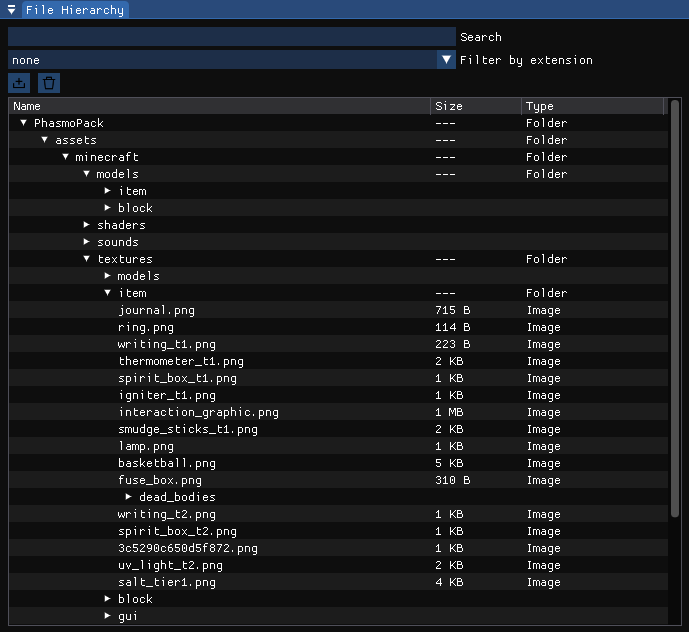
Full Hierarchical & Explorer-based File View – Browse and manage resource packs with an intuitive tree and folder view UI.
Image & Model Preview – View and edit textures, models, and assets within Minecraft.
Optimized for Modding – Works alongside other mods and supports Fabric.
Customizable Dockable UI – Arrange and resize editor windows however you like!
Live Resource Pack Updates
Audio viewer
3D Model viewer/basic editor
Image Editor
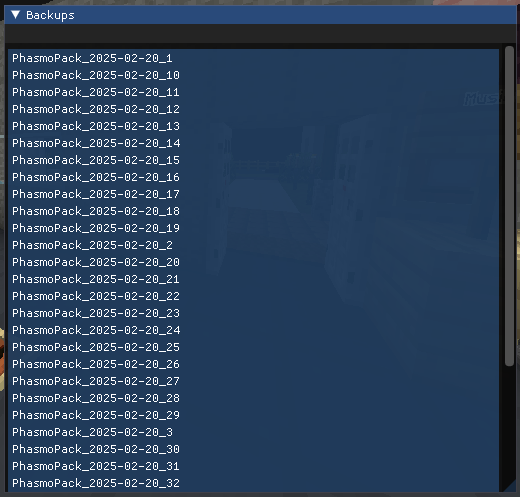
Full backup system
Resource pack version control (basic)
Tools for modpack creators
Tons of configuration options
Perfect for:
- Resource pack creators who want to quickly test and tweak textures.
- Modders who want a simple way to modify assets on the fly.
How It Works:
- Open Packified with a keybind (default is F8).
- Browse and select a resource pack.
- Edit JSON files, textures, or models directly in the UI.
- Apply changes and reload the pack directly in the UI
- Sync your pack changes to other players with a single button press
Feedback:
This mod is still in active development, so there might be bugs or missing features. If there are any features that you feel like are missing from the mod, or if you find any kind of bug, make sure you report it on the mods issues page on the github.
Known problems:
The mod seems to be incompatible with mods that change how the game loads resources such as the shared resources mod, which relocates the resourcepacks folder, and possibly some rendering mods like Immediatelyfast, but this is still being looked into.
Searching for assets in the default vanilla pack also seems to crash the game sometimes.
Available Versions
How to Install Packified on Your Server
Order Server
Order a Minecraft Java server with at least 3 GB RAM (4 GB recommended).
Set fabric Loader
In the panel under "Egg", select the fabric loader and matching Minecraft version (1.21.11).
Install Mod
Open the mod browser in the dashboard and search for "Packified". Click "Install" – done! Alternatively, upload the .jar via SFTP to the /mods folder.
Compatibility
Mod Loaders
Minecraft Versions
1.21.11, 1.21.10, 1.21.9 (+9 more)
Server-side
~ OptionalRecommended RAM
4 GB(min. 3 GB)Frequently Asked Questions
Packified server crashes on startup – what to do?
Most common cause: wrong fabric version or insufficient RAM. Check the server log (latest.log) for "OutOfMemoryError" or "Mixin" errors. With Mado Hosting: ensure at least 3 GB RAM is allocated and the loader matches the mod version (1.21.11). You can switch loaders with one click in the panel.
Is Packified compatible with fabric?
Packified officially supports fabric for Minecraft 1.21.11, 1.21.10, 1.21.9. The Mado dashboard automatically detects incompatible loader combinations.
Server lagging with Packified – how to optimize performance?
Recommended RAM: 4 GB (per 8 players). Use /spark profiler to check if Packified consumes the most tick time. Common fixes: reduce server view-distance to 8-10, install "performant" or "starlight" as supplementary mods on Forge. With Mado Hosting, your server runs on NVMe SSDs with dedicated CPU cores for minimal latency.
Similar Mods






Rent Modded Server
Install Packified with just one click on your server.