
Panic Figura (Add-on Figura)
Panic Figura use for edit render distance figura
Screenshots
About this Mod
Panic Figura
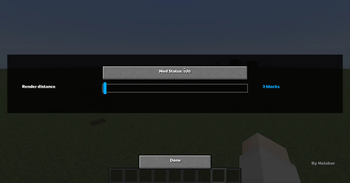
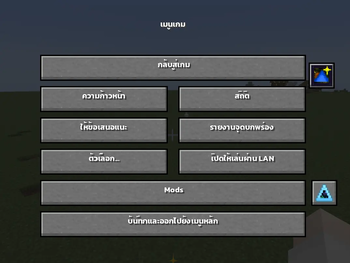
Panic Figura , This mod allows you to freely adjust the mesh render distance in Figura , giving you better control over how models are displayed in-game
By reducing the render distance of distant meshes, the mod helps eliminate unnecessary processing—especially when using high-detail or multiple models. This results in noticeable FPS improvements and smoother overall performance
Perfect for ⁉️
- Players using multiple Figura models
- Users experiencing FPS drops from complex avatars
- Anyone looking to optimize performance
Features ✨
- Adjustable mesh render distance
- Reduces GPU/CPU load from distant models
- Improves overall FPS and performance
- Simple and easy to use
TH
Panic Figura เอาไว้ใช้สําหรับการปรับระยะการมองเห็นของ Figura ถ้าเกิดว่าอยู่นอกระยะจะไม่ Render Figura คนนอกระยะ
เหมาะสำหรับ ⁉️
- เชิฟใหญ่ที่มีผู้เล่นที่ใส่ Figura เยอะ
- คนที่อยากปรับ Performance ให้เหมาะกับเครื่องตัวเอง
ฟีเจอร์ ✨
ปรับระยะการแสดงผล Mesh ได้แบบละเอียด
ลดภาระ GPU/CPU จากโมเดลที่อยู่ไกล
เพิ่มประสิทธิภาพ (FPS) โดยรวมของเกม
ใช้งานง่าย ไม่ซับซ้อน
Original Mods / Request Mod ⭐
Available Versions
How to Install Panic Figura (Add-on Figura) on Your Server
Order Server
Order a Minecraft Java server with at least 3 GB RAM (4 GB recommended).
Set forge Loader
In the panel under "Egg", select the forge loader and matching Minecraft version (1.20.1).
Install Mod
Open the mod browser in the dashboard and search for "Panic Figura (Add-on Figura)". Click "Install" – done! Alternatively, upload the .jar via SFTP to the /mods folder.
Compatibility
Mod Loaders
Minecraft Versions
1.20.1
Server-side
✗ UnsupportedRecommended RAM
4 GB(min. 3 GB)Frequently Asked Questions
Panic Figura (Add-on Figura) server crashes on startup – what to do?
Most common cause: wrong forge version or insufficient RAM. Check the server log (latest.log) for "OutOfMemoryError" or "Mixin" errors. With Mado Hosting: ensure at least 3 GB RAM is allocated and the loader matches the mod version (1.20.1). You can switch loaders with one click in the panel.
Is Panic Figura (Add-on Figura) compatible with forge?
Panic Figura (Add-on Figura) officially supports forge for Minecraft 1.20.1. The Mado dashboard automatically detects incompatible loader combinations.
Server lagging with Panic Figura (Add-on Figura) – how to optimize performance?
Recommended RAM: 4 GB (per 8 players). Use /spark profiler to check if Panic Figura (Add-on Figura) consumes the most tick time. Common fixes: reduce server view-distance to 8-10, install "performant" or "starlight" as supplementary mods on Forge. With Mado Hosting, your server runs on NVMe SSDs with dedicated CPU cores for minimal latency.
Similar Mods






Rent Modded Server
Install Panic Figura (Add-on Figura) with just one click on your server.