
Panoramas
Mod allowing players to create their own panoramas inspired by many other mods of this kind.
Screenshots
About this Mod
Panoramas Mod
My own version of many other mods that allow you to change the title screen panorama.
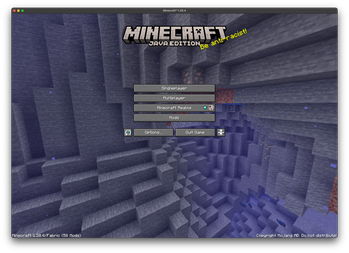
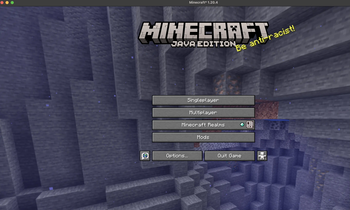
It's very simple to use. Just press the H key (this can be changed) in your world and your title screen will become what you see right now.
For best results look in all directions and load the world around you, because the panorama is grabbed so fast, that parts of the world might be missing.
Important note:
If you encounter any bugs while playing please, report them here:
https://github.com/mineTomek/Panoramas/issues
Known Issues:
- Sometimes the button to apply the panorama doesn't work. In that case turn off hiding panoramas resource packs in mod settings and enable the pack manually. (Will be fixed soon)
Features I want to add:
- Multiple panoramas per world/server
- Better panorama menus
- Panorama decorations
Setting the panorama:
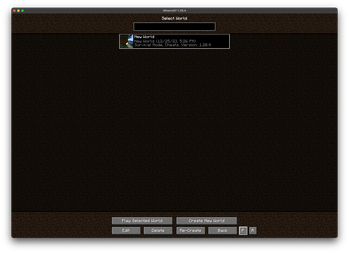
If you want to change your panorama just go into the world select menu where you will see 2 new buttons.
The first one is only enabled when the selected world has a created panorama. When you press it the panorama of this world is loaded as the title panorama.
The second button reverts the panorama to the default one from Minecraft.
Configuration:
There are 3 configuration options:
Resolutiondictates what size would the panorama be. Its calculated from window height times this multiplierHide panoramas resourcepacksdetermines whether the panoramas resourcepacks should be displayed or notAutomatically set new panoramasis used to automatically load the panorama you just created as the current panorama
Available Versions
How to Install Panoramas on Your Server
Order Server
Order a Minecraft Java server with at least 3 GB RAM (4 GB recommended).
Set fabric Loader
In the panel under "Egg", select the fabric loader and matching Minecraft version (1.20.4).
Install Mod
Open the mod browser in the dashboard and search for "Panoramas". Click "Install" – done! Alternatively, upload the .jar via SFTP to the /mods folder.
Compatibility
Mod Loaders
Minecraft Versions
1.20.4
Server-side
✗ UnsupportedRecommended RAM
4 GB(min. 3 GB)Frequently Asked Questions
Panoramas server crashes on startup – what to do?
Most common cause: wrong fabric version or insufficient RAM. Check the server log (latest.log) for "OutOfMemoryError" or "Mixin" errors. With Mado Hosting: ensure at least 3 GB RAM is allocated and the loader matches the mod version (1.20.4). You can switch loaders with one click in the panel.
Is Panoramas compatible with fabric?
Panoramas officially supports fabric for Minecraft 1.20.4. The Mado dashboard automatically detects incompatible loader combinations.
Server lagging with Panoramas – how to optimize performance?
Recommended RAM: 4 GB (per 8 players). Use /spark profiler to check if Panoramas consumes the most tick time. Common fixes: reduce server view-distance to 8-10, install "performant" or "starlight" as supplementary mods on Forge. With Mado Hosting, your server runs on NVMe SSDs with dedicated CPU cores for minimal latency.
Similar Mods






Rent Modded Server
Install Panoramas with just one click on your server.