
Parry
Block with your sword! Just like old times!
About this Mod
This mod is for FABRIC, it's not going to be ported to Forge. If you want to port this to Forge, go ahead and fork the project.
This mod will not be backported to old versions.
Parry
Overview
Parry is a Fabric mod that brings sword parrying (AKA sword blocking) to modern Minecraft from pre-1.9 versions.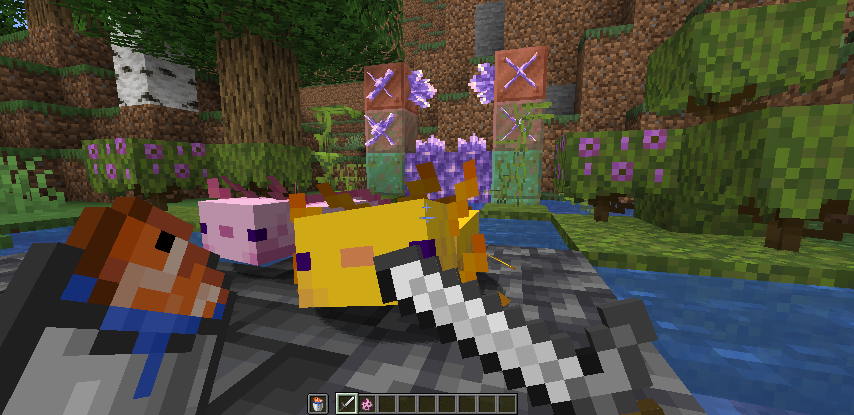
To parry, hold right-click with a sword. Doing so will only let you take 50% of the damage inflicted.
This value can be configured in the ".minecraft/config/parry.json" file:
{
    "default_multiplier": 0.6,
    "consume_animation": false,
    "prioritize_shield": true,
    "overrides": [
        {
            "item": "minecraft:iron_sword",
            "multiplier": 2.5
        },
        {
            "item": "minecraft:gold_sword",
            "multiplier": 10.0
        }
    ]
}
This example states that the player should take 60% of the inflicted damage when parrying. It also presents two exceptions: Iron swords will instead allow the player to inflict 250% the damage inflicted, and gold swords will allow 1000%. Along with this, the parry animation will be instant, instead of having the quick "bob" animation. Lastly, shields are prioritized in this config example, meaning that your shield will block instead of your sword if it's in your offhand.
By default, there are no overrides, the default damage multiplier is 0.5, the consume animation is on, and shields are not prioritized.
The information below is likely going to become redundant in a later update.
To add compatibility with this mod and your sword-adding mod:
All sword items will have the ability to parry with this mod installed. However, they will not display a first-person model change. To add this model change:
Create a "parrying" model file, which should be identical to your original sword model file, but with the parent changed from "item/handheld" to "item/handheld_parry".
Add an override to your sword model file. "overrides": [{"predicate": {"parrying": 1},"model": "modid:item/my_sword_parry"}]
You may add this mod to your modpack.
Available Versions
How to Install Parry on Your Server
Order Server
Order a Minecraft Java server with at least 3 GB RAM (4 GB recommended).
Set fabric Loader
In the panel under "Egg", select the fabric loader and matching Minecraft version (1.18.1).
Install Mod
Open the mod browser in the dashboard and search for "Parry". Click "Install" – done! Alternatively, upload the .jar via SFTP to the /mods folder.
Compatibility
Mod Loaders
Minecraft Versions
1.18.1, 1.18, 1.17
Server-side
✓ RequiredRecommended RAM
4 GB(min. 3 GB)Frequently Asked Questions
Parry server crashes on startup – what to do?
Most common cause: wrong fabric version or insufficient RAM. Check the server log (latest.log) for "OutOfMemoryError" or "Mixin" errors. With Mado Hosting: ensure at least 3 GB RAM is allocated and the loader matches the mod version (1.18.1). You can switch loaders with one click in the panel.
Is Parry compatible with fabric and quilt?
Parry officially supports fabric, quilt for Minecraft 1.18.1, 1.18, 1.17. The Mado dashboard automatically detects incompatible loader combinations.
Server lagging with Parry – how to optimize performance?
Recommended RAM: 4 GB (per 8 players). Use /spark profiler to check if Parry consumes the most tick time. Common fixes: reduce server view-distance to 8-10, install "performant" or "starlight" as supplementary mods on Forge. With Mado Hosting, your server runs on NVMe SSDs with dedicated CPU cores for minimal latency.
Similar Mods



![[TaCZ] Timeless and Classics Zero](https://cdn.modrinth.com/data/SzzJttH8/fd27766d2bb8390d284696b1dbd358f87e081439_96.webp)


Rent Modded Server
Install Parry with just one click on your server.