
Flyrr's Paxels
Adds the Paxel tool, a combination of pickaxes, shovels and axes to the game!
Screenshots
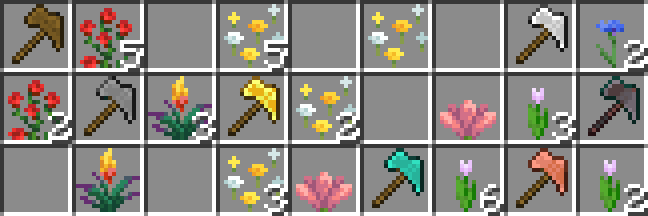
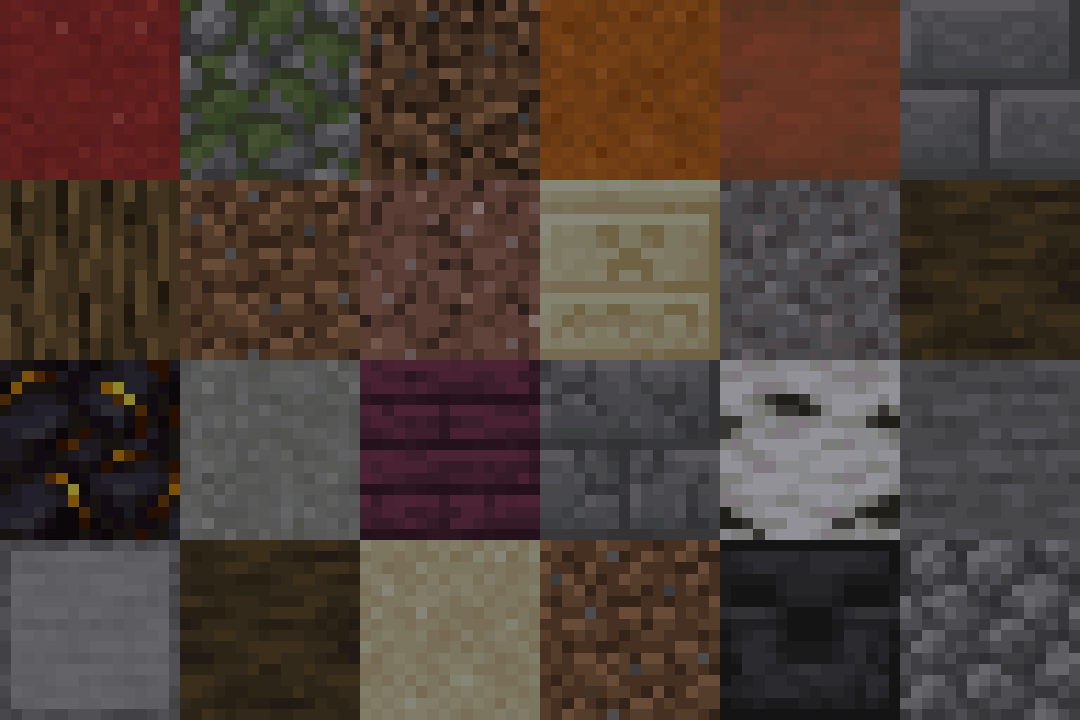
About this Mod
Introduction
This Datapack adds Paxels, a combination of Pickaxe, Axe and Shovel, which can efficiently mine all blocks which can be mined by Pickaxes, Axes and Shovels! (...as you can probably guess...)
They behave just like any of the three tools when it comes to enchanting and also have any additional abilities like stripping logs and disabling shields like axes do :)
Crafting
You can craft them by simply putting a Pickaxe, Axe and Shovel of the desired material in the crafting grid of either your inventory or a crafting table.
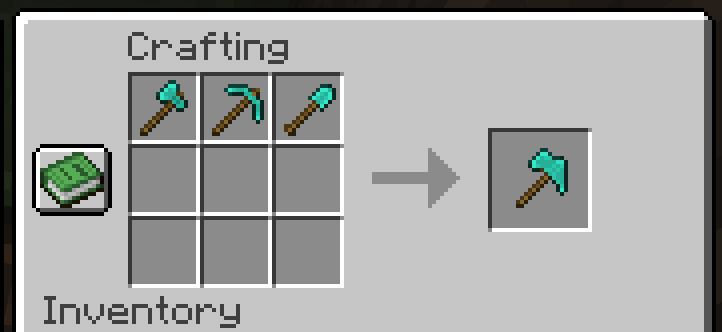
To upgrade a Diamond Paxel to Netherite just combine it with a Netherite Ingot and a Template in a Smithing Table
Required Recourcepack
While the datapack doesn't exactly "require" the Recourcepack to work, it's highly reccomended to use it to see the paxel's custom texture!
Interested in making your own datapacks? :)
I am part of a small team of people owning Datapack Hub, the perfect discord server for helping you do just that! Wether you are just getting started or have advanced questions, with 1700+ members and our team of verified helpers we got you covered!
(This is 100% a passion project and I don't get paid anything for promoting this :)) 
Need a minecraft server?
Note: This pack was previously simply called "Paxels", I renamed it to "Flyrr's Paxels" to avoid confusion with other packs! This might be the one you're looking for :P
Available Versions
How to Install Flyrr's Paxels on Your Server
Order Server
Order a Minecraft Java server with at least 3 GB RAM (4 GB recommended).
Set datapack Loader
In the panel under "Egg", select the datapack loader and matching Minecraft version (26.1.2).
Install Mod
Open the mod browser in the dashboard and search for "Flyrr's Paxels". Click "Install" – done! Alternatively, upload the .jar via SFTP to the /mods folder.
Compatibility
Mod Loaders
Minecraft Versions
26.1.2, 26.1.1, 26.1 (+13 more)
Server-side
✓ RequiredRecommended RAM
4 GB(min. 3 GB)Frequently Asked Questions
Flyrr's Paxels server crashes on startup – what to do?
Most common cause: wrong datapack version or insufficient RAM. Check the server log (latest.log) for "OutOfMemoryError" or "Mixin" errors. With Mado Hosting: ensure at least 3 GB RAM is allocated and the loader matches the mod version (26.1.2). You can switch loaders with one click in the panel.
Is Flyrr's Paxels compatible with datapack and fabric and forge and neoforge and quilt?
Flyrr's Paxels officially supports datapack, fabric, forge, neoforge, quilt for Minecraft 26.1.2, 26.1.1, 26.1. Note: Forge and Fabric mods are NOT cross-compatible – pick one loader and stick with it. The Mado dashboard automatically detects incompatible loader combinations.
Server lagging with Flyrr's Paxels – how to optimize performance?
Recommended RAM: 4 GB (per 8 players). Use /spark profiler to check if Flyrr's Paxels consumes the most tick time. Common fixes: reduce server view-distance to 8-10, install "performant" or "starlight" as supplementary mods on Forge. With Mado Hosting, your server runs on NVMe SSDs with dedicated CPU cores for minimal latency.
Similar Mods




![[TaCZ] Timeless and Classics Zero](https://cdn.modrinth.com/data/SzzJttH8/fd27766d2bb8390d284696b1dbd358f87e081439_96.webp)

Rent Modded Server
Install Flyrr's Paxels with just one click on your server.
Details
- License
- Creative Commons Attribution Non Commercial Share Alike 4.0 International
- Server-side
- Required