Peacefulness Mod
This mod adds a brand new dimension to Minecraft, along with a few other additions.
Screenshots
About this Mod
Please note: this mod hasn't been tested in multiplayer, so be warned!
Here are the additions to the mod as of the 7th of December 2025:
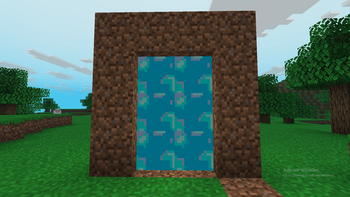
THE PEACEFUL DIMENSION -

A new dimension accessed by finding a Peaceful Igniter and using it to light a dirt shaped portal.
Sheep, Pigs, Allays and Chickens spawn here.
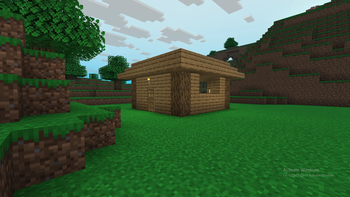
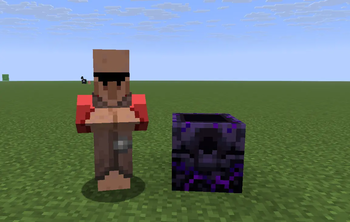
The Peaceful House structure spawns here too! Has two adult sheep, one baby sheep, a villager and a chest to loot!
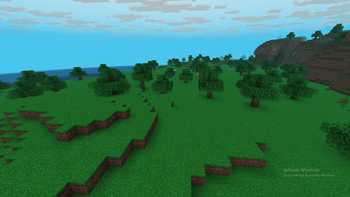
Only has one biome currently: The Peaceful Grasslands. The plains but no hostile mobs.
THE EXTREMIST -
A new villager occupation!
Includes trades related to destruction and adventure.
Job block is the Respawn Anchor.
THE JAVA MONUMENT -
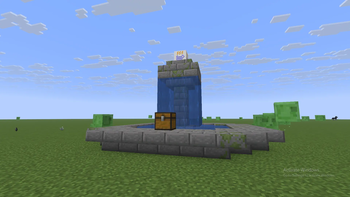
A new structure which spawns in the overworld!
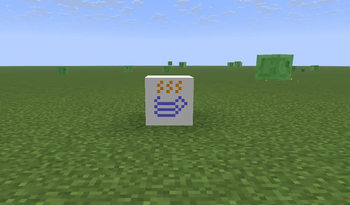
Has the Java Block.
Has a loot chest containing the portal igniter.
THE JAVA BLOCK -
A new block which is kinda useless
That's it! New content and Platforms will be added soon!
Available Versions
How to Install Peacefulness Mod on Your Server
Order Server
Order a Minecraft Java server with at least 3 GB RAM (4 GB recommended).
Set neoforge Loader
In the panel under "Egg", select the neoforge loader and matching Minecraft version (1.21.8).
Install Mod
Open the mod browser in the dashboard and search for "Peacefulness Mod". Click "Install" – done! Alternatively, upload the .jar via SFTP to the /mods folder.
Compatibility
Mod Loaders
Minecraft Versions
1.21.8
Server-side
✓ RequiredRecommended RAM
4 GB(min. 3 GB)Frequently Asked Questions
Peacefulness Mod server crashes on startup – what to do?
Most common cause: wrong neoforge version or insufficient RAM. Check the server log (latest.log) for "OutOfMemoryError" or "Mixin" errors. With Mado Hosting: ensure at least 3 GB RAM is allocated and the loader matches the mod version (1.21.8). You can switch loaders with one click in the panel.
Is Peacefulness Mod compatible with neoforge?
Peacefulness Mod officially supports neoforge for Minecraft 1.21.8. The Mado dashboard automatically detects incompatible loader combinations.
Server lagging with Peacefulness Mod – how to optimize performance?
Recommended RAM: 4 GB (per 8 players). Use /spark profiler to check if Peacefulness Mod consumes the most tick time. Common fixes: reduce server view-distance to 8-10, install "performant" or "starlight" as supplementary mods on Forge. With Mado Hosting, your server runs on NVMe SSDs with dedicated CPU cores for minimal latency.
Rent Modded Server
Install Peacefulness Mod with just one click on your server.