
Pearl Ascension
This project adds functionality related to ender pearls and swords to Minecraft.Players can use mods for teleportation attacks,And will trigger a critical hit.Changed the original PVP mode.It also added many practical features.
Screenshots
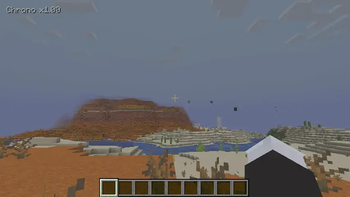

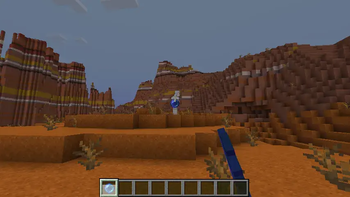
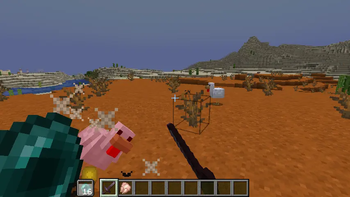
About this Mod
Pearl Ascension
⚠️ Beta Version — This mod is currently in Beta phase. Core features have been implemented and tested, but there may still be undiscovered issues. Bug reports and suggestions are welcome!(Website URL:http://ad.rainplay.cn:50389)
An ender-pearl enhancement mod with chrono throws, swap sigils, and weapon synergies.

✦ Features
⏱ Chrono Pause — 时空暂停
Press V to freeze yourself in place and enter Chrono Pause mode. While frozen, throwing ender pearls doesn't teleport you immediately — instead, target positions are queued (up to 8 pearls). Use the mouse scroll wheel to adjust throw distance scaling (0.25× ~ 4.0×). Press V again to release — pearls fire in nearest-first order, one per second.
- Queue up to 8 ender pearls before releasing
- Scroll to adjust distance scaling in real-time
- Can be used in coordination with weapons
- Pearls release from nearest to farthest
- Hunger cost scales with distance
- Singleplayer: optional global tick freeze
- Multiplayer: safe mode by default (no impact on other players)
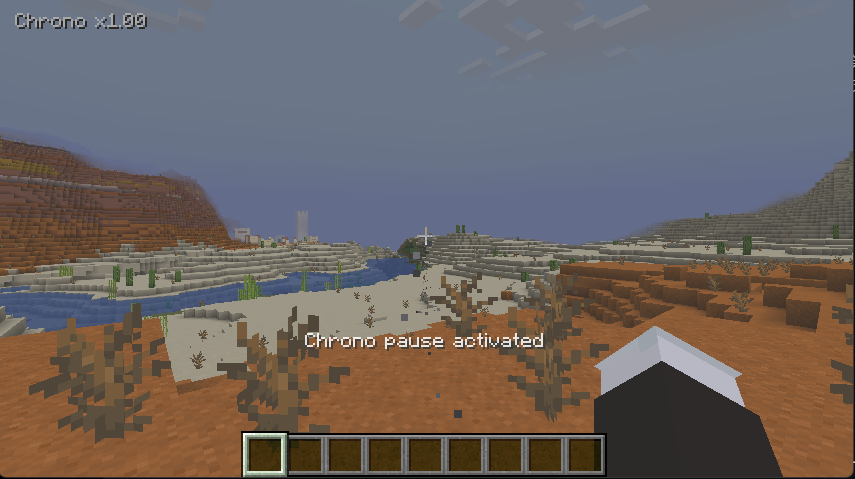
Chrono Pause HUD overlay with distance scaling indicator and ash particle path preview.
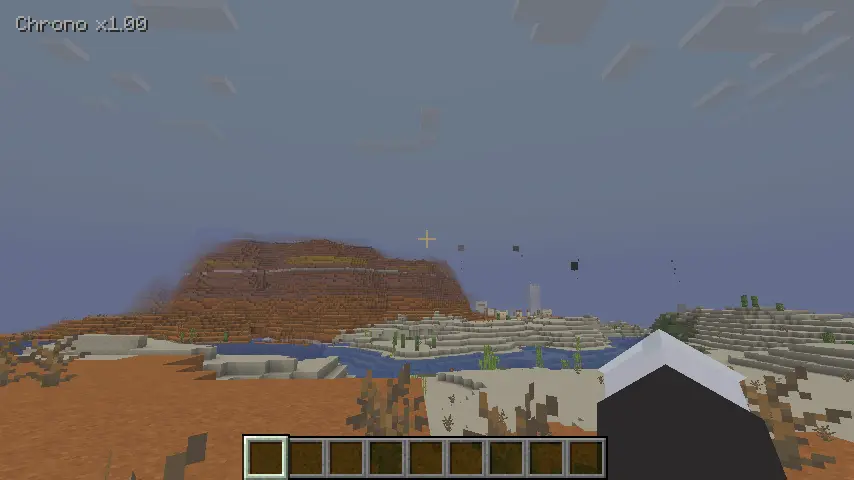
Queued pearls shown with particle trail previews before release.
🔄 Swap Sigil — 移形换位
A custom enchantment "Swap Position" for ender pearls. Instead of teleporting the thrower to the landing point, a Swap Pearl swaps positions between the thrower and the hit entity.
How to obtain:
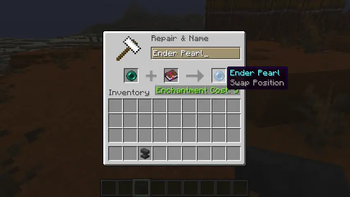
- Anvil: Ender Pearl + Enchanted Book (Swap Position) — costs 5 XP levels
- Loot: Mineshaft & Dungeon chests have a 20% chance to contain the enchantment book
- Villager Trade: Librarian level 3 — 24 Emeralds + Book → Swap Position book
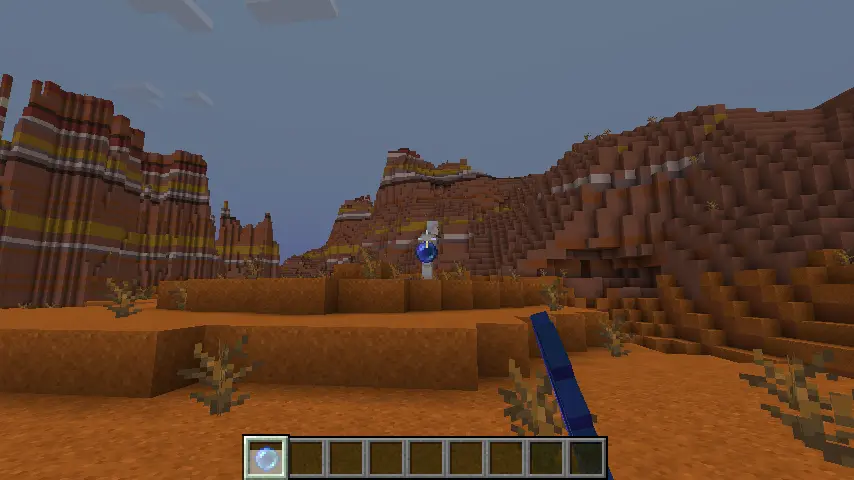
Position swap on hit with portal particle effects and enderman teleport sound.
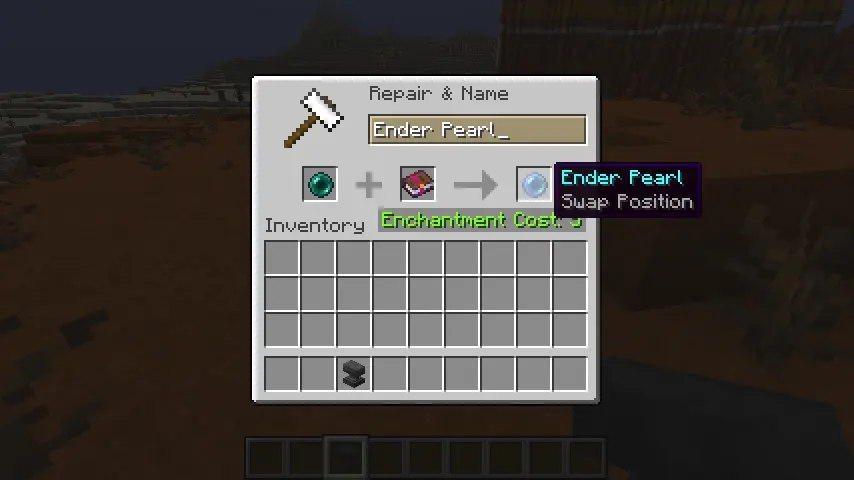
Anvil crafting: combining an ender pearl with a Swap Position enchanted book.
⚔ Weapon Synergy — 武器协同
Hold a sword/axe in main hand and an ender pearl in off-hand, then press Ctrl + Left Click to trigger a synergy attack. The pearl launches along your look direction, teleports you, and delivers an auto-crit on the nearest enemy.
- Consumes 1 off-hand ender pearl + hunger
- Synergy distance = base distance × 1.5× multiplier (default 27 blocks)
- Auto-crit: auto-face nearest enemy, deal
max(attack damage, 6.0) × 1.75×damage - Works with Chrono Pause — queued synergy pearls auto-crit on release
- Auto-target range: 6 blocks
Ctrl + Left Click triggers the synergy: teleport + auto-crit combo.
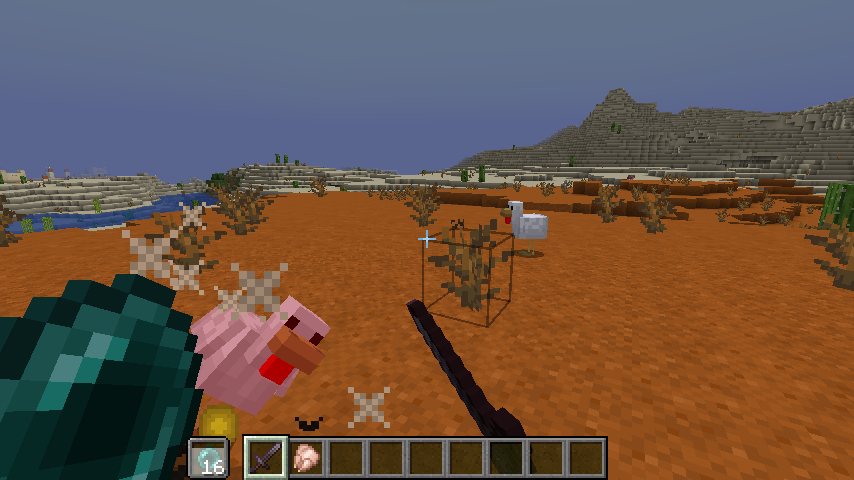
Auto-crit particle burst on the target after synergy teleport.
✦ Controls
| Action | Key | Notes |
|---|---|---|
| Toggle Chrono Pause | V | Freeze/unfreeze yourself |
| Adjust throw distance | Scroll Wheel | Only while Chrono is active |
| Trigger Weapon Synergy | Ctrl + Left Click | Main hand weapon + off-hand pearl |
| Open Config | O | Cloth Config GUI |
✦ Configuration
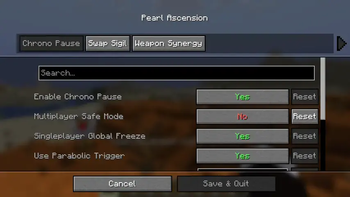
All features are fully configurable via Cloth Config (press O or use ModMenu).
Chrono Pause:
- Enable/disable Chrono Pause
- Multiplayer safe mode / Singleplayer global freeze
- Parabolic vs. linear trajectory
- Max stored pearls (1–32), base distance (4–64), scroll step
- Hunger cost: base cost + distance factor
Swap Sigil:
- Enable/disable Swap Sigil enchantment
Weapon Synergy:
- Enable/disable Weapon Synergy
- Off-hand pearl bonus damage, hunger cost
- Distance multiplier, auto-crit multiplier, auto-target range
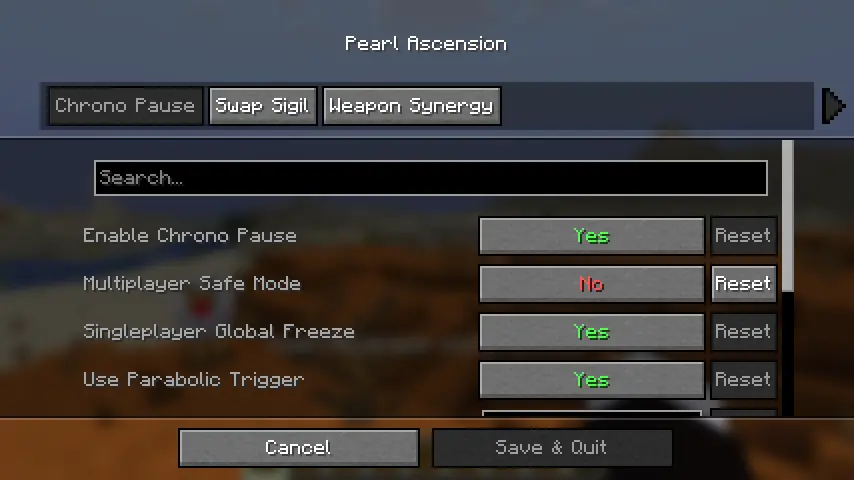
Cloth Config integration with ModMenu support.
✦ Requirements
| Dependency | Version |
|---|---|
| Minecraft | 1.21.1 |
| Fabric Loader | ≥ 0.16.10 |
| Fabric API | Any (1.21.1) |
| Cloth Config | ≥ 15.0.0 |
| Java | ≥ 21 |
Recommended: ModMenu for easy config access
✦ License
All Rights Reserved/No License
✦ Credits
- Author: mccmcaozr
- Loader: Fabric
- Config Lib: Cloth Config by shedaniel
Available Versions
How to Install Pearl Ascension on Your Server
Order Server
Order a Minecraft Java server with at least 3 GB RAM (4 GB recommended).
Set fabric Loader
In the panel under "Egg", select the fabric loader and matching Minecraft version (1.21.1).
Install Mod
Open the mod browser in the dashboard and search for "Pearl Ascension". Click "Install" – done! Alternatively, upload the .jar via SFTP to the /mods folder.
Compatibility
Mod Loaders
Minecraft Versions
1.21.1
Server-side
✓ RequiredRecommended RAM
4 GB(min. 3 GB)Frequently Asked Questions
Pearl Ascension server crashes on startup – what to do?
Most common cause: wrong fabric version or insufficient RAM. Check the server log (latest.log) for "OutOfMemoryError" or "Mixin" errors. With Mado Hosting: ensure at least 3 GB RAM is allocated and the loader matches the mod version (1.21.1). You can switch loaders with one click in the panel.
Is Pearl Ascension compatible with fabric?
Pearl Ascension officially supports fabric for Minecraft 1.21.1. The Mado dashboard automatically detects incompatible loader combinations.
Server lagging with Pearl Ascension – how to optimize performance?
Recommended RAM: 4 GB (per 8 players). Use /spark profiler to check if Pearl Ascension consumes the most tick time. Common fixes: reduce server view-distance to 8-10, install "performant" or "starlight" as supplementary mods on Forge. With Mado Hosting, your server runs on NVMe SSDs with dedicated CPU cores for minimal latency.
Similar Mods




Rent Modded Server
Install Pearl Ascension with just one click on your server.