
Pebble's Crate
Weighted randomiser crate mod for Minecraft Fabric 1.19.2-1.20.1 Great for vote crates, premium crates and whatever else you want to use it for.
Screenshots
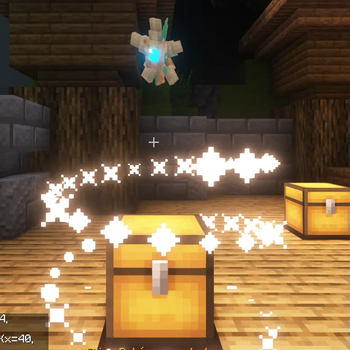
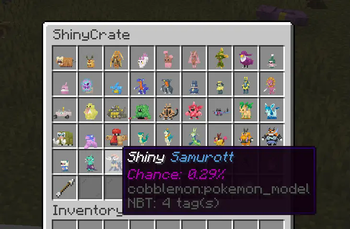
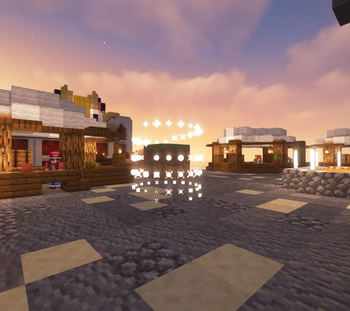
About this Mod
Pebble's Lootcrate
Pebble's Lootcrate mod for Fabric Minecraft version 1.19.2, 1.20.1 and 1.21.1

Make sure you have Fabric Language Kotlin installed!
If you would like to convert your configs from AdvancedCrates to Pebble's Crate, I have written a converter that will help speed up the process a little bit, it can be found here along with a crate config creator/editor (WIP):
https://pebblescrate.sethi.tech/
Go to source:

Feel free to drop me a star on Github :)
Come try out the crates on one of the servers I manage :)
IP: dynastymc.org
Permissions
For all admin commands, if you have LuckPerm installed, the following is required:pebbles.admin.crate
Available Commands
/padmin crate Displays all available crate in the config and lets you grab a crate transformer/crate key /padmin getcrate <name> Get a crate transformer /padmin givekey <player> <amount> <cratename> Gives cratekey to a specific player
How to use?
After installing the mod, you may navigate to /config/pebbles-crate/crates or create the folders then create a file, for example example.json
You may use the follow example as reference for the structure:
{
"crateName": "Vanilla Items Crate",
"screenName": "&6Vanilla Items Crate",
"crateKey": {
"material": "minecraft:tripwire_hook",
"name": "&#FFBF00Vanilla Key",
"lore": [
"&#FFDC73• Opens a Vanilla Items Crate"
]
},
"prize": [
{
"name": "?BC5DDiamond",
"material": "minecraft:diamond",
"amount": 1,
"nbt": "{species:\"cobblemon:bulbasaur\",aspects:[\"shiny\"]}",
"commands": [
"give {player_name} minecraft:diamond 1"
],
"broadcast": "&6{player_name} &fhas received {prize_name} &ffrom {crate_name}",
"messageToOpener": "&6[Pebble's Crates] &f&lYou got {prize_name} &f&lfrom Vanilla Items Crate",
"lore": [
"Chance of getting the drop: {chance}%"
],
"chance": 40
},
{
"name": "&rElytra",
"material": "minecraft:elytra",
"amount": 1,
"commands": [
"give {player_name} minecraft:elytra 1"
],
"broadcast": "&6{player_name} &fhas received {prize_name} &ffrom {crate_name}",
"messageToOpener": "&6[Pebble's Crates] &f&lYou got {prize_name} &f&lfrom Vanilla Items Crate",
"lore": [
"Chance of getting the drop: {chance}%"
],
"chance": 5
},
{
"name": "&rGolden Apple",
"material": "minecraft:golden_apple",
"amount": 1,
"commands": [
"give {player_name} minecraft:golden_apple 1"
],
"broadcast": "&6{player_name} &fhas received {prize_name} &ffrom {crate_name}",
"messageToOpener": "&6[Pebble's Crates] &f&lYou got {prize_name} &f&lfrom Vanilla Items Crate",
"lore": [
"Chance of getting the drop: {chance}%"
],
"chance": 55
}
]
}
Note that the mod supports legacy formatting (e.g. ?BC5D, &4, &f, &r) as demonstrated in the example.
Todo
- Admin UI for editing the loot in-game
- Better/more error handling
- Finish writing todos
Available Versions
How to Install Pebble's Crate on Your Server
Order Server
Order a Minecraft Java server with at least 3 GB RAM (4 GB recommended).
Set fabric Loader
In the panel under "Egg", select the fabric loader and matching Minecraft version (1.21.1).
Install Mod
Open the mod browser in the dashboard and search for "Pebble's Crate". Click "Install" – done! Alternatively, upload the .jar via SFTP to the /mods folder.
Compatibility
Mod Loaders
Minecraft Versions
1.21.1, 1.20.1, 1.19.2
Server-side
✓ RequiredRecommended RAM
4 GB(min. 3 GB)Frequently Asked Questions
Pebble's Crate server crashes on startup – what to do?
Most common cause: wrong fabric version or insufficient RAM. Check the server log (latest.log) for "OutOfMemoryError" or "Mixin" errors. With Mado Hosting: ensure at least 3 GB RAM is allocated and the loader matches the mod version (1.21.1). You can switch loaders with one click in the panel.
Is Pebble's Crate compatible with fabric?
Pebble's Crate officially supports fabric for Minecraft 1.21.1, 1.20.1, 1.19.2. The Mado dashboard automatically detects incompatible loader combinations.
Server lagging with Pebble's Crate – how to optimize performance?
Recommended RAM: 4 GB (per 8 players). Use /spark profiler to check if Pebble's Crate consumes the most tick time. Common fixes: reduce server view-distance to 8-10, install "performant" or "starlight" as supplementary mods on Forge. With Mado Hosting, your server runs on NVMe SSDs with dedicated CPU cores for minimal latency.
Similar Mods






Rent Modded Server
Install Pebble's Crate with just one click on your server.