
Peony: From Field to Table
From field to table – grow, prepare, and cook your meals step by step!
Screenshots
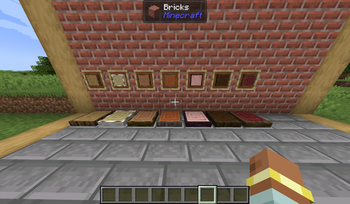
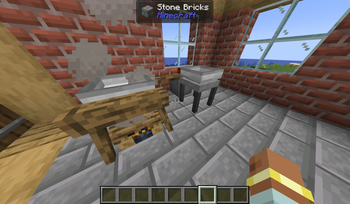
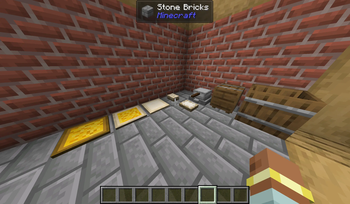
About this Mod
✨ Introduction
This is a kitchen mod that revolves around "planting → processing → cooking".
You can grow crops yourself, process the ingredients step by step, and ultimately create your own dishes.
From simple chopping and grinding to cooking in a wok, every step is closer to a realistic kitchen experience.
No GUI. Every cooking step is physical interaction inside the world!
🌾 Main Contents
🧱 Various Kitchen Cubes
Millstone: For grinding
Cutting Board: For processing ingredients (slicing, peeling, etc.)
Brewing Barrel/Fermentation Tankl: For making fermented stuffs
Skillet: Core cooking equipment
Gas Stove & Gas Canister: Provides a stable heat source
Campfire Heat Source: An early alternative
🌱 Crop System
Added several new crops, including:
Barley
Peanuts
Tomatoes
Rice
Coriander
Garlic
Getting raw materials by planting and harvesting!
🔪 Ingredient Processing
Peeler
Shredder
Multiple processing methods (peeling, slicing, etc.).
To making ingredient processing more meticulous and authentic!
🍲 Cooking System
Use a skillet to cook a variety of dishes, currently including:
5 different dishes
Experience a progressively more advanced cooking process by combining different ingredients.
🔥 Heat Source Mechanism
Gas System (Advanced)
Campfire (Basic)
Different stages offer different cooking speeds.
📌 Current Version Notes (v1.0.0-beta)
This is the first public release of the mod, and the basic gameplay loop has been implemented.
Future Planned Updates:
- More dishes
- A more comprehensive crop system
- Achievements System (realizing)
- Gameplay optimizations and balance adjustments
❤️ Author's Note
I highly recommend pairing it with REI (Roughly Enough Items) and Jade as accompaniments, otherwise cooking will become very complicated!
This mod was developed from 0 and is still under continuous improvement.
Feedback, suggestions, and questions are welcome; let's make it even better together!
Available Versions
How to Install Peony: From Field to Table on Your Server
Order Server
Order a Minecraft Java server with at least 3 GB RAM (4 GB recommended).
Set fabric Loader
In the panel under "Egg", select the fabric loader and matching Minecraft version (1.21.1).
Install Mod
Open the mod browser in the dashboard and search for "Peony: From Field to Table". Click "Install" – done! Alternatively, upload the .jar via SFTP to the /mods folder.
Compatibility
Mod Loaders
Minecraft Versions
1.21.1
Server-side
✓ RequiredRecommended RAM
4 GB(min. 3 GB)Frequently Asked Questions
Peony: From Field to Table server crashes on startup – what to do?
Most common cause: wrong fabric version or insufficient RAM. Check the server log (latest.log) for "OutOfMemoryError" or "Mixin" errors. With Mado Hosting: ensure at least 3 GB RAM is allocated and the loader matches the mod version (1.21.1). You can switch loaders with one click in the panel.
Is Peony: From Field to Table compatible with fabric?
Peony: From Field to Table officially supports fabric for Minecraft 1.21.1. The Mado dashboard automatically detects incompatible loader combinations.
Server lagging with Peony: From Field to Table – how to optimize performance?
Recommended RAM: 4 GB (per 8 players). Use /spark profiler to check if Peony: From Field to Table consumes the most tick time. Common fixes: reduce server view-distance to 8-10, install "performant" or "starlight" as supplementary mods on Forge. With Mado Hosting, your server runs on NVMe SSDs with dedicated CPU cores for minimal latency.
Similar Mods



Rent Modded Server
Install Peony: From Field to Table with just one click on your server.