
PerfectMessages
Perfect! Unimprovable! Ideal! Messages for minecraft.
Screenshots
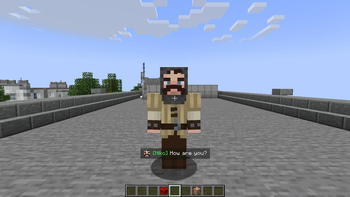
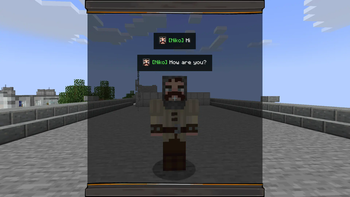
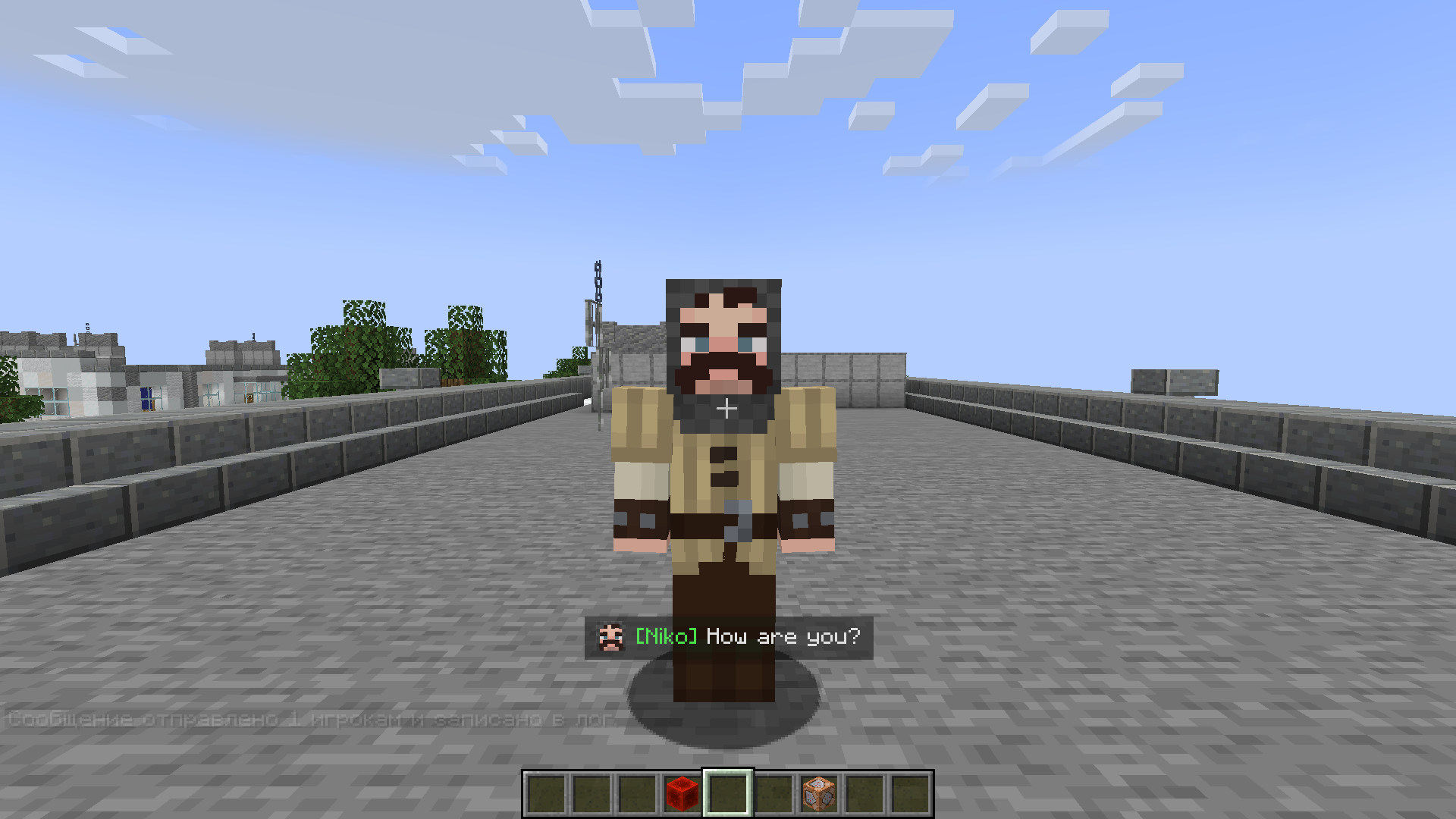
About this Mod
Perfect Messages (PM) — Convenient Message Management in Minecraft
Are you tired of /title? Want to make colorful notifications that stay in a message log, send cinematic dialogues, or create immersive NPC conversations?
With Perfect Messages (PM), you can do it all — easily and beautifully. Discord Channel visit the mod’s project page.
Features
🚀 Pop-Up Messages
Display smooth, fading notifications with customizable text, colors, and duration.
Supports all Minecraft color codes and HEX formatting.🎨 HEX Color Support
Use any custom color via:&#RRGGBBExample:
&#FF5733Hello!🔢 Dynamic Placeholders
%player_name%— Player’s name%player_health%— Current health%player_xp%— XP level%item_in_hand%— Item in main hand
🖼️ Image Support
Add icons or portraits to messages:/perfectmessage @a "pic.png Hello, %player_name%!" 5 trueAll images are stored in
mods/pm/images/(created automatically).
Images appear at the start of messages and align properly with multiline text.📝 Message Log
View all previous messages in a smooth, scrollable message window.
Perfect for quests, story mods, or chat-style dialogues.🔍 Commands
/perfectmessage— Send a custom message with adjustable duration and optional logging/clearmessages— Clear all messages from the log
Example:
/perfectmessage @a "b50d4Welcome, %player_name%!" 10 true⌨️ Customizable Key Bindings
Open or close the message log directly from in-game (default key:N).
The key can be changed in Options → Controls → PM: Toggle Message Log.🪄 Text Effects
&k— Obfuscated (glitched) text&r— Reset formatting**text**— Shaking text effect
How to Use
Send a Message
/perfectmessage @a "&#FF5733Hello, %player_name%!"Add an Image
/perfectmessage @a "pic.png &aYou found a treasure!" 5 trueOpen the Message Log
Press N (or your chosen key) to view past messages.Clear the Log
/clearmessages
Configuration
You can adjust:
- Whether logging is enabled
- Fade duration and transparency
- Maximum stored messages
- Visual effects like shaking or gradients
The config file is automatically created in your Forge config directory.
Installation
- Install Forge (Minecraft 1.19.2 or 1.20.1).
- Place the mod file into the
modsfolder. - Launch Minecraft — the folder
mods/pm/images/will be created automatically. - Configure your controls and enjoy stylish messages!
Compatibility
- Minecraft Versions: 1.19.2, 1.20.1
- Mod Loader: Forge
- Languages: English, Russian
For Modpack Creators
Perfect Messages is ideal for cinematic storytelling, quest systems, or interactive cutscenes.
You can easily script dialogue sequences using command blocks, scripts, or datapacks.
💬 Example: NPC Dialogue Chain
/perfectmessage @a "npc.png &#ffc107Villager: &rHello, traveler!" 5 true
/perfectmessage @a "npc.png &#ffffffVillager: &rThe forest ahead is dangerous..." 5 true
/perfectmessage @a "npc.png &#ff0000Villager: &rBeware of the shadows!" 5 true
🪄 Example: Quest Reward Message
/perfectmessage @a "chest.png �ff00You received 50 gold and a new sword!" 5 true
🧙 Tip
Combine it with mods like KubeJS, Custom NPCs, or Quest Frameworks to create immersive stories with timed, animated dialogue.
Support & Feedback
If you encounter any issues or want to share ideas, join our Discord Channel or visit the mod’s project page.
Perfect Messages — Your Messages, Your Story.
Create cinematic notifications, immersive storytelling, and expressive communication in Minecraft with ease.
Available Versions
How to Install PerfectMessages on Your Server
Order Server
Order a Minecraft Java server with at least 3 GB RAM (4 GB recommended).
Set forge Loader
In the panel under "Egg", select the forge loader and matching Minecraft version (1.20.1).
Install Mod
Open the mod browser in the dashboard and search for "PerfectMessages". Click "Install" – done! Alternatively, upload the .jar via SFTP to the /mods folder.
Compatibility
Mod Loaders
Minecraft Versions
1.20.1, 1.19.2
Server-side
✓ RequiredRecommended RAM
4 GB(min. 3 GB)Frequently Asked Questions
PerfectMessages server crashes on startup – what to do?
Most common cause: wrong forge version or insufficient RAM. Check the server log (latest.log) for "OutOfMemoryError" or "Mixin" errors. With Mado Hosting: ensure at least 3 GB RAM is allocated and the loader matches the mod version (1.20.1). You can switch loaders with one click in the panel.
Is PerfectMessages compatible with forge and neoforge?
PerfectMessages officially supports forge, neoforge for Minecraft 1.20.1, 1.19.2. The Mado dashboard automatically detects incompatible loader combinations.
Server lagging with PerfectMessages – how to optimize performance?
Recommended RAM: 4 GB (per 8 players). Use /spark profiler to check if PerfectMessages consumes the most tick time. Common fixes: reduce server view-distance to 8-10, install "performant" or "starlight" as supplementary mods on Forge. With Mado Hosting, your server runs on NVMe SSDs with dedicated CPU cores for minimal latency.
Similar Mods






Rent Modded Server
Install PerfectMessages with just one click on your server.