
Peterwolf's_Zip-line
Add infinty zip-line. build 2 baseses. Speed depends on the difference in height and distance between the upper and lower bases
Screenshots
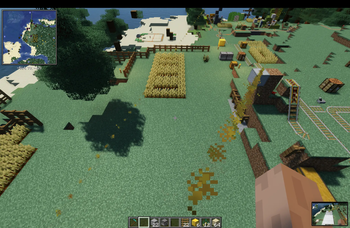
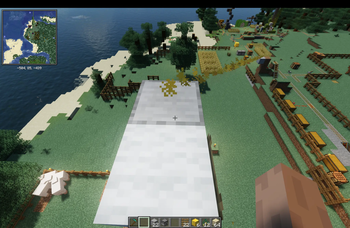
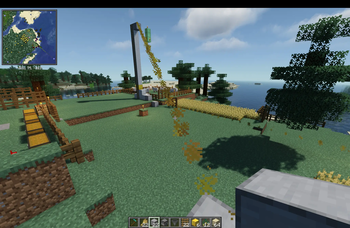
About this Mod
# Peter Wolf's Zip-line
Peter Wolf's Zip-line adds a fast and practical zip-line transport system to Minecraft.
Build two zip-line stations and connect them into a working downhill route. The higher station automatically becomes the starting point, while the lower station becomes the destination.
After placing the first station, the mod shows a height indicator that compares the station level with your current position. This helps you plan the route and clearly see whether you are building higher or lower.
The zip-line speed depends on the height difference between the two stations. The bigger the drop, the faster the ride.
There is no artificial distance limit, so you can build short local lines, long mountain routes, deep cave descents, or huge transport systems across your world.
Features
- Build two zip-line stations
- Higher station becomes the start
- Lower station becomes the end
- Height indicator after placing the first station
- Clear information if you are above or below the first station
- Speed based on height difference
- No artificial distance limit
- Useful for mountains, caves, bases, towers, and long-distance travel
How it works
Place the first zip-line station to start planning your route.
While building the second station, the mod shows how many blocks you are above or below the first station. This makes it easy to create a proper downhill line.
Once both stations are placed, the mod automatically detects the start and end points.
Use the higher station to ride the zip-line down to the lower station.
Perfect for
- Mountain bases
- Cliffside villages
- Cave entrances
- Mineshaft travel
- Survival transport
- Adventure maps
- Large builds
- Fast downhill movement
Peter Wolf's Zip-line turns height difference into movement and gives players a simple, fun, and flexible way to travel through the world.
Recipe:
I C I
W R W
S S S
I = iron ingot
C = chain
W = string
R = redstone
S = smooth stone
Available Versions
How to Install Peterwolf's_Zip-line on Your Server
Order Server
Order a Minecraft Java server with at least 3 GB RAM (4 GB recommended).
Set fabric Loader
In the panel under "Egg", select the fabric loader and matching Minecraft version (26.2).
Install Mod
Open the mod browser in the dashboard and search for "Peterwolf's_Zip-line". Click "Install" – done! Alternatively, upload the .jar via SFTP to the /mods folder.
Compatibility
Mod Loaders
Minecraft Versions
26.2, 26.1.2
Server-side
✓ RequiredRecommended RAM
4 GB(min. 3 GB)Frequently Asked Questions
Peterwolf's_Zip-line server crashes on startup – what to do?
Most common cause: wrong fabric version or insufficient RAM. Check the server log (latest.log) for "OutOfMemoryError" or "Mixin" errors. With Mado Hosting: ensure at least 3 GB RAM is allocated and the loader matches the mod version (26.2). You can switch loaders with one click in the panel.
Is Peterwolf's_Zip-line compatible with fabric and forge and neoforge?
Peterwolf's_Zip-line officially supports fabric, forge, neoforge for Minecraft 26.2, 26.1.2. Note: Forge and Fabric mods are NOT cross-compatible – pick one loader and stick with it. The Mado dashboard automatically detects incompatible loader combinations.
Server lagging with Peterwolf's_Zip-line – how to optimize performance?
Recommended RAM: 4 GB (per 8 players). Use /spark profiler to check if Peterwolf's_Zip-line consumes the most tick time. Common fixes: reduce server view-distance to 8-10, install "performant" or "starlight" as supplementary mods on Forge. With Mado Hosting, your server runs on NVMe SSDs with dedicated CPU cores for minimal latency.
Rent Modded Server
Install Peterwolf's_Zip-line with just one click on your server.