
Phantom Storage
Summon an ender chest-like container that follows you around!
Screenshots
About this Mod
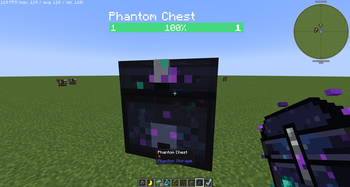
Phantom Storage adds a semi-transparent floating chest that follows you around, keeps your items accessible at all times, and can automatically push and pull items to and from storage blocks in the world.
- The Phantom Chest
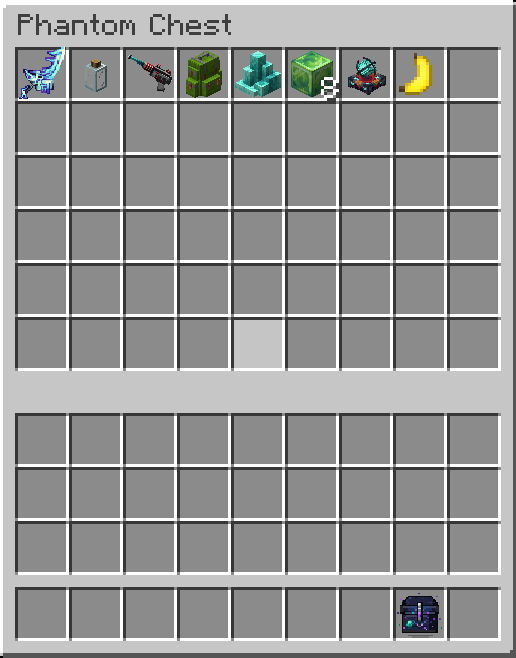
Summon it with the Phantom Chest Summoner item. The chest hovers near you, follows you through the world, and opens like any normal chest — only the player who summoned it can access it. Dismiss it with the same item.
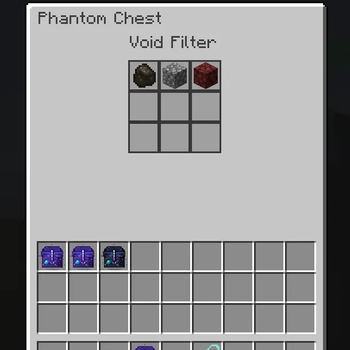
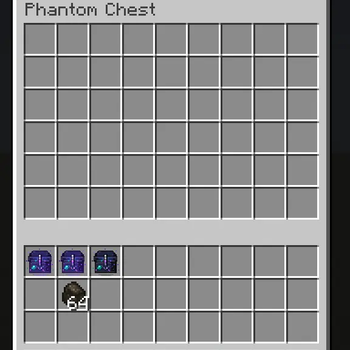
The chest GUI has three tabs:
Chest — 54-slot personal inventory
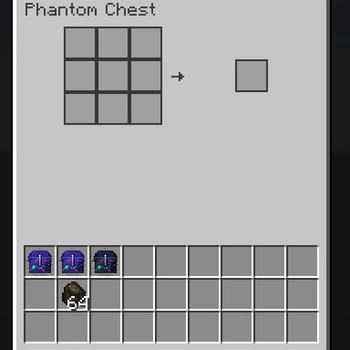
Craft — embedded 3×3 crafting grid with JEI integration; click recipes directly in from JEI
Void Filter — 9-slot ghost filter; any item type placed here is silently destroyed when it enters the chest, keeping your inventory clean
The Phantom Wrench
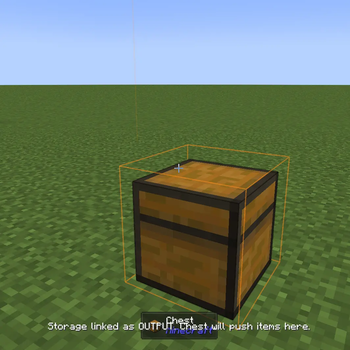
Craft a Phantom Wrench to link nearby storage blocks to your chest. Shift+Right-click a chest, barrel, or any other storage block to link it as an OUTPUT — your Phantom Chest will push items there automatically. Sneak+right-click to switch it to INPUT (chest pulls items from there) or unlink it entirely.
- Works with modded storage blocks that expose the IItemHandler capability (Sophisticated Storage, etc.)
- Configured links are saved to your player data — you can set up your storage layout before ever summoning the chest
- While holding the wrench, linked blocks are highlighted: orange for OUTPUT, blue for INPUT. A transparent box shows the range the chest must be within for transfers to happen
- Up to 16 linked storages per chest
- Link count is always visible in the HUD while holding the wrench
Available Versions
How to Install Phantom Storage on Your Server
Order Server
Order a Minecraft Java server with at least 3 GB RAM (4 GB recommended).
Set neoforge Loader
In the panel under "Egg", select the neoforge loader and matching Minecraft version (1.21.1).
Install Mod
Open the mod browser in the dashboard and search for "Phantom Storage". Click "Install" – done! Alternatively, upload the .jar via SFTP to the /mods folder.
Compatibility
Mod Loaders
Minecraft Versions
1.21.1
Server-side
✓ RequiredRecommended RAM
4 GB(min. 3 GB)Frequently Asked Questions
Phantom Storage server crashes on startup – what to do?
Most common cause: wrong neoforge version or insufficient RAM. Check the server log (latest.log) for "OutOfMemoryError" or "Mixin" errors. With Mado Hosting: ensure at least 3 GB RAM is allocated and the loader matches the mod version (1.21.1). You can switch loaders with one click in the panel.
Is Phantom Storage compatible with neoforge?
Phantom Storage officially supports neoforge for Minecraft 1.21.1. The Mado dashboard automatically detects incompatible loader combinations.
Server lagging with Phantom Storage – how to optimize performance?
Recommended RAM: 4 GB (per 8 players). Use /spark profiler to check if Phantom Storage consumes the most tick time. Common fixes: reduce server view-distance to 8-10, install "performant" or "starlight" as supplementary mods on Forge. With Mado Hosting, your server runs on NVMe SSDs with dedicated CPU cores for minimal latency.
Similar Mods


Rent Modded Server
Install Phantom Storage with just one click on your server.