
Phoenix's Archives
A mod focused on cleanly organized lore with support for custom conditions, quests, and gregtech modern multiblocks/singleblocks.
Screenshots

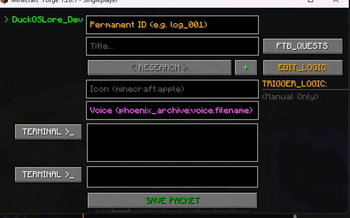
About this Mod
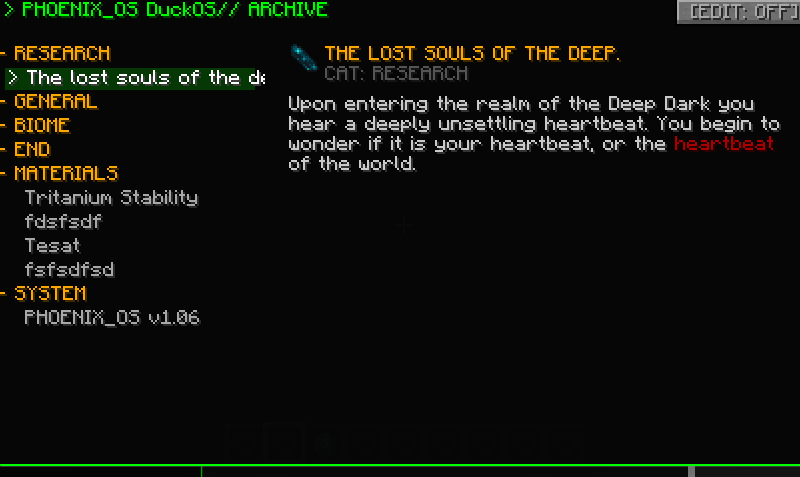
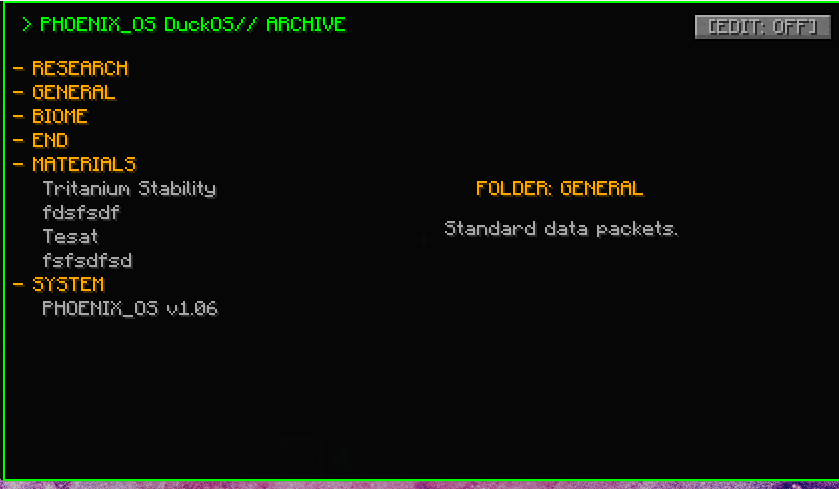
Have you ever wanted to have lore at the touch of your hand without it being locked behind a questbook?
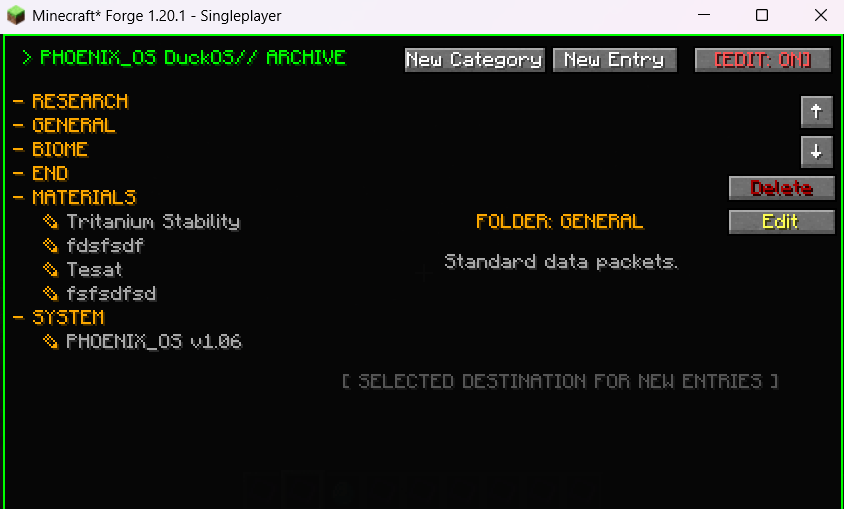
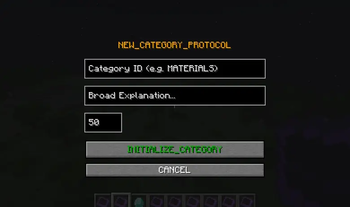
With Phoenix's Archives you can define jsons for lore entries/categories or do it all through the in-game gui.
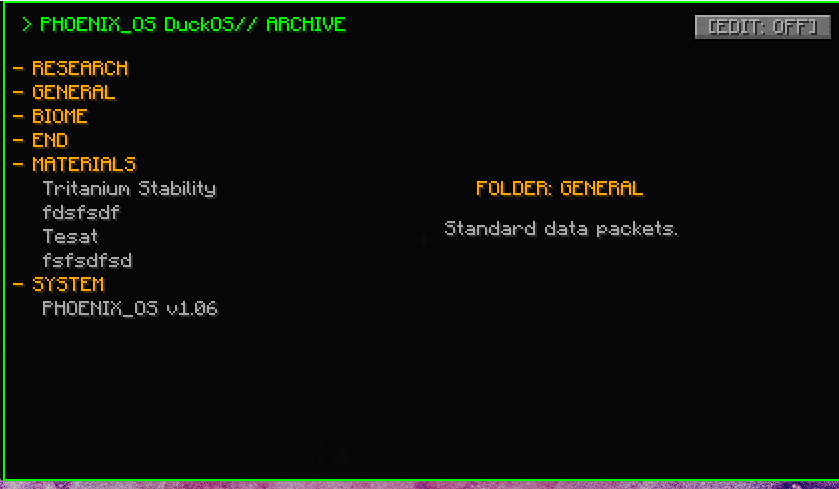
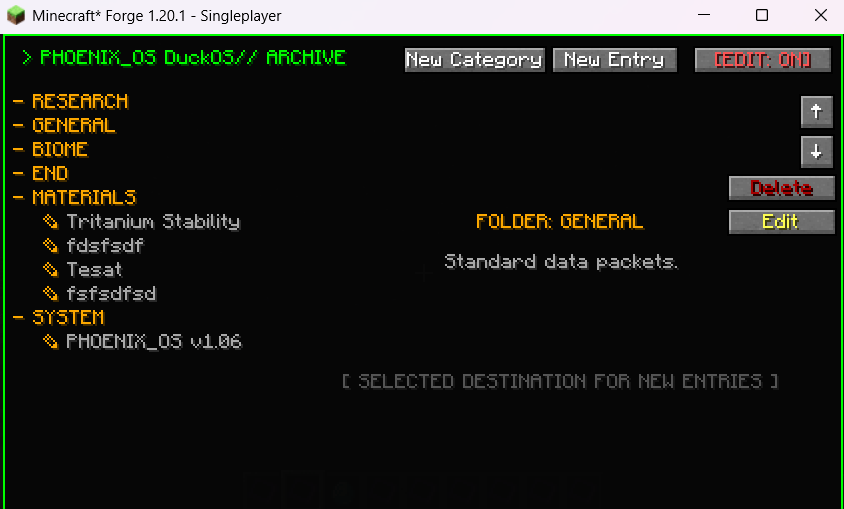
You can choose to have Lore Entries locked behind a conditon such as: A FTBQuest, obtaining an item, entering a biome, and much more!
With GregTech Modern and FTB Quests being optional mods, you can choose to run this mod without them.
Below is an example of a locked quest and an unlocked one
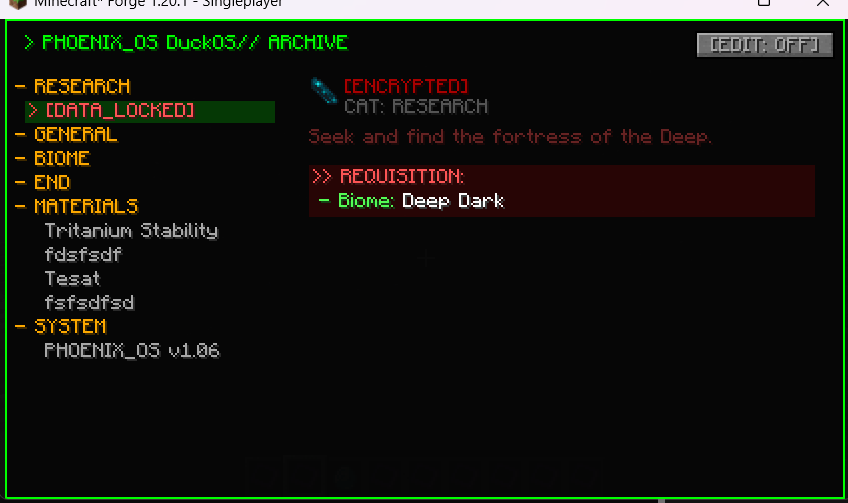
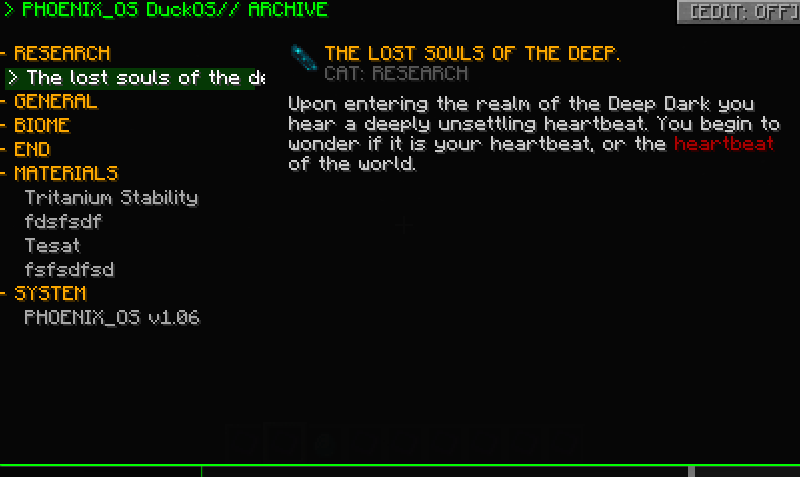
By default there are no entries included, thou if you would like some example ones you can check out the github where some are stored.
You can open the editor screen by clicking edit mode (can only be seen if you have permissions) and clicking new entry or category.
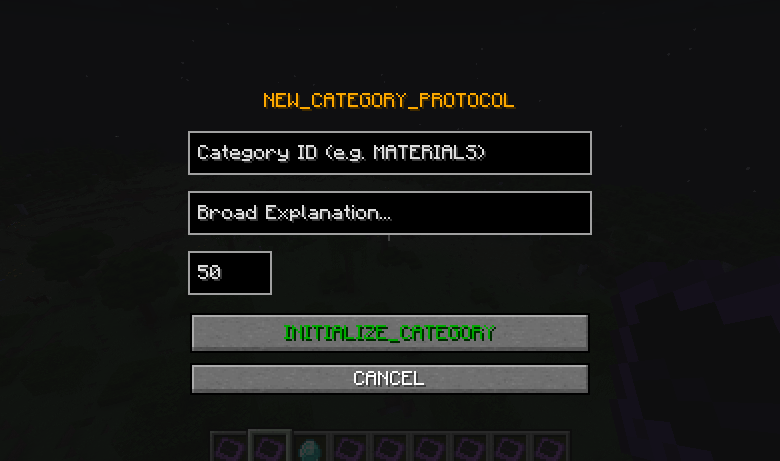
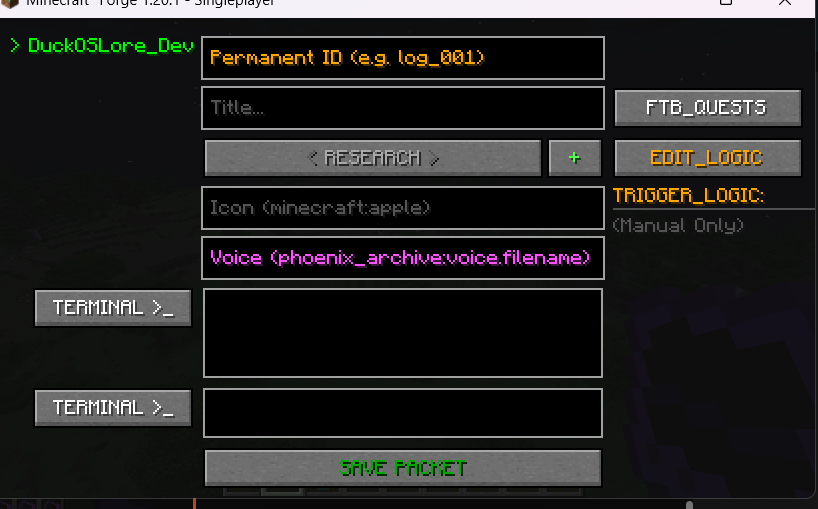
I started this project as a mod for Phoenix Forge Technologies and thought I could expand it to be of some use to many people.
I hope you enjoy the mod! Also feel free to suggest any other mod compats you feel would be good.
Available Versions
How to Install Phoenix's Archives on Your Server
Order Server
Order a Minecraft Java server with at least 3 GB RAM (4 GB recommended).
Set forge Loader
In the panel under "Egg", select the forge loader and matching Minecraft version (1.20.1).
Install Mod
Open the mod browser in the dashboard and search for "Phoenix's Archives". Click "Install" – done! Alternatively, upload the .jar via SFTP to the /mods folder.
Compatibility
Mod Loaders
Minecraft Versions
1.20.1
Server-side
✓ RequiredRecommended RAM
4 GB(min. 3 GB)Frequently Asked Questions
Phoenix's Archives server crashes on startup – what to do?
Most common cause: wrong forge version or insufficient RAM. Check the server log (latest.log) for "OutOfMemoryError" or "Mixin" errors. With Mado Hosting: ensure at least 3 GB RAM is allocated and the loader matches the mod version (1.20.1). You can switch loaders with one click in the panel.
Is Phoenix's Archives compatible with forge?
Phoenix's Archives officially supports forge for Minecraft 1.20.1. The Mado dashboard automatically detects incompatible loader combinations.
Server lagging with Phoenix's Archives – how to optimize performance?
Recommended RAM: 4 GB (per 8 players). Use /spark profiler to check if Phoenix's Archives consumes the most tick time. Common fixes: reduce server view-distance to 8-10, install "performant" or "starlight" as supplementary mods on Forge. With Mado Hosting, your server runs on NVMe SSDs with dedicated CPU cores for minimal latency.
Similar Mods




Rent Modded Server
Install Phoenix's Archives with just one click on your server.