
PicoHUD
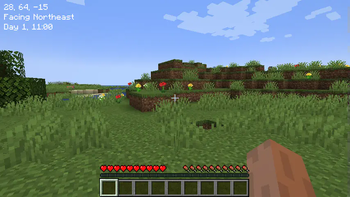
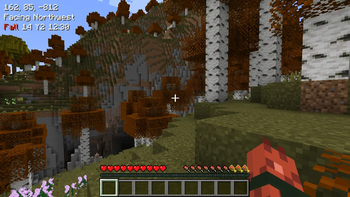
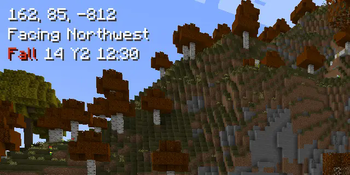
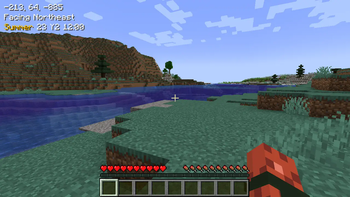
Unobtrusive, player-readable coordinates, day, time, facing direction, and biome - with toggle/hold key modes. An alternative to minimaps and F3.
Screenshots

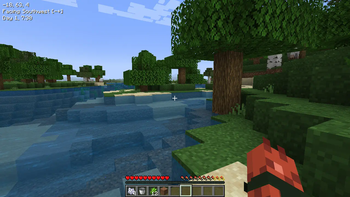
About this Mod
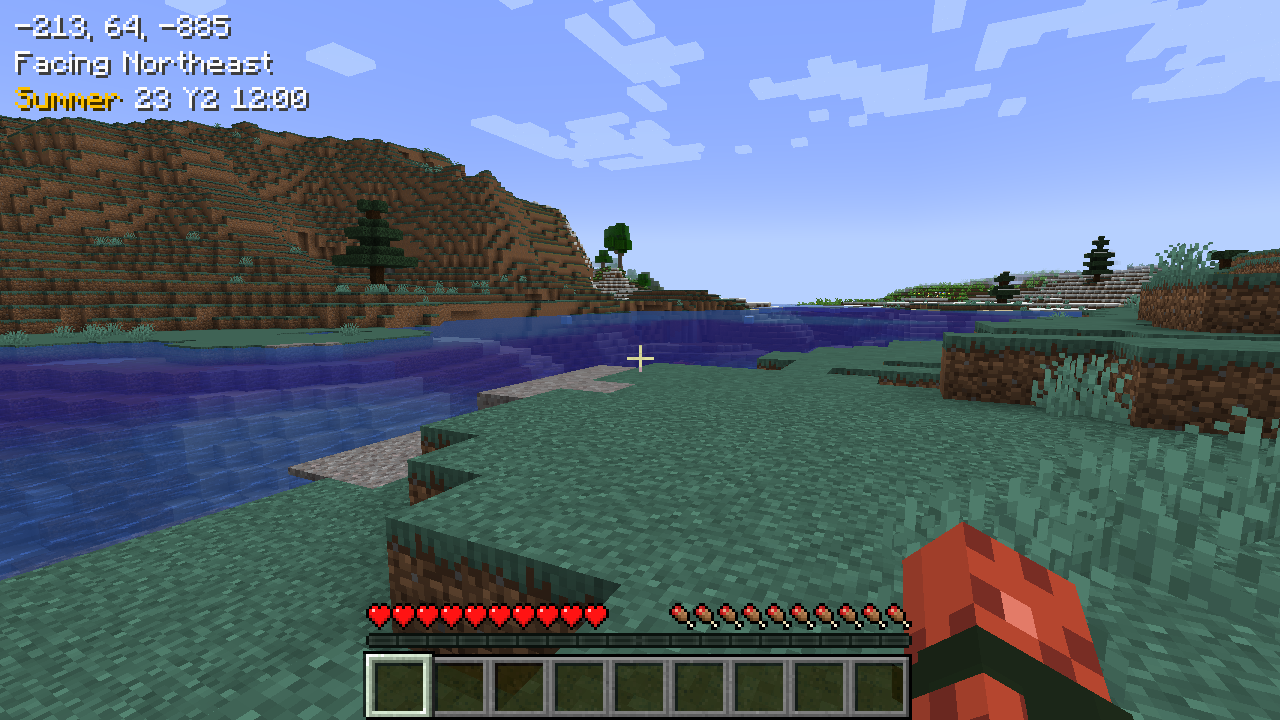
Rounds and simplifies to make information glanceable.
Requires Connector and FFAPI on forge.
When a key (default left alt) is held, information text is shown, anchored to the top left of the screen.
This includes:
- Coordinates, in whole values.
- Cardinal facing direction (northeast etc.)
- [Default Disabled] Axes facing direction - indicates how your X and Z coordinates will change by moving forward.
- In-game day and In-game Time - Rounded to the nearest half hour.
- Shows day in a seasonal format when Seasons is installed.
- Translated biome name.
Includes configuration in config/picohud.toml for:
- Which information lines to display.
- Whether to use toggle or hold logic for the 'show overlay' key.
Afterword
All mods are built on the work of many others.
This mod is included in Tinkerer's Quilt - our modpack about rediscovering vanilla.
We're open to suggestions for how to implement stuff better - if you see something wonky and have an idea - let us know.
Loveletters: Tabs - Atlas - Portable Crafting - Drogstyle
Others: Switchy - Crunchy - Starcaller
Available Versions
How to Install PicoHUD on Your Server
Order Server
Order a Minecraft Java server with at least 3 GB RAM (4 GB recommended).
Set fabric Loader
In the panel under "Egg", select the fabric loader and matching Minecraft version (1.21.1).
Install Mod
Open the mod browser in the dashboard and search for "PicoHUD". Click "Install" – done! Alternatively, upload the .jar via SFTP to the /mods folder.
Compatibility
Mod Loaders
Minecraft Versions
1.21.1, 1.21, 1.20.1 (+5 more)
Server-side
✗ UnsupportedRecommended RAM
4 GB(min. 3 GB)Frequently Asked Questions
PicoHUD server crashes on startup – what to do?
Most common cause: wrong fabric version or insufficient RAM. Check the server log (latest.log) for "OutOfMemoryError" or "Mixin" errors. With Mado Hosting: ensure at least 3 GB RAM is allocated and the loader matches the mod version (1.21.1). You can switch loaders with one click in the panel.
Is PicoHUD compatible with fabric and forge and neoforge and quilt?
PicoHUD officially supports fabric, forge, neoforge, quilt for Minecraft 1.21.1, 1.21, 1.20.1. Note: Forge and Fabric mods are NOT cross-compatible – pick one loader and stick with it. The Mado dashboard automatically detects incompatible loader combinations.
Server lagging with PicoHUD – how to optimize performance?
Recommended RAM: 4 GB (per 8 players). Use /spark profiler to check if PicoHUD consumes the most tick time. Common fixes: reduce server view-distance to 8-10, install "performant" or "starlight" as supplementary mods on Forge. With Mado Hosting, your server runs on NVMe SSDs with dedicated CPU cores for minimal latency.
Similar Mods




Rent Modded Server
Install PicoHUD with just one click on your server.