
piecraft's world
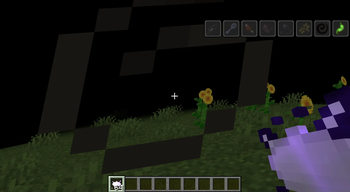
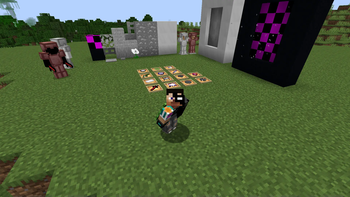
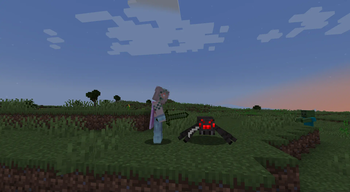
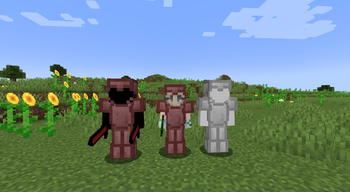
A mod created in Mcreator that adds a whole lot of new things from ores to easter eggs
Screenshots
About this Mod
welcome to piecraft's world
this mod adds the following:
-new blocks
-new items
-new recipies
-new mobs
-new advancements
-new villager jobs and trades
-new biomes
-new ores
-new dimensions
-new plants
-new tools and armour
-new structures
-and a new creative tab (fixed in 1.0.1)
thats all the new stuff
keep in mind that every single feature is obtaineble after you obtained eternal ore, meaning if you avoid this while minning you will not be able to use anything in this mod because it's the core item.
at the moment, you beat the mod by doing the following:
-spawn in the world
-chop a tree
-get an iron pickaxe
-mine eternal ore (it's white if you're wondering)
-craft tools armour and other stuff with it
-use that stuff to travel to a new dimension (the dimension has end like generation so you could be in the middle of a big hole of nothing)
-chop a tree
-defeat the gaurdian of the forest
-do a pretty big crafting session
-go back to the overworld
-go to a village
-place down a void block and wait for a villager to take the job (void trader)
-trade with the void trader
-use your new items to travel to a new dimension (nether like generation)
-find a void alter
-summon andrew (the gaurdian of the void, i named it andrew because it's funny)
-defeat andrew
-collect his drop
-congrats, you beat the mod
thats all there is to know about the mod.
have fun :)
Also on curseforge: https://www.curseforge.com/minecraft/mc-mods/piecrafts-world
Available Versions
How to Install piecraft's world on Your Server
Order Server
Order a Minecraft Java server with at least 3 GB RAM (4 GB recommended).
Set neoforge Loader
In the panel under "Egg", select the neoforge loader and matching Minecraft version (1.21.1).
Install Mod
Open the mod browser in the dashboard and search for "piecraft's world". Click "Install" – done! Alternatively, upload the .jar via SFTP to the /mods folder.
Compatibility
Mod Loaders
Minecraft Versions
1.21.1, 1.20.6
Server-side
✓ RequiredRecommended RAM
4 GB(min. 3 GB)Frequently Asked Questions
piecraft's world server crashes on startup – what to do?
Most common cause: wrong neoforge version or insufficient RAM. Check the server log (latest.log) for "OutOfMemoryError" or "Mixin" errors. With Mado Hosting: ensure at least 3 GB RAM is allocated and the loader matches the mod version (1.21.1). You can switch loaders with one click in the panel.
Is piecraft's world compatible with neoforge?
piecraft's world officially supports neoforge for Minecraft 1.21.1, 1.20.6. The Mado dashboard automatically detects incompatible loader combinations.
Server lagging with piecraft's world – how to optimize performance?
Recommended RAM: 4 GB (per 8 players). Use /spark profiler to check if piecraft's world consumes the most tick time. Common fixes: reduce server view-distance to 8-10, install "performant" or "starlight" as supplementary mods on Forge. With Mado Hosting, your server runs on NVMe SSDs with dedicated CPU cores for minimal latency.
Similar Mods




Rent Modded Server
Install piecraft's world with just one click on your server.