
piggypiggyyoinkyoink's Apples
Adds Apples and Enchanted Apples for other vanilla minerals, not just Gold
Screenshots
About this Mod
piggypiggyyoinkyoink's Apples
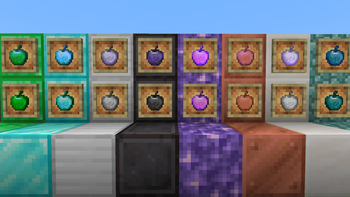
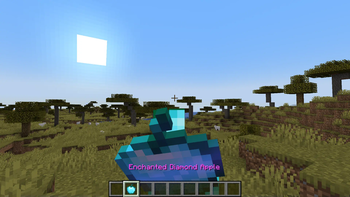
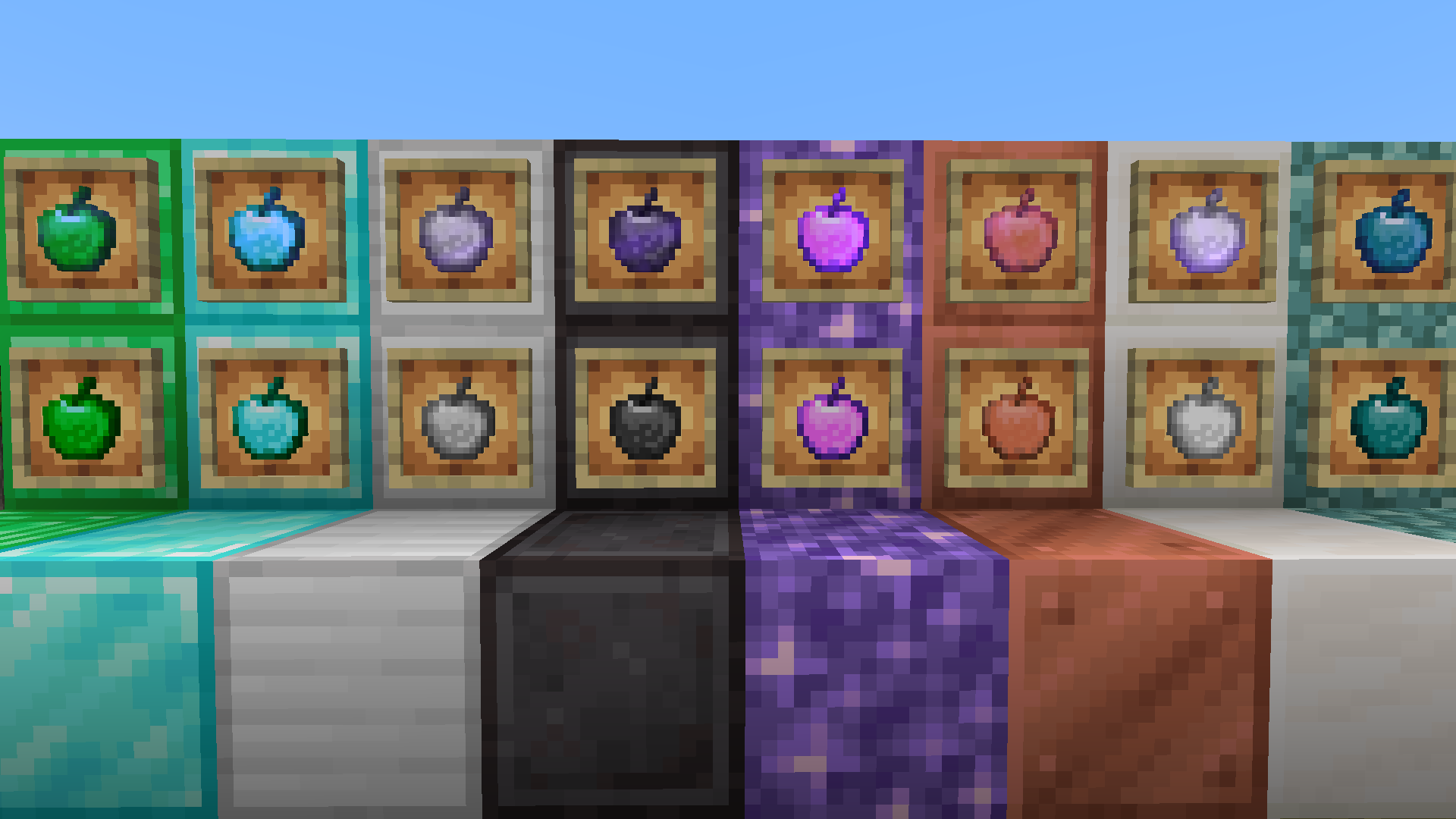
Why should Gold be the only material that can be used to make fancy apples? This mod changes that by adding apples and enchanted apples for other ores and materials too. Each apple provides different effects which can be useful in different situations.
Materials currently available
- Copper
- Iron
- Diamond
- Emerald
- Netherite
- Prismarine
- Amethyst
- Quartz
Modded materials (requires a mod to add the material if you want to craft in Survival):
- Ruby
- Sapphire
- Onyx
- Jade
- Tin
- Brass
- Bronze
Feel free to make mod compatability/material requests here.
Note: No enchanted apples for modded materials yet as of v1.3.1. There is no common standard tag for Ruby Blocks etc as there are with gemstones and ingots, which means I would need to create recipes individually for each mod that adds them, which would be very time consuming. Maybe in future for more popular mods :)
Recipes
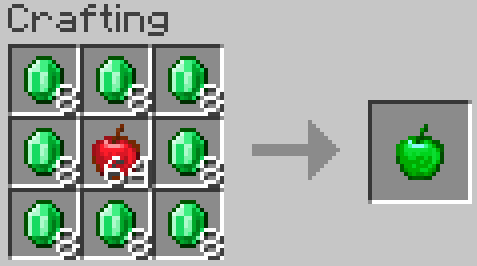
This mod re-adds the old vanilla enchanted golden apple recipe.
Most apples added by this mod follow the vanilla golden apple and enchanted golden apple recipes, for example:
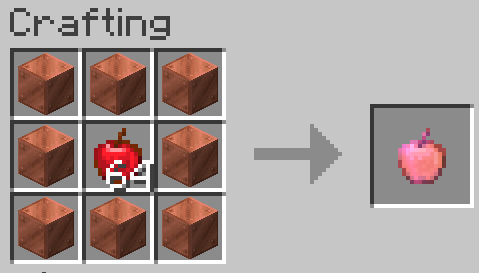
Exceptions:
- Netherite Apples and Enchanted Netherite Apples are crafted using the Smithing Table, using a (Enchanted) Diamond Apple, with a Netherite Ingot and Netherite Upgrade Template to produce a (Enchanted) Netherite Apple

- Prismarine Apples are crafted from a combination of Prismarine Crystals and Prismarine Shards:
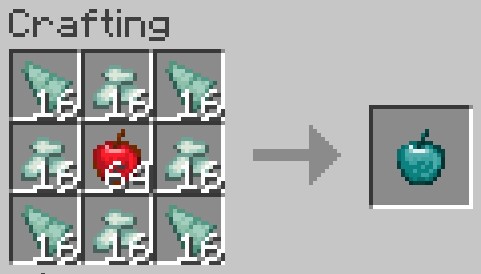
Notes:
- Enchanted Copper Apples can be crafted from all types of copper block (waxed, oxidised etc), so long as all 8 are the same type.
- Enchanted Prismarine Apples can be crafted from all types of prismarine block, again so long as all 8 are the same type
Details
I will leave the exact details of which effects each apple inflicts for you to discover :)
Planned Features
- Redstone and Lapis apple variants
- Apple variants for ores from other mods
- Feel free to report bugs or make suggestions here
Available Versions
How to Install piggypiggyyoinkyoink's Apples on Your Server
Order Server
Order a Minecraft Java server with at least 3 GB RAM (4 GB recommended).
Set neoforge Loader
In the panel under "Egg", select the neoforge loader and matching Minecraft version (1.21.1).
Install Mod
Open the mod browser in the dashboard and search for "piggypiggyyoinkyoink's Apples". Click "Install" – done! Alternatively, upload the .jar via SFTP to the /mods folder.
Compatibility
Mod Loaders
Minecraft Versions
1.21.1
Server-side
✓ RequiredRecommended RAM
4 GB(min. 3 GB)Frequently Asked Questions
piggypiggyyoinkyoink's Apples server crashes on startup – what to do?
Most common cause: wrong neoforge version or insufficient RAM. Check the server log (latest.log) for "OutOfMemoryError" or "Mixin" errors. With Mado Hosting: ensure at least 3 GB RAM is allocated and the loader matches the mod version (1.21.1). You can switch loaders with one click in the panel.
Is piggypiggyyoinkyoink's Apples compatible with neoforge?
piggypiggyyoinkyoink's Apples officially supports neoforge for Minecraft 1.21.1. The Mado dashboard automatically detects incompatible loader combinations.
Server lagging with piggypiggyyoinkyoink's Apples – how to optimize performance?
Recommended RAM: 4 GB (per 8 players). Use /spark profiler to check if piggypiggyyoinkyoink's Apples consumes the most tick time. Common fixes: reduce server view-distance to 8-10, install "performant" or "starlight" as supplementary mods on Forge. With Mado Hosting, your server runs on NVMe SSDs with dedicated CPU cores for minimal latency.
Similar Mods



Rent Modded Server
Install piggypiggyyoinkyoink's Apples with just one click on your server.