
Pine
New wood in Minecraft's Taiga! Adding gorgeous starter blocks, while remaining grounded in the vanilla feel.
Screenshots
About this Mod
🍂 Pine
Pine adds a new wood type to Minecraft! With a brand new tree & exciting new blocks, the feel of vanilla is kept while also majorly improving on it's early game resources available to the Taiga!
🎨 Blocks
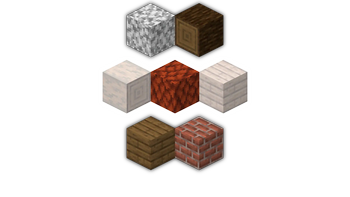
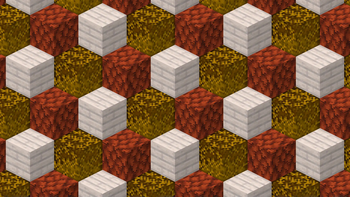
The new blocks are tailored to work well with Minecraft's existing palette, while also expanding it's limits. Pine Logs perfectly blend with Minecraft's earthy tones, such as Bricks & Terracotta. Pine Planks offer a contrast to Spruce's dark brown, while also blending in with the whiter blocks such as Snow, Diorite & Quartz.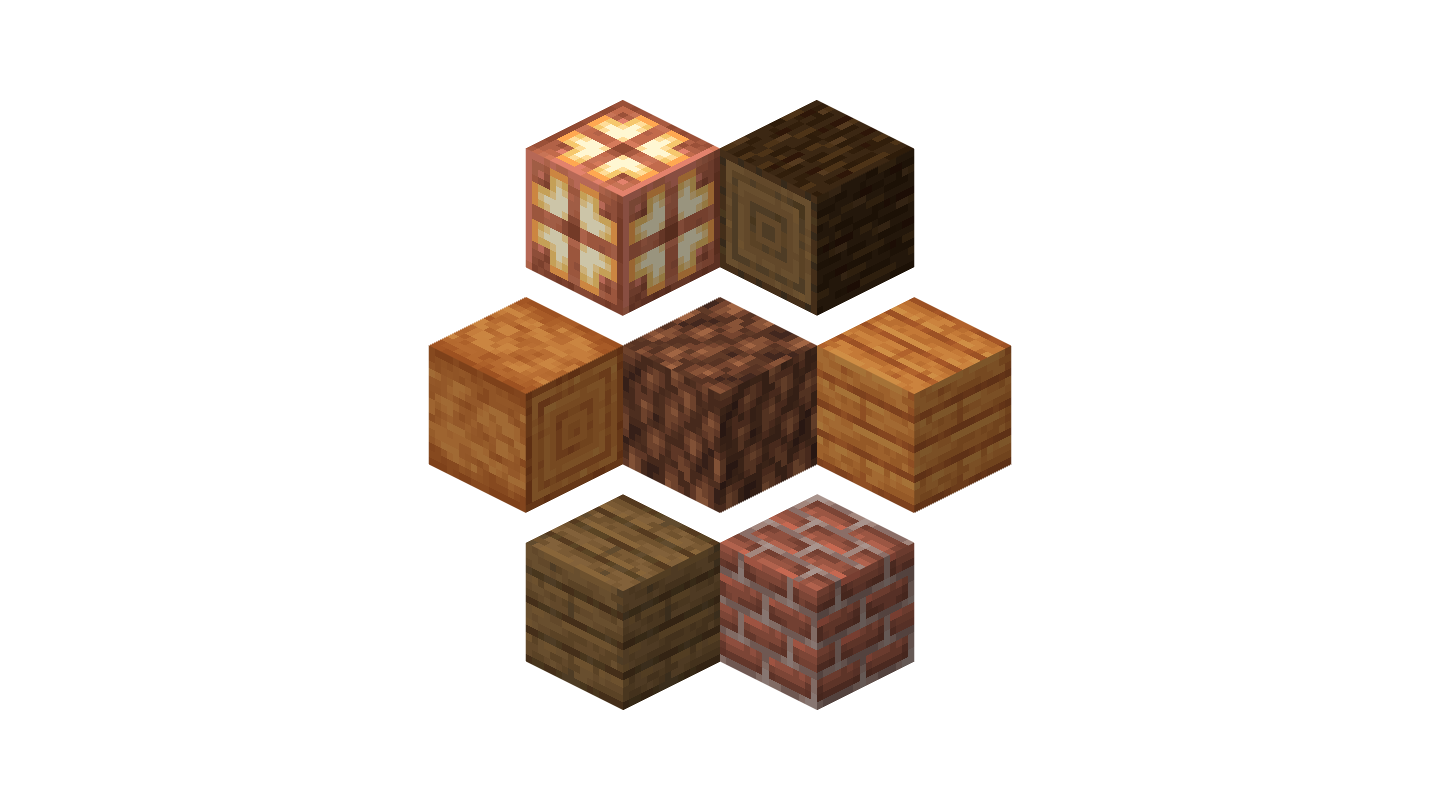
🌲 Trees
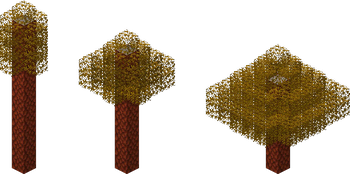
Pine trees can be found in the Taiga. Grounded in their vanilla look, they expand upon the look of the biome by adding more contrast and variation. Old Growth Forests will also feature a mega variant of the Pine tree.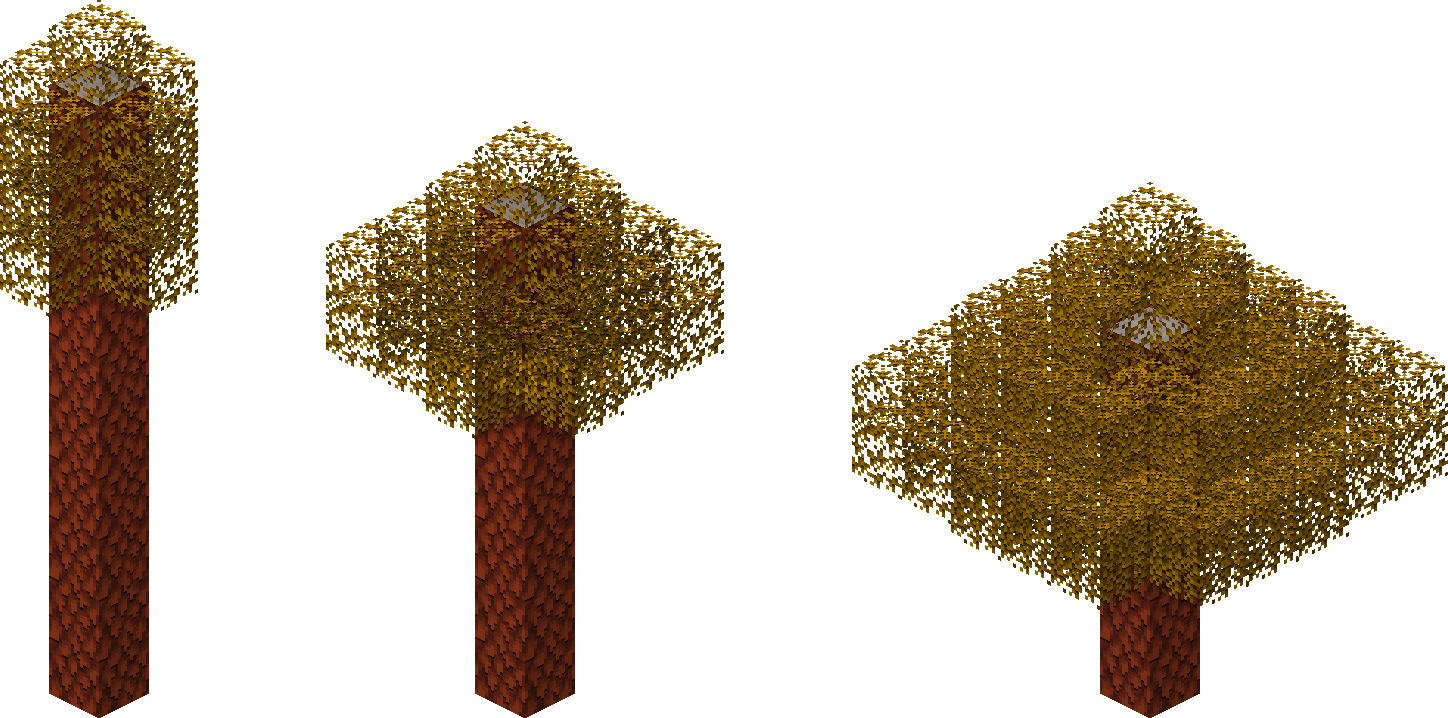
🛋️ Doors & Trapdoors
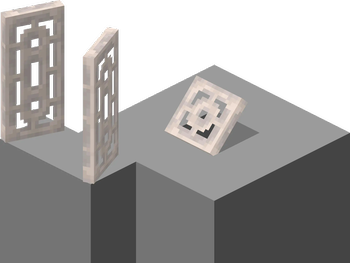
With its ornamental & see-through textures, both Pine Doors and Pine Trapdoors are perfectly suitable for the extra detail used on walls & lights, giving them a massive decorative purpose beyond their normal utilitarian use.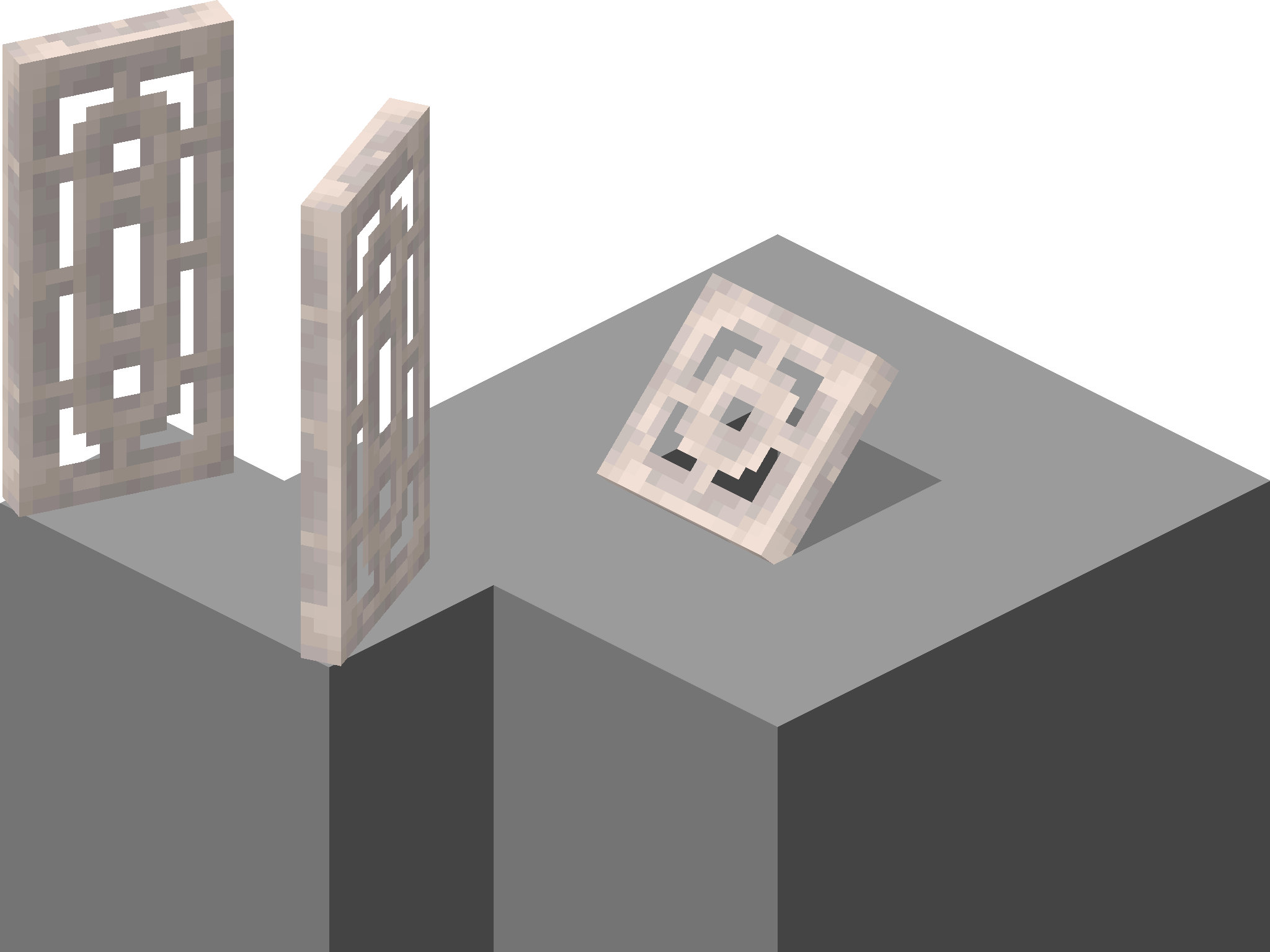
Available Versions
How to Install Pine on Your Server
Order Server
Order a Minecraft Java server with at least 4 GB RAM (6 GB recommended).
Set fabric Loader
In the panel under "Egg", select the fabric loader and matching Minecraft version (26.1.2).
Install Mod
Open the mod browser in the dashboard and search for "Pine". Click "Install" – done! Alternatively, upload the .jar via SFTP to the /mods folder.
Compatibility
Mod Loaders
Minecraft Versions
26.1.2, 1.21.11, 1.21.10 (+12 more)
Server-side
✓ RequiredRecommended RAM
6 GB(min. 4 GB)Frequently Asked Questions
Pine server crashes on startup – what to do?
Most common cause: wrong fabric version or insufficient RAM. Check the server log (latest.log) for "OutOfMemoryError" or "Mixin" errors. With Mado Hosting: ensure at least 4 GB RAM is allocated and the loader matches the mod version (26.1.2). You can switch loaders with one click in the panel.
Is Pine compatible with fabric?
Pine officially supports fabric for Minecraft 26.1.2, 1.21.11, 1.21.10. The Mado dashboard automatically detects incompatible loader combinations.
Server lagging with Pine – how to optimize performance?
Recommended RAM: 6 GB (per 5 players). Use /spark profiler to check if Pine consumes the most tick time. Common fixes: reduce server view-distance to 8-10, install "performant" or "starlight" as supplementary mods on Forge. With Mado Hosting, your server runs on NVMe SSDs with dedicated CPU cores for minimal latency.
Similar Mods




Rent Modded Server
Install Pine with just one click on your server.