
Pinkrium
Mod that adds a new ore for that real end game feeling.
About this Mod
Pinkrium
Have you ever felt that netherite isn't end game enough for you? Pinkrium provides new powerful tools and armor from the new ore Pinkrium.
Supports JEI (i:e Just Enough Items)
New Items
Items
- Raw Pinkrium
- Pinkrium
- Pinkrium Gem
Blocks
- Pinkrium Block
- Pinkrium Ore
- Dark Cherry Log
- Dark Cherry Wood
- Stripped Dark Cherry Log
- Stripped Dark Cherry Wood
- Dark Cherry Planks
Tools
- Pinkrium Sword
- Pinkrium Pickaxe
- Pinkrium Axe
- Pinkrium Shovel
- Pinkrium Hoe
Armor
- Pinkrium Helmet
- Pinkrium Chestplate
- Pinkrium Leggings
- Pinkrium Boots
Recipes
Spoiler
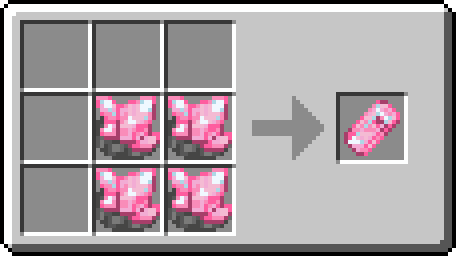
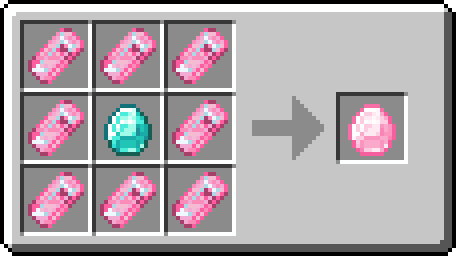
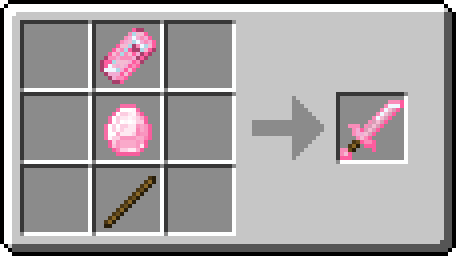
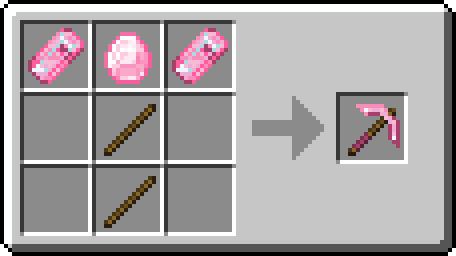
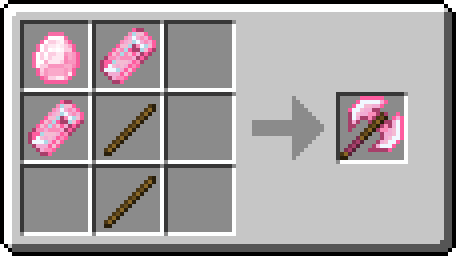
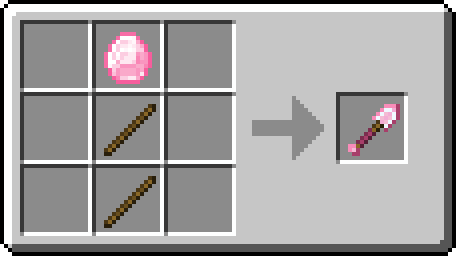
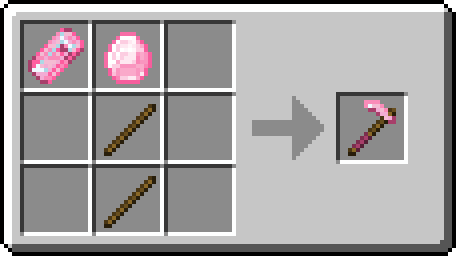
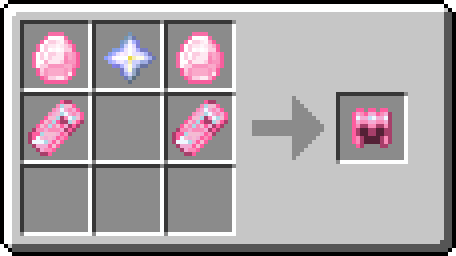
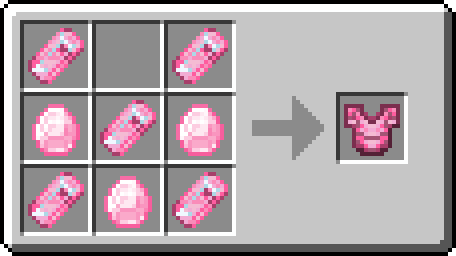
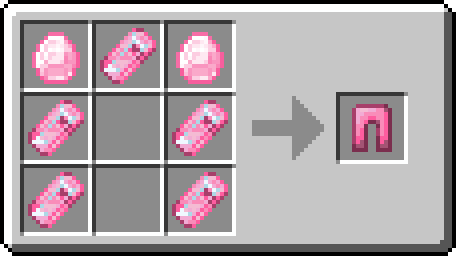
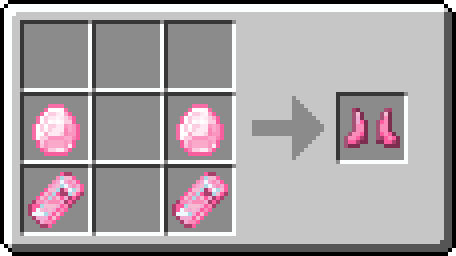
Screenshot
Spoiler
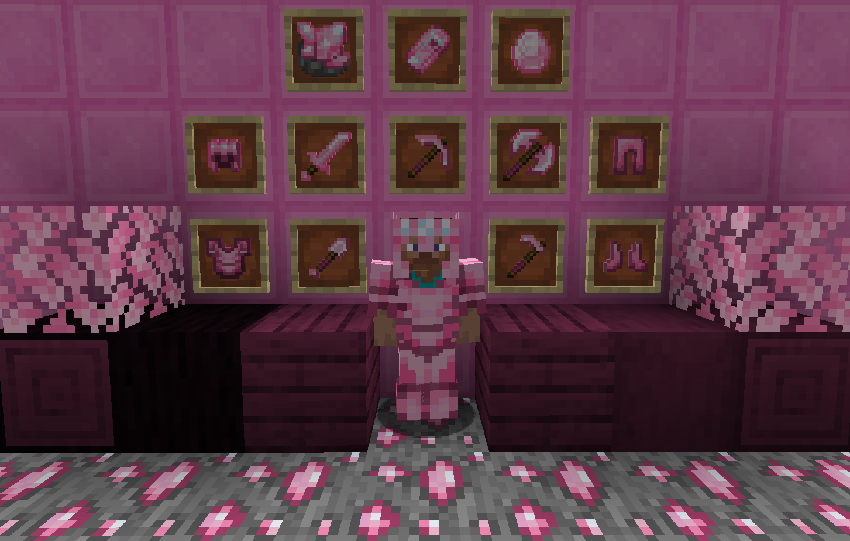
FAQ:
Can I include Pinkrium in my modpack?
- Of course! As long as you give proper credit and it links back to this page.
I have an issue / bug / crash / report / request, where can I send it?
- Join The Discord Server
Rights of Use
You as the user may do the following with this mod without asking my permission.
-You may create videos or take screenshots and post them anywhere you please, I just ask that you note what the mod is and let people know where to get it.
-You may add it to a modpack as long as the modpack gives proper credit and links back to this page.
You as the user, may NOT do the following with the mod.
-You cannot redistribute or re-upload this mod without permission!
-You cannot decompile the code or reuse the artwork for other mods, special circumstances may be granted upon request!
Available Versions
How to Install Pinkrium on Your Server
Order Server
Order a Minecraft Java server with at least 3 GB RAM (4 GB recommended).
Set forge Loader
In the panel under "Egg", select the forge loader and matching Minecraft version (1.16.5).
Install Mod
Open the mod browser in the dashboard and search for "Pinkrium". Click "Install" – done! Alternatively, upload the .jar via SFTP to the /mods folder.
Compatibility
Mod Loaders
Minecraft Versions
1.16.5
Server-side
✓ RequiredRecommended RAM
4 GB(min. 3 GB)Frequently Asked Questions
Pinkrium server crashes on startup – what to do?
Most common cause: wrong forge version or insufficient RAM. Check the server log (latest.log) for "OutOfMemoryError" or "Mixin" errors. With Mado Hosting: ensure at least 3 GB RAM is allocated and the loader matches the mod version (1.16.5). You can switch loaders with one click in the panel.
Is Pinkrium compatible with forge?
Pinkrium officially supports forge for Minecraft 1.16.5. The Mado dashboard automatically detects incompatible loader combinations.
Server lagging with Pinkrium – how to optimize performance?
Recommended RAM: 4 GB (per 8 players). Use /spark profiler to check if Pinkrium consumes the most tick time. Common fixes: reduce server view-distance to 8-10, install "performant" or "starlight" as supplementary mods on Forge. With Mado Hosting, your server runs on NVMe SSDs with dedicated CPU cores for minimal latency.
Similar Mods




![[TaCZ] Timeless and Classics Zero](https://cdn.modrinth.com/data/SzzJttH8/fd27766d2bb8390d284696b1dbd358f87e081439_96.webp)

Rent Modded Server
Install Pinkrium with just one click on your server.