Plague's Chat Timestamps
A Minecraft mod that adds customizable timestamps to chat!
About this Mod
Plague's Chat Timestamps




A mod that adds customizable timestamps to chat!
📖 What is this mod?
This is a client-side mod that allows users to add a customizable timestamp to their chat messages.
Have you ever returned to Minecraft after being AFK only to find that your friends have been messaging you and wondered when those messages were left?
With this mod, you'll never have to guess again!
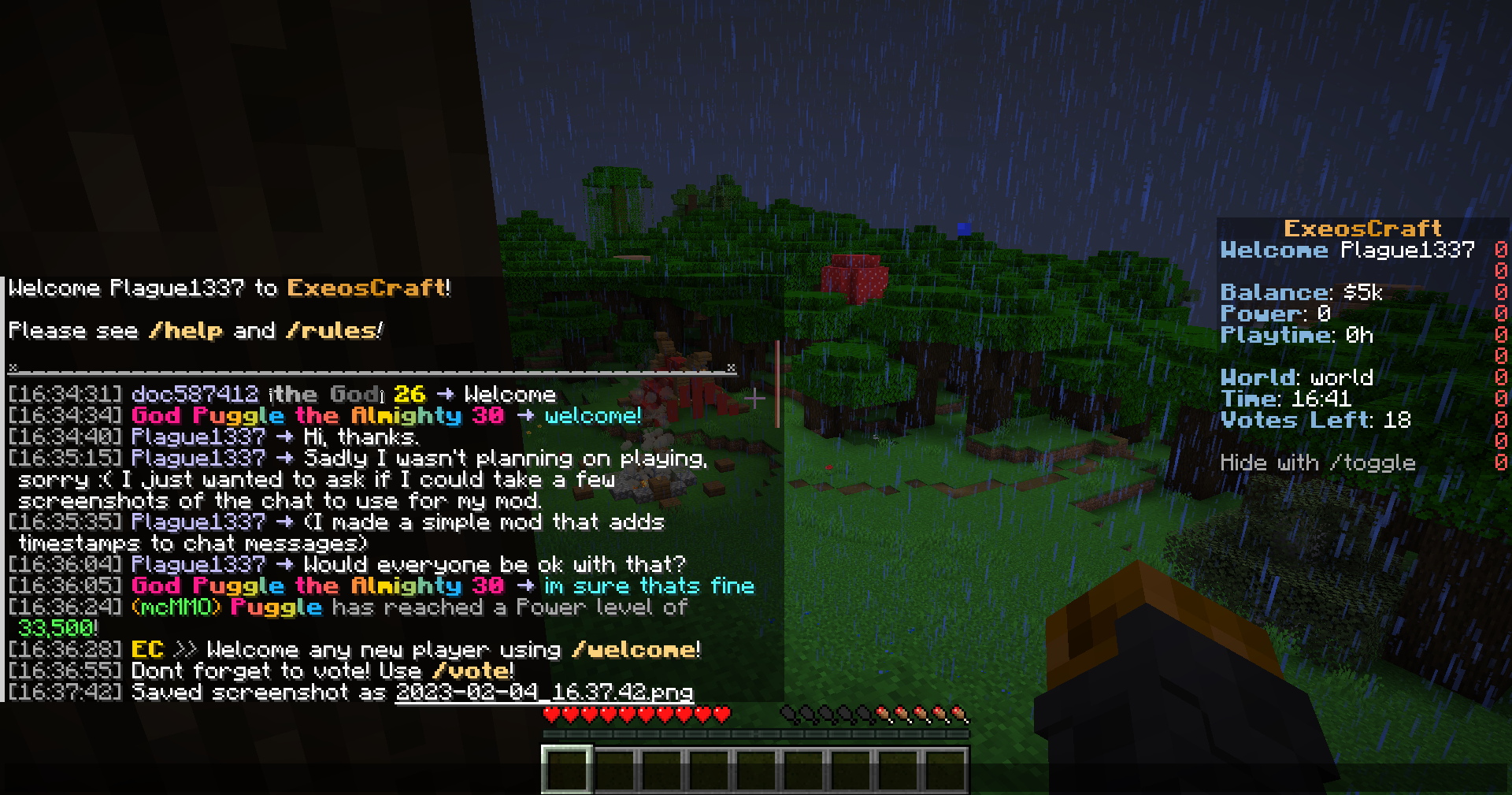
The Timestamp mod adds timestamps to all chat messages, so you can easily see exactly when each message was sent.
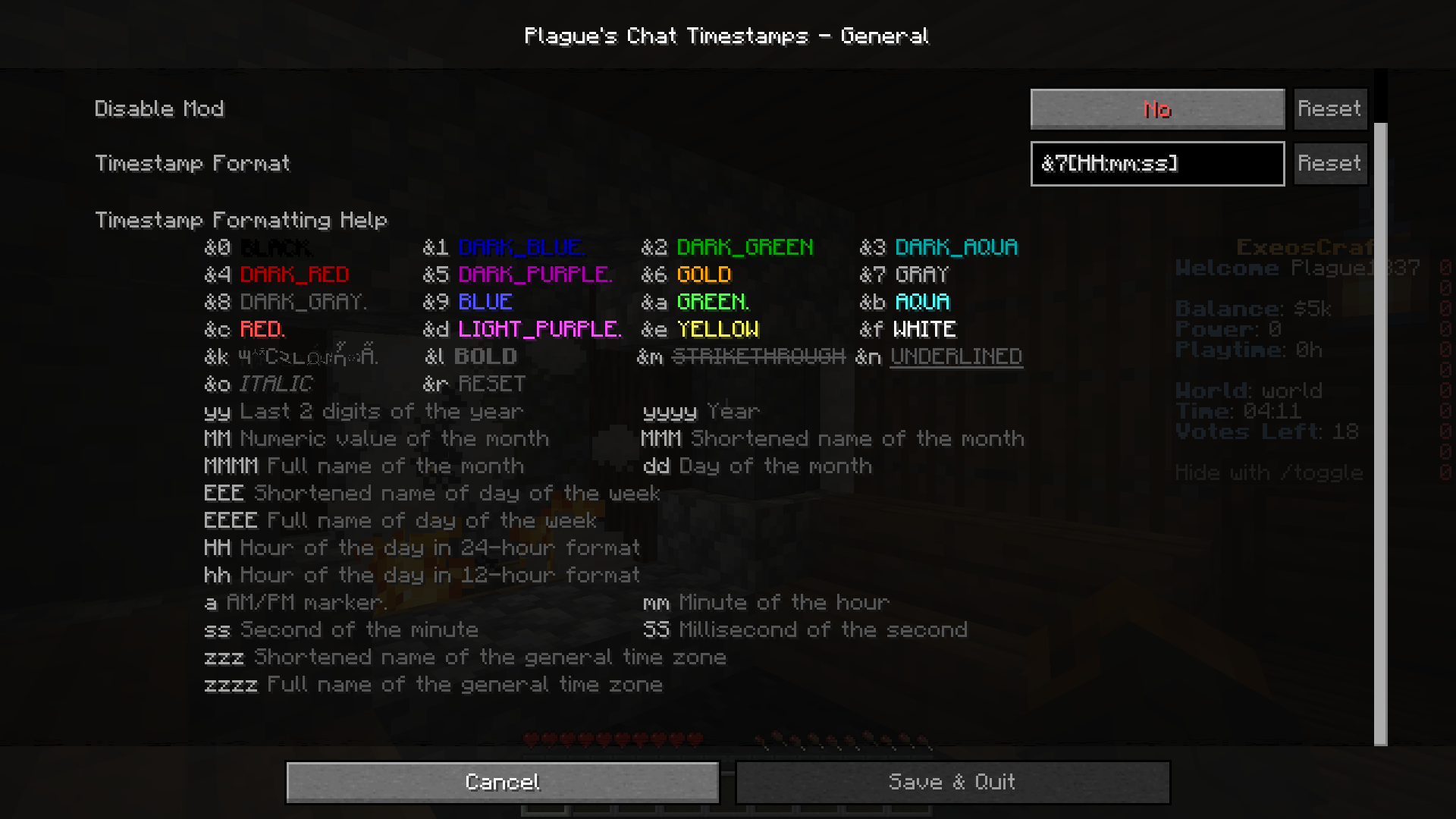
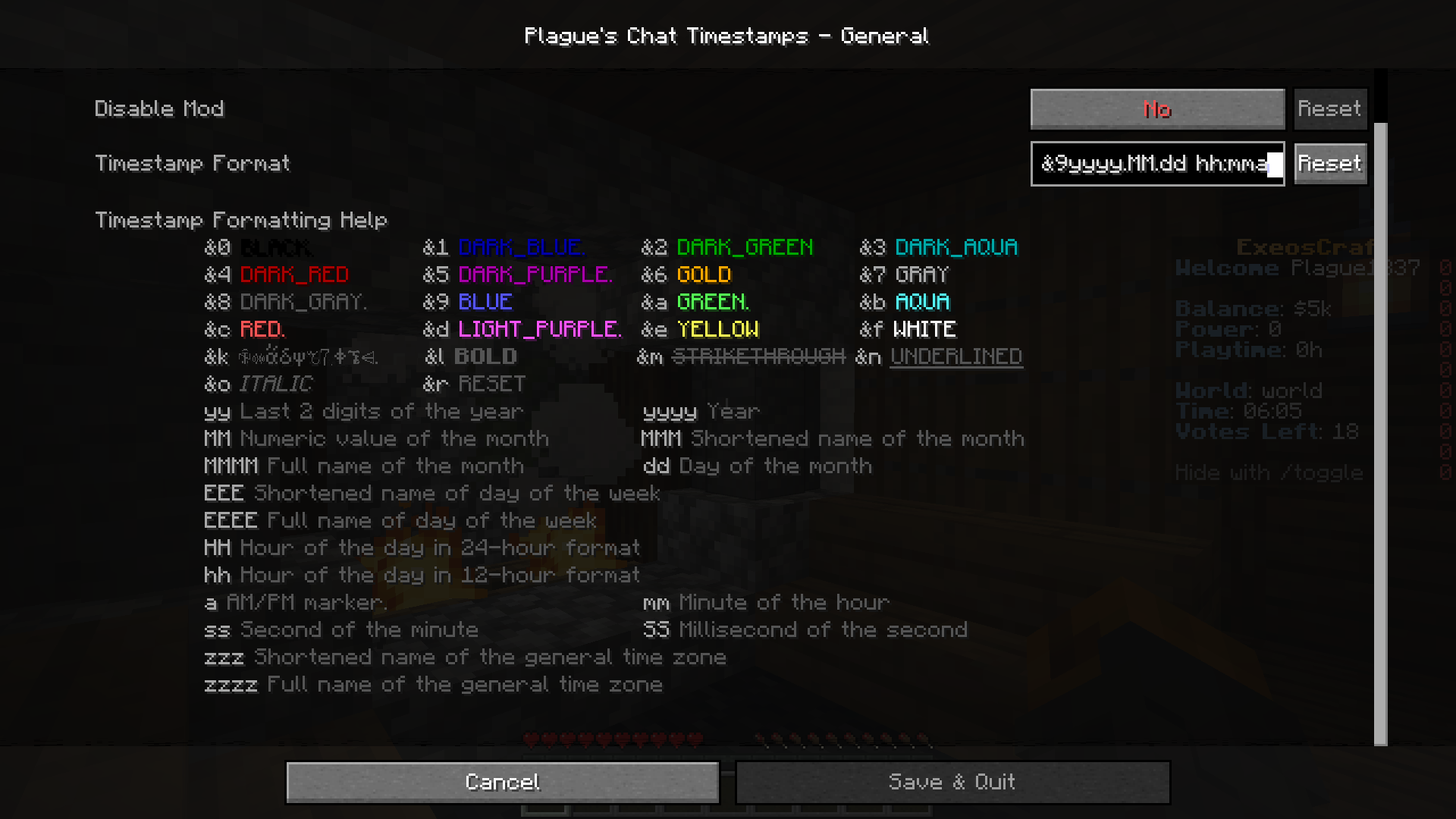
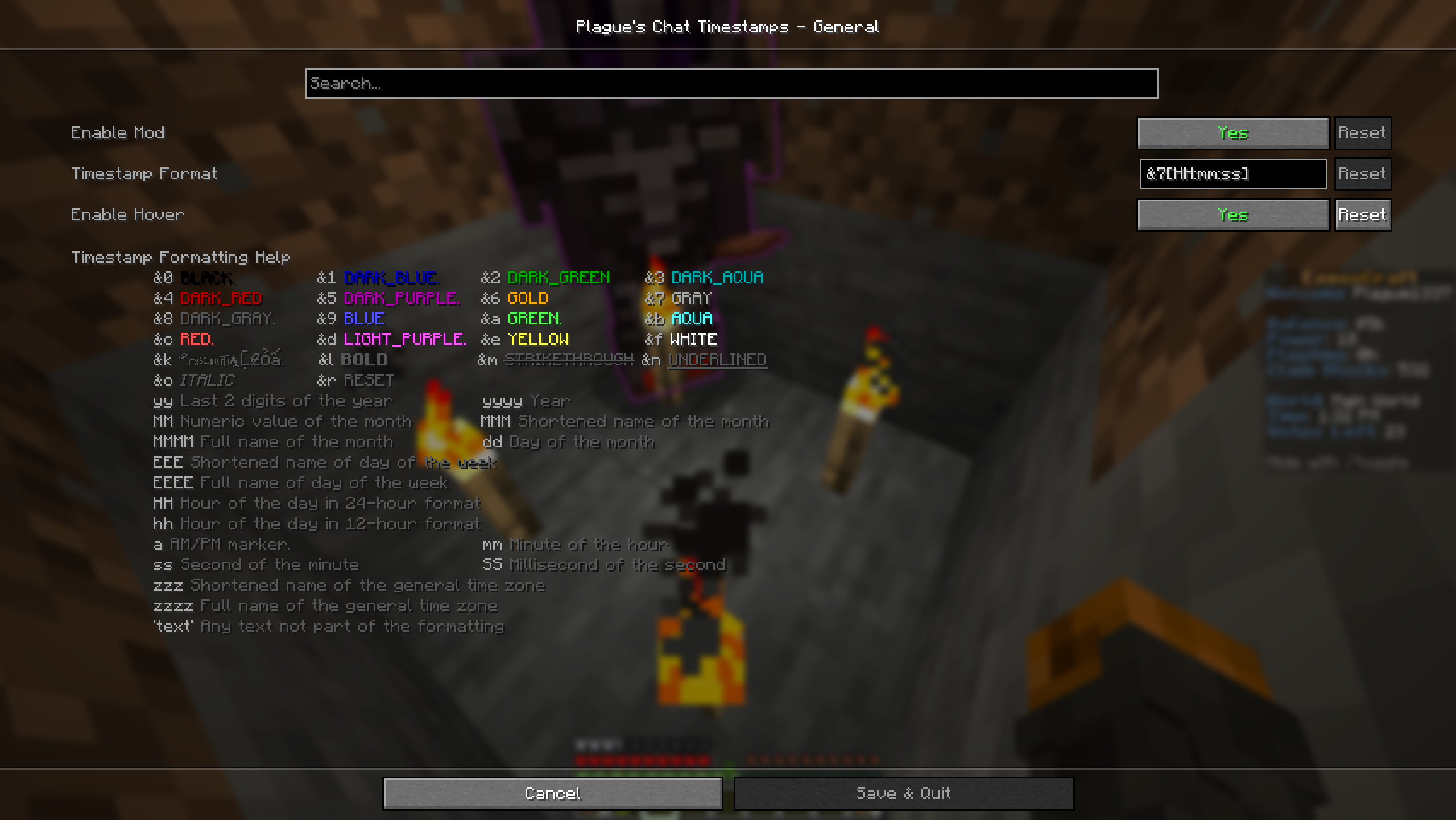
The formatting along with the style of the timestamp can be customized.
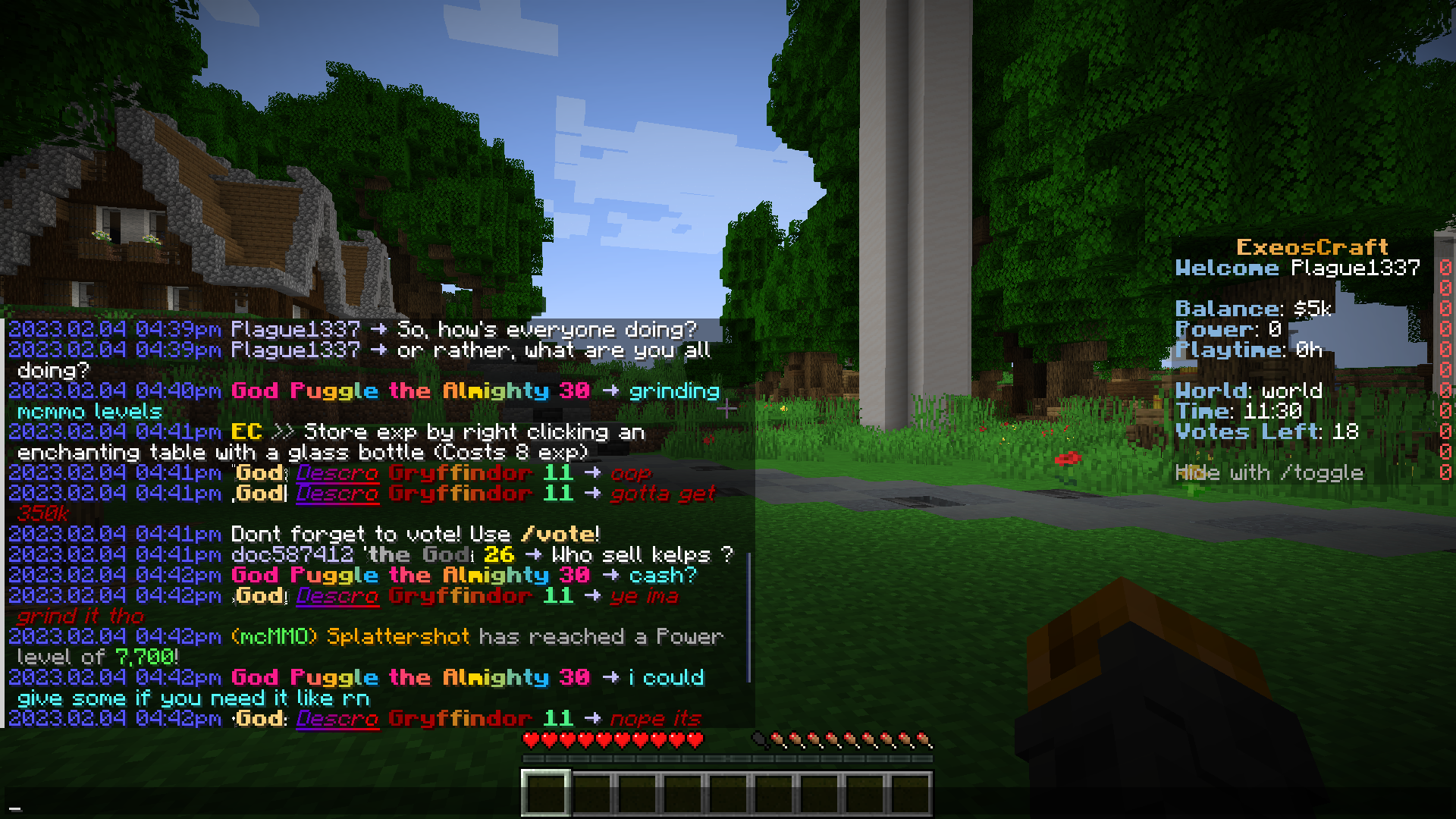
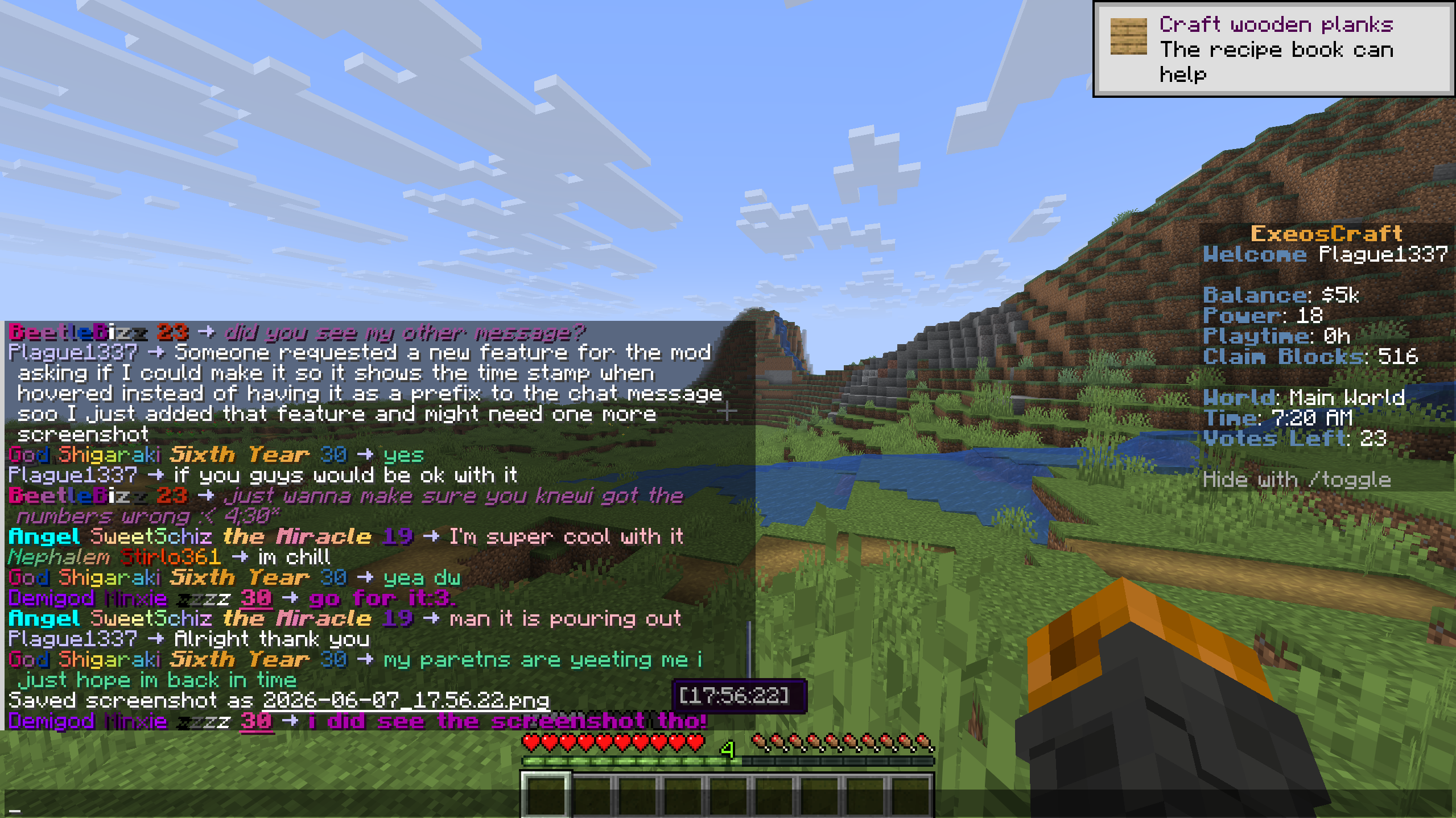
Here are some screenshots!
(Please note that I just joined a random server & asked for permission to take the screenshots.)
✅ Features
- Automatic detection of timezone
- Format customization
- Time formatting
- 12-hour format / 24-hour format
- Second
- Millisecond
- Date formatting
- Year
- Numerical month
- Short and long name of month (ex: "Feb", "February")
- Numerical day of the month
- Short and long name of the day of the week (ex: "Sat", "Saturday")
- Short and long name of time zone (ex: "PST", "Pacific Standard Time")
- Style customization
- Color customization
- Bold, italic and underlined text
- Option to show the timestamp when hovered instead of as a prefix
📖 Usage
Using this mod is very simple!
Put the jar file in your mods folder and you are good to go!
For Fabric version, if you wish to be able to access the settings of the mod within the game; you will also need to put ModMenu and Cloth Config API in your mods folder.
For Forge and NeoForge version, if you wish to be able to access the settings of the mod within the game; you will also need to put Cloth Config API in your mods folder.
You can also edit the configuration file found in config folder manually if you wish to do so.
📖 Compatibility
This mod should be compatible with every mod.
Available Versions
How to Install Plague's Chat Timestamps on Your Server
Order Server
Order a Minecraft Java server with at least 3 GB RAM (4 GB recommended).
Set fabric Loader
In the panel under "Egg", select the fabric loader and matching Minecraft version (26.1.2).
Install Mod
Open the mod browser in the dashboard and search for "Plague's Chat Timestamps". Click "Install" – done! Alternatively, upload the .jar via SFTP to the /mods folder.
Compatibility
Mod Loaders
Minecraft Versions
26.1.2, 26.1.1, 26.1 (+35 more)
Server-side
✗ UnsupportedRecommended RAM
4 GB(min. 3 GB)Frequently Asked Questions
Plague's Chat Timestamps server crashes on startup – what to do?
Most common cause: wrong fabric version or insufficient RAM. Check the server log (latest.log) for "OutOfMemoryError" or "Mixin" errors. With Mado Hosting: ensure at least 3 GB RAM is allocated and the loader matches the mod version (26.1.2). You can switch loaders with one click in the panel.
Is Plague's Chat Timestamps compatible with fabric and forge and quilt?
Plague's Chat Timestamps officially supports fabric, forge, quilt for Minecraft 26.1.2, 26.1.1, 26.1. Note: Forge and Fabric mods are NOT cross-compatible – pick one loader and stick with it. The Mado dashboard automatically detects incompatible loader combinations.
Server lagging with Plague's Chat Timestamps – how to optimize performance?
Recommended RAM: 4 GB (per 8 players). Use /spark profiler to check if Plague's Chat Timestamps consumes the most tick time. Common fixes: reduce server view-distance to 8-10, install "performant" or "starlight" as supplementary mods on Forge. With Mado Hosting, your server runs on NVMe SSDs with dedicated CPU cores for minimal latency.
Similar Mods






Rent Modded Server
Install Plague's Chat Timestamps with just one click on your server.