
PLASTIC CRAFT
A unique expansion that introduces versatile plastic materials, custom building blocks, and tools to upgrade your Minecraft survival experience.
Screenshots
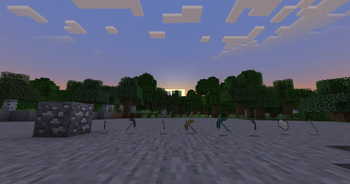
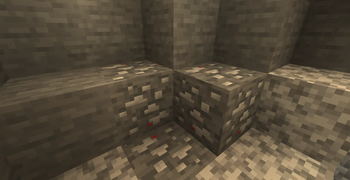
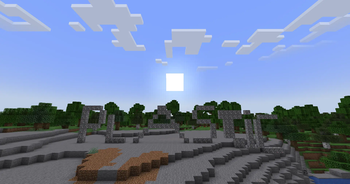
About this Mod
🛠️ Welcome to Plastic Craft!
Tired of the same old Minecraft materials? This mod expands your survival world by introducing a brand-new tier of resources, utility blocks, and decorative elements based on modern plastic manufacturing!
🚀 Key Features:
- New Materials: Craft and refine plastic pellets and sheets from raw components.
- Modern Blocks: Build industrial bases and modern houses with clean-looking, highly resistant plastic blocks.
- Advanced Tools & Armor: Equip a whole new tier of gear designed to withstand heavy survival encounters.
- Vanilla Friendly: Perfectly balanced to fit alongside your classic iron and diamond progression tiers.
📦 Why download this mod?
Plastic Craft provides builders and technical players with fresh block palettes and smooth textures that look great in any modern or industrial setup!
❌ There's no armor, just pickaxes!
⚠️ ATTENTION: This mod is 100% dedicated to heavy-duty mining tools. There are absolutely NO armor sets, swords, or weapons in this project!
The entire ecosystem of PLASTIC CRAFT was engineered exclusively for fast, high-tech, polymer-reinforced PICKAXES with plastic handles.
If you came here to fight monsters, you're in the wrong place. If you came to destroy underground caverns at lightning speed, update your .jar file now!
Available Versions
How to Install PLASTIC CRAFT on Your Server
Order Server
Order a Minecraft Java server with at least 4 GB RAM (6 GB recommended).
Set neoforge Loader
In the panel under "Egg", select the neoforge loader and matching Minecraft version (1.21.1).
Install Mod
Open the mod browser in the dashboard and search for "PLASTIC CRAFT". Click "Install" – done! Alternatively, upload the .jar via SFTP to the /mods folder.
Compatibility
Mod Loaders
Minecraft Versions
1.21.1
Server-side
~ OptionalRecommended RAM
6 GB(min. 4 GB)Frequently Asked Questions
PLASTIC CRAFT server crashes on startup – what to do?
Most common cause: wrong neoforge version or insufficient RAM. Check the server log (latest.log) for "OutOfMemoryError" or "Mixin" errors. With Mado Hosting: ensure at least 4 GB RAM is allocated and the loader matches the mod version (1.21.1). You can switch loaders with one click in the panel.
Is PLASTIC CRAFT compatible with neoforge?
PLASTIC CRAFT officially supports neoforge for Minecraft 1.21.1. The Mado dashboard automatically detects incompatible loader combinations.
Server lagging with PLASTIC CRAFT – how to optimize performance?
Recommended RAM: 6 GB (per 5 players). Use /spark profiler to check if PLASTIC CRAFT consumes the most tick time. Common fixes: reduce server view-distance to 8-10, install "performant" or "starlight" as supplementary mods on Forge. With Mado Hosting, your server runs on NVMe SSDs with dedicated CPU cores for minimal latency.
Similar Mods




![[TaCZ] Timeless and Classics Zero](https://cdn.modrinth.com/data/SzzJttH8/fd27766d2bb8390d284696b1dbd358f87e081439_96.webp)

Rent Modded Server
Install PLASTIC CRAFT with just one click on your server.