
Player Clone
Player Clone that lets you create and control clones of any player via commands. Use it to simulate PvP battles, create custom arenas, or build your own clone army. Perfect for servers, testing strategies, or dynamic video content.
Screenshots


About this Mod
🧍♂️ Player Clone — Create, Battle, and Control Your Own Army of Clones!


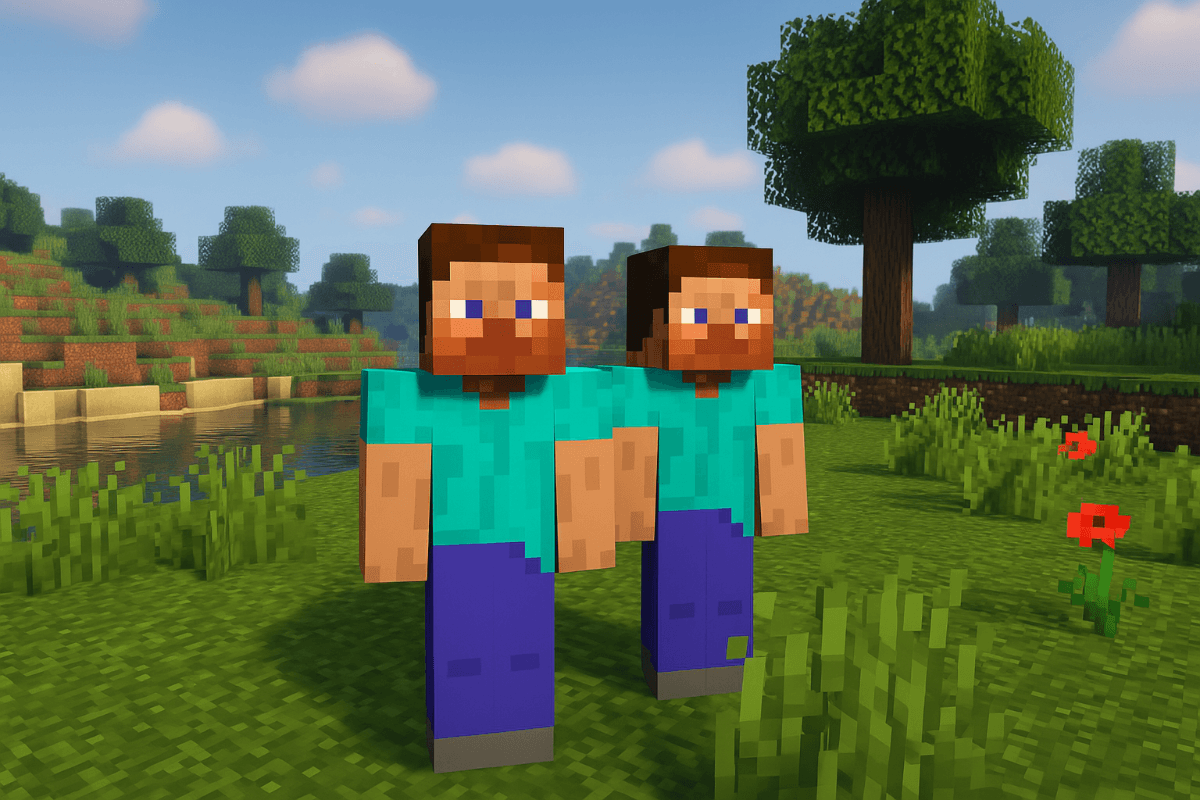
Ever wondered what it would be like to fight alongside yourself… or against yourself?
Player Clone brings that fantasy to life! With a powerful and intuitive command system, you can summon clones of any player and throw them into epic battles. Whether you're setting up custom PvP arenas, testing strategies, or recording cinematic combat, this mod provides a professional-grade toolset for clone management.
🧪 Key Features
- 👥 Smart Cloning: Summon clones of any player (Mojang or TLauncher accounts supported).
- 🧨 Massive Spawning: Create entire battalions with a single command.
- 📍 Precision Control: Fully compatible with
/execute. Spawn clones at specific coordinates or relative to other entities. - ⚔️ Advanced AI Combat: - Free-For-All (FFA): Every clone for themselves.
- Team Battle: Clones group up by username to fight other teams.
- 🌍 Multi-language Support: Now localized in English, Spanish (ES, MX, VE), and French!
- ⏹️ Instant Reset: Stop battles and reset AI behavior or remove clones by name instantly.
⌨️ Command Reference
The mod uses a smart syntax tree. Required arguments are in < >, optional arguments are in [ ].
| Command | Description |
|---|---|
/playerclone <username> [category] [pos] |
Spawns a single clone. category (pro/medio/noob) and pos are optional. |
/playerclone <username> <amount> [category] [pos] |
Spawns multiple clones. amount is required. |
/playerclone <username> remove |
Removes all active clones associated with that username. |
/playerclone ffa |
Initiates a Free-For-All battle mode among all clones. |
/playerclone team |
Initiates a Team Battle mode (grouped by username). |
/playerclone stop |
Immediately stops any active battle and resets AI. |
/playerclone help |
Displays the interactive help menu with hover tooltips. |
🛠️ Technical Highlights
- Brigadier Integration: Fully native command feel with smart Tab-completion.
- Coordinate Support: Supports absolute and relative coordinates (
~ ~ ~/^ ^ ^). - Server Friendly: Optimized for performance even with multiple entities active.
🚀 Upcoming Features (In Development)
- Ownership System: Clones that recognize you as their owner.
- Follow Mode: Order your clones to follow you or guard a position.
- Dynamic Reskin: Change a clone's skin on the fly without despawning.
🧩 Perfect for:
- Minigame Servers: Create custom waves of enemies.
- Mapmakers: Script complex battles using Datapacks and
/execute. - Content Creators: Generate dynamic combat scenes for videos.
Try it, share it, and unleash the chaos.
Your greatest enemy… might just be yourself.
Compatible with Minecraft 1.19.2, 1.20.1, and 1.21
Available Versions
How to Install Player Clone on Your Server
Order Server
Order a Minecraft Java server with at least 3 GB RAM (4 GB recommended).
Set forge Loader
In the panel under "Egg", select the forge loader and matching Minecraft version (1.21).
Install Mod
Open the mod browser in the dashboard and search for "Player Clone". Click "Install" – done! Alternatively, upload the .jar via SFTP to the /mods folder.
Compatibility
Mod Loaders
Minecraft Versions
1.21, 1.20.1, 1.19.2
Server-side
✓ RequiredRecommended RAM
4 GB(min. 3 GB)Frequently Asked Questions
Player Clone server crashes on startup – what to do?
Most common cause: wrong forge version or insufficient RAM. Check the server log (latest.log) for "OutOfMemoryError" or "Mixin" errors. With Mado Hosting: ensure at least 3 GB RAM is allocated and the loader matches the mod version (1.21). You can switch loaders with one click in the panel.
Is Player Clone compatible with forge?
Player Clone officially supports forge for Minecraft 1.21, 1.20.1, 1.19.2. The Mado dashboard automatically detects incompatible loader combinations.
Server lagging with Player Clone – how to optimize performance?
Recommended RAM: 4 GB (per 8 players). Use /spark profiler to check if Player Clone consumes the most tick time. Common fixes: reduce server view-distance to 8-10, install "performant" or "starlight" as supplementary mods on Forge. With Mado Hosting, your server runs on NVMe SSDs with dedicated CPU cores for minimal latency.
Similar Mods




Rent Modded Server
Install Player Clone with just one click on your server.