
Player Corpses
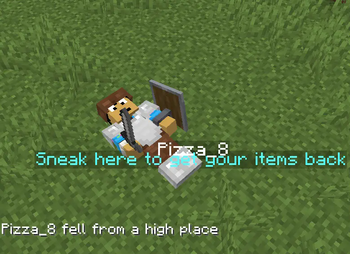
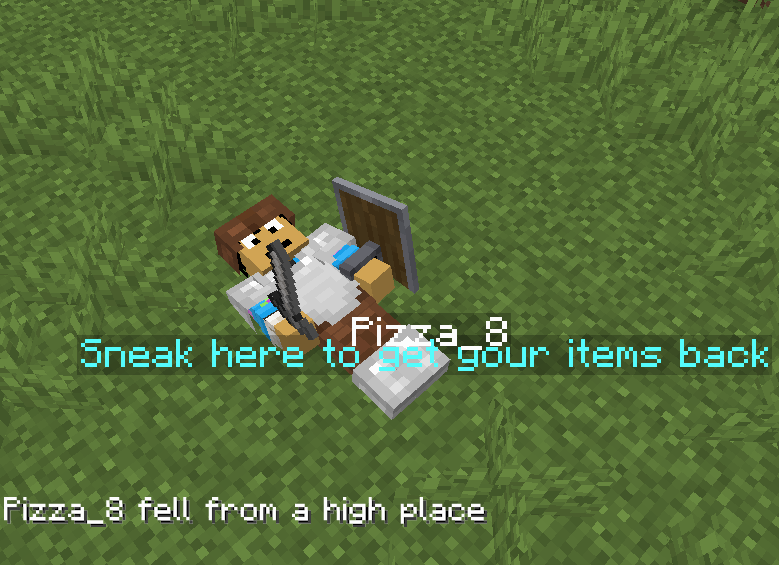
When the player dies they will now leave behind a corpse from which they can later retrieve their items
Screenshots


About this Mod
This datapack/mod uses the new mannequin entity as a corpse for when the player dies! ✨
Corpses 💀
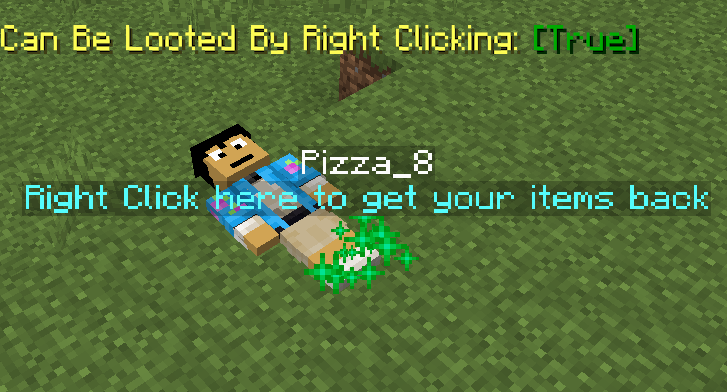
It makes it so that instead of players dropping their items around randomly, they will now leave behind a corpse with their skin and name from which they can later retrieve their stuff.
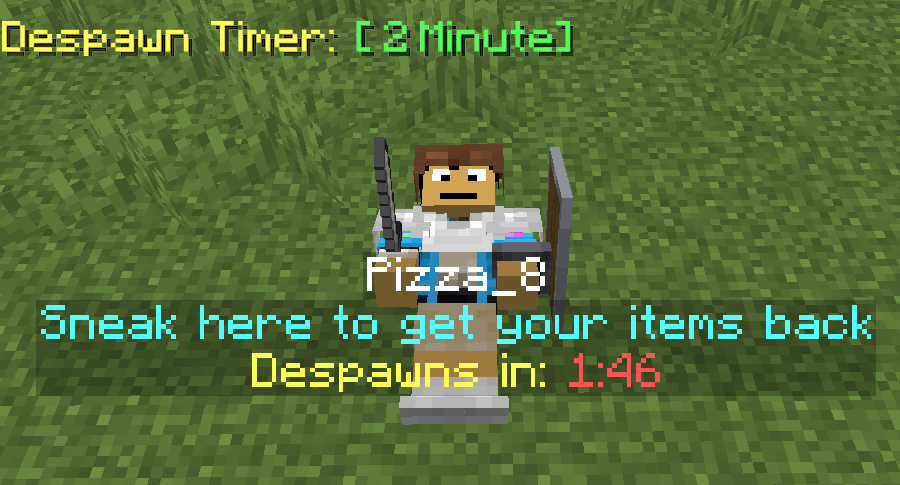
To retreieve the items from the corpse they must first locate it at the place where they last died and sneak while being near it, the items should pop back in their inventory and the corpse should disappear.
There is no despawn timer unless added via the config screen
Coprse Finder ⚙️
The Corpse Finder Screen allows the player to see all the currently loaded corpses and their coordinates
Can be accessed by typing: /trigger corpse_finder

Configeration Screen ⚙️
The Config Screen offers many options for players to choose how they want the pack to work to match their playstyle.
Can be accessed by typing: /trigger config
Config Options
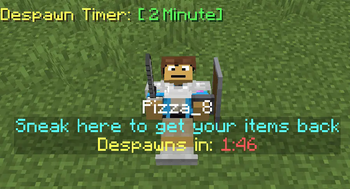
Despawn Timer:
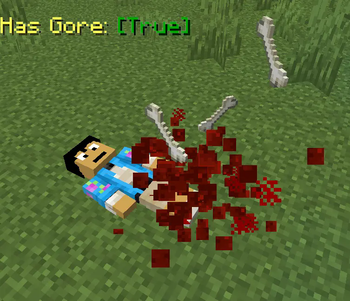
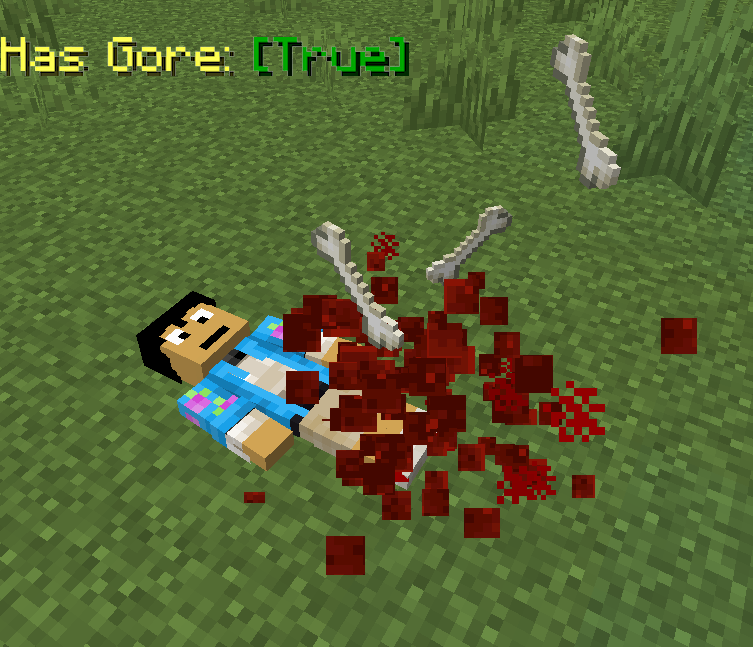
Corpses spawned when a player dies will despawn after that amount of time passesHas Gore:
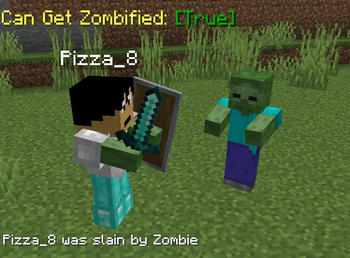
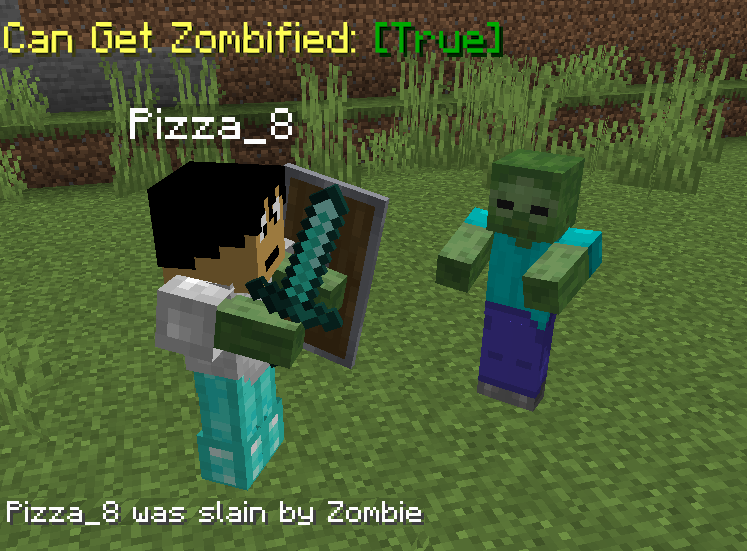
Corpses spawned when a player dies will have blood and bone particles and soundsCan Get Zombified:
When a player dies to a zombie a corpse wont spawn, instead a zombie with that player's head will spawn with all of the player's items, to get them back they must kill itGives Death Coords:
Players will get a message with their death coordinates in chat after they dieCan Only be Looted by Owner:
Corpses spawned when a player dies will only be able to be looted by that same playerCan be Looted by Right Clicking:
Corpses will be able to be looted by right clicking on it rather than sneakingInstant Looting:
Corpses will be able to be looted instantly after sneaking near themStays After Being Looted:
Corpses spawned when a player dies will stay forever, even after they have been looted by a playerGives Player's Head:
Looting a player's corpse will give that player's head along with the rest of the itemsHas Player's Name:
Corpses spawned when a player dies will have their nameHas Description:
Corpses spawned when a player dies will have a description explaining how to loot themFloats in Water:
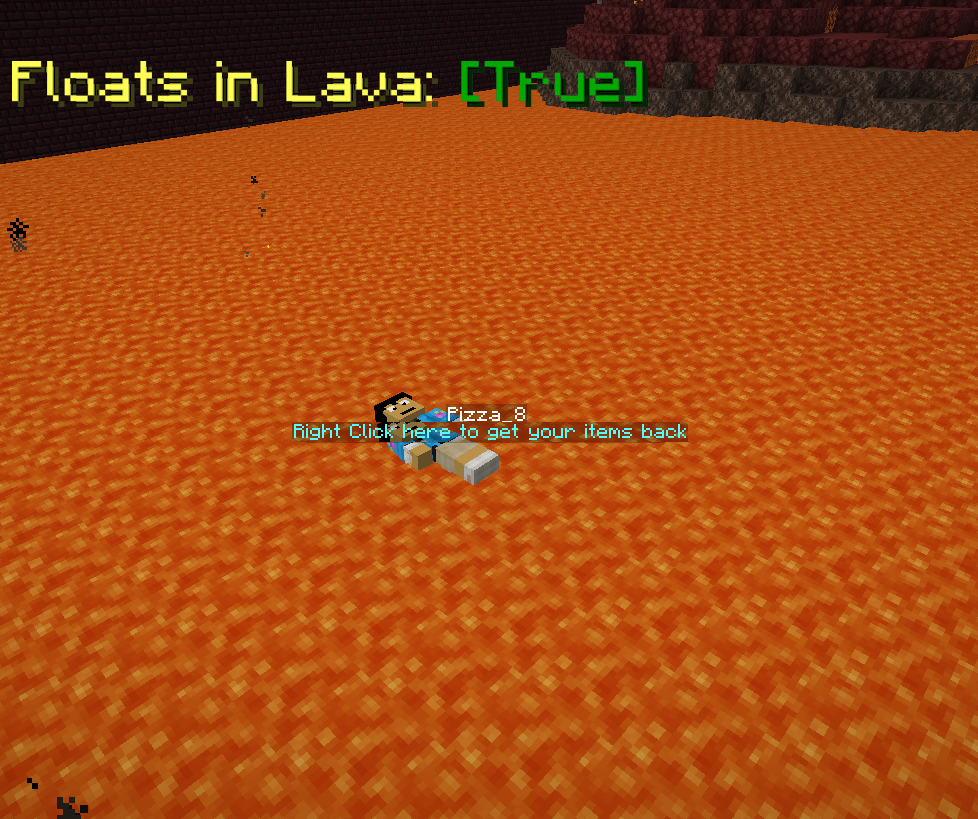
Corpses spawned when a player dies will float in waterFloats in Lava:
Corpses spawned when a player dies will float in lavaCan Burn:
Corpses spawned when a player dies will burn when in lava or fireSaves Items From Void:
Corpses spawned when a player dies in the void will float before the damage zone, able to be lootedRemove Corpse Finder Screen Access:
No one will be able to access the corpse finder screen, even after typing /trigger corpse_finderRemove Config Screen Access:
No one will be able to access this config screen, even after typing /trigger config

Available Versions
How to Install Player Corpses on Your Server
Order Server
Order a Minecraft Java server with at least 3 GB RAM (4 GB recommended).
Set datapack Loader
In the panel under "Egg", select the datapack loader and matching Minecraft version (26.1.2).
Install Mod
Open the mod browser in the dashboard and search for "Player Corpses". Click "Install" – done! Alternatively, upload the .jar via SFTP to the /mods folder.
Compatibility
Mod Loaders
Minecraft Versions
26.1.2, 26.1.1, 26.1 (+5 more)
Server-side
✓ RequiredRecommended RAM
4 GB(min. 3 GB)Frequently Asked Questions
Player Corpses server crashes on startup – what to do?
Most common cause: wrong datapack version or insufficient RAM. Check the server log (latest.log) for "OutOfMemoryError" or "Mixin" errors. With Mado Hosting: ensure at least 3 GB RAM is allocated and the loader matches the mod version (26.1.2). You can switch loaders with one click in the panel.
Is Player Corpses compatible with datapack and fabric and forge and neoforge and quilt?
Player Corpses officially supports datapack, fabric, forge, neoforge, quilt for Minecraft 26.1.2, 26.1.1, 26.1. Note: Forge and Fabric mods are NOT cross-compatible – pick one loader and stick with it. The Mado dashboard automatically detects incompatible loader combinations.
Server lagging with Player Corpses – how to optimize performance?
Recommended RAM: 4 GB (per 8 players). Use /spark profiler to check if Player Corpses consumes the most tick time. Common fixes: reduce server view-distance to 8-10, install "performant" or "starlight" as supplementary mods on Forge. With Mado Hosting, your server runs on NVMe SSDs with dedicated CPU cores for minimal latency.
Similar Mods




Rent Modded Server
Install Player Corpses with just one click on your server.
Details
- License
- Creative Commons Attribution Non Commercial Share Alike 4.0 International
- Server-side
- Required