
Player Mark
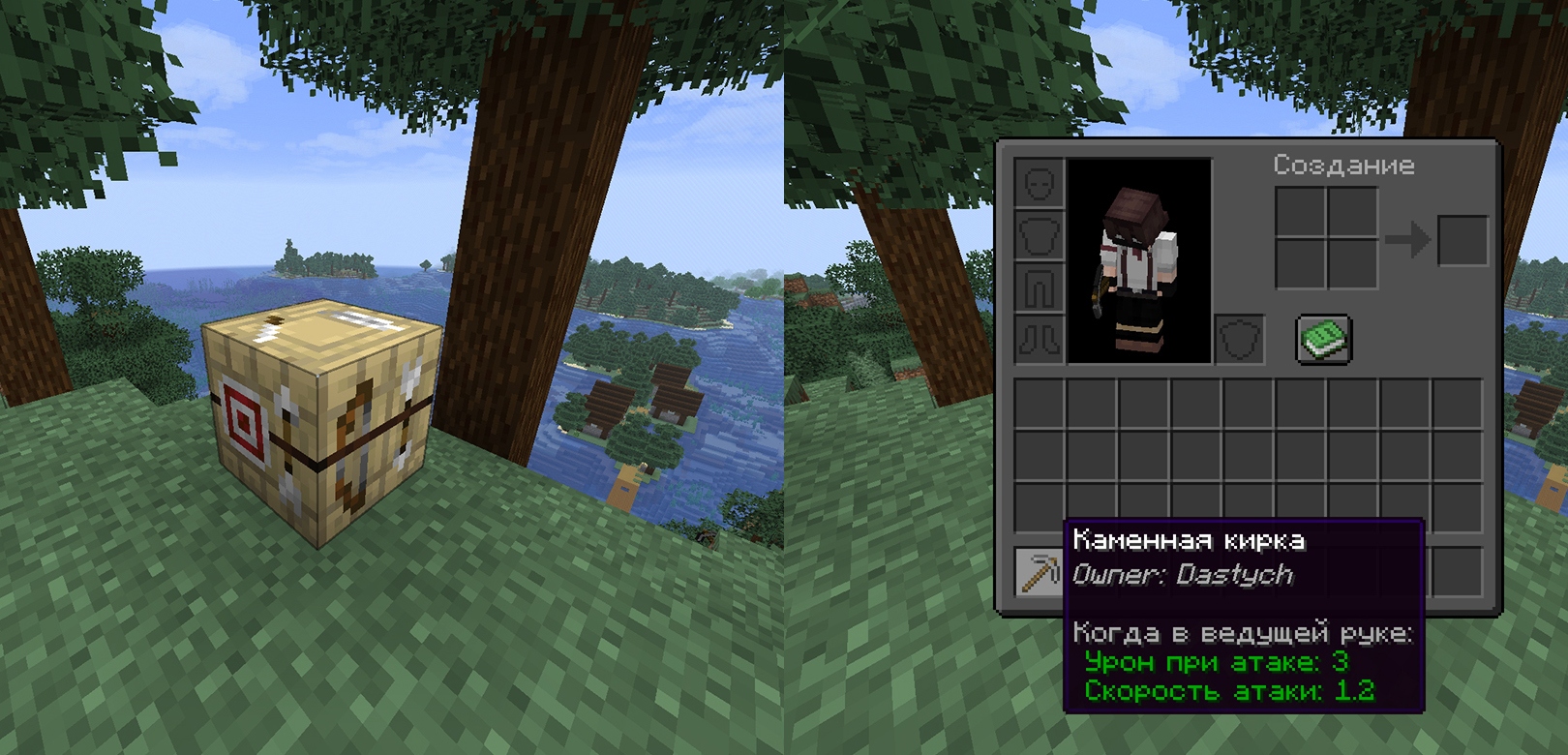
Bind items to players by signing them on a Fletching Table.
Screenshots

About this Mod
English
PlayerMark is a simple utility mod that allows players to permanently mark items with their name. By using any item (except blocks) on a Fletching Table, the item becomes signed and displays the owner's name in its description. Once marked, the ownership cannot be changed by anyone — not even the original player.
This system creates a lightweight item ownership mechanic that can be used for survival servers, roleplay, trading, or anti-theft protection.
🏹 Features:
- ✍️ Item signing — Use any item on a Fletching Table to assign an owner
- 🔒 Permanent ownership — Once marked, the owner cannot be changed
- 📜 Visible description — The owner's name is shown directly in the item lore
- 🧱 Block-safe — Blocks are ignored and cannot be marked
- 🌐 Multiplayer ready — Works on servers and synchronizes automatically
- ⚙️ Lightweight — No commands, configs, or dependencies required
Русский
PlayerMark — это простой мод, который позволяет навсегда подписывать предметы именем игрока. При использовании любого предмета (кроме блоков) по столу лучника предмет получает владельца и отображает его имя в описании. После подписания владельца нельзя изменить — даже самому игроку.
Эта система создаёт лёгкий механизм владения предметами, который подходит для серверов выживания, ролевых игр, торговли или защиты от кражи.
🏹 Особенности:
- ✍️ Подписание предметов — используйте любой предмет по столу лучника, чтобы назначить владельца
- 🔒 Постоянный владелец — после подписания владелец не может быть изменён
- 📜 Видимое описание — имя владельца отображается прямо в описании предмета
- 🧱 Игнор блоков — блоки нельзя подписать
- 🌐 Поддержка мультиплеера — работает на серверах и синхронизируется автоматически
- ⚙️ Лёгкий мод — без команд, конфигов и зависимостей
Discord: dastych_
Available Versions
How to Install Player Mark on Your Server
Order Server
Order a Minecraft Java server with at least 3 GB RAM (4 GB recommended).
Set fabric Loader
In the panel under "Egg", select the fabric loader and matching Minecraft version (1.21.7).
Install Mod
Open the mod browser in the dashboard and search for "Player Mark". Click "Install" – done! Alternatively, upload the .jar via SFTP to the /mods folder.
Compatibility
Mod Loaders
Minecraft Versions
1.21.7
Server-side
✓ RequiredRecommended RAM
4 GB(min. 3 GB)Frequently Asked Questions
Player Mark server crashes on startup – what to do?
Most common cause: wrong fabric version or insufficient RAM. Check the server log (latest.log) for "OutOfMemoryError" or "Mixin" errors. With Mado Hosting: ensure at least 3 GB RAM is allocated and the loader matches the mod version (1.21.7). You can switch loaders with one click in the panel.
Is Player Mark compatible with fabric?
Player Mark officially supports fabric for Minecraft 1.21.7. The Mado dashboard automatically detects incompatible loader combinations.
Server lagging with Player Mark – how to optimize performance?
Recommended RAM: 4 GB (per 8 players). Use /spark profiler to check if Player Mark consumes the most tick time. Common fixes: reduce server view-distance to 8-10, install "performant" or "starlight" as supplementary mods on Forge. With Mado Hosting, your server runs on NVMe SSDs with dedicated CPU cores for minimal latency.
Rent Modded Server
Install Player Mark with just one click on your server.