
PlayerEngine
PlayerEngine is a server-side framework designed to fundamentally change how AI NPCs exist in Minecraft.
Screenshots
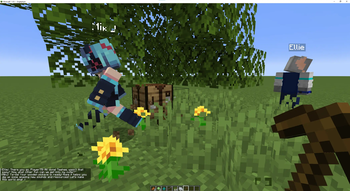
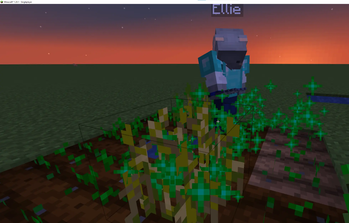
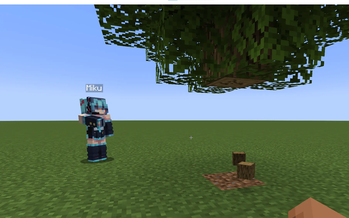
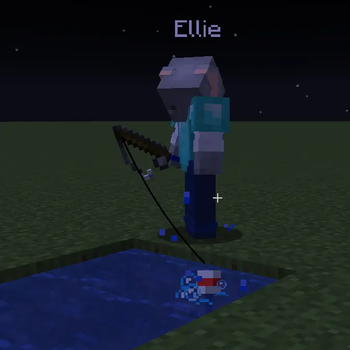

About this Mod
PlayerEngine: The AI Embodiment Framework for Minecraft



PlayerEngine is a server-side framework designed to fundamentally change how AI NPCs exist in Minecraft. Developed by Goodbird, this project moves beyond the limitations of client-side mods, offering a powerful toolkit to give your own custom mobs the full capabilities of a player.
This project was born from the desire to transcend the gimmick of chatbot NPCs and create truly embodied agents for the Player2 AI Game Jam. It's not about making vanilla pigs talk; it's about empowering developers to create entities that can mine, fight, manage an inventory, and interact with the world on a player's level.
The Story: From Client-Side Hacks to a True Framework
The inspiration for PlayerEngine came from ChatClef, an innovative mod by Player2 that connected an AI to the player's client. While groundbreaking, it had a significant limitation: to have AI companions, one had to run multiple instances of the Minecraft client. This was cumbersome and not scalable.
PlayerEngine solves this problem by moving the logic to the server and, most importantly, decoupling player-like abilities from the PlayerEntity class itself. The result is a true framework that allows any modder to grant their custom LivingEntity the soul of a player.
The Core Concept: The "Player" as an Interface
At its heart, PlayerEngine treats "being a player" not as a specific entity type, but as a set of capabilities that can be attached to any mob. By implementing a few simple interfaces, your custom mob gains access to:
- A persistent, player-like inventory (
LivingEntityInventory). - The ability to interact with the world, breaking blocks and using items (
LivingEntityInteractionManager). - Advanced pathfinding and task execution via the powerful Automatone engine.
This makes PlayerEngine the ultimate "actuator" layer for an AI "brain" like the one provided by the Player2 API. Your LLM can decide what to do, and PlayerEngine gives your NPC the body to do it.
Key Features for Developers
- 🤖 Empower Your Mobs: Designed for modders. Easily transform your own custom entities into player-like agents. Don't just reskin a vanilla mob—give your unique creations true agency.
- ⛏️ True World Interaction: NPCs can mine blocks, use tools, and interact with objects. (Note: complex building is not yet supported).
- 🎒 Player-Like Inventories: Each agent manages its own persistent inventory, allowing for complex resource gathering, crafting, and tool management.
- 🧠 Seamless Player2 Integration: PlayerEngine is the perfect physical counterpart to the Player2 API. Send high-level commands like
@get diamond 5and watch your agent execute a complex chain of tasks to achieve the goal. - 🛠️ Built on a Solid Foundation:
- Navigation: Powered by Automatone, a fork of the legendary Baritone pathfinding engine.
- Task System: Adapts the robust task and command system from Player2's ChatClef.
- Modularity: Uses Cardinal Components to cleanly attach capabilities, ensuring high compatibility and easy integration.
Why PlayerEngine is "Beyond an AI Gimmick"
- Integration: It's a framework for deep systemic integration. NPCs are no longer just quest-givers; they are active participants in the game's economy, ecology, and emergent stories.
- Guardrails: PlayerEngine is the guardrail. It provides a deterministic, game-logic-based action layer that reliably executes the high-level goals from an LLM, complete with fallbacks and a robust understanding of the game world.
- Creativity: It empowers other creators. We're not just showing one cool NPC; we're giving the entire community a tool to build their own intelligent companions, adversaries, and dynamic storytellers.
- Stability: Built on the shoulders of giants—Baritone and Cardinal Components—PlayerEngine is a stable and performant foundation for ambitious AI projects.
Acknowledgements
This project stands on the work and support of many.
Player2
This framework was created for the Player2 AI Game Jam and is designed to integrate seamlessly with the Player2 API, realizing their vision for intelligent, interactive agents.
We are a team of researchers and engineers that are passionate about advancing the state of the art in AI. Our team members have worked at some of the world's leading tech companies and research institutions, and we are united by our shared vision of building intelligent agents that can interact with the world in a meaningful way.
Foundation & Inspiration
- Automatone / Baritone: The powerful navigation of PlayerEngine is provided by Automatone, a fork of the legendary Baritone pathfinding engine.
- ChatClef: The robust task and command system is adapted from the original ChatClef mod by Player2, which proved the potential of AI agents in Minecraft.
Special Thanks
- Itsuka: For his invaluable guidance with the Player2 API, brainstorming sessions, and rigorous testing that helped shape PlayerEngine into what it is today.
Author
PlayerEngine is a solo project developed by Goodbird.
Available Versions
How to Install PlayerEngine on Your Server
Order Server
Order a Minecraft Java server with at least 3 GB RAM (4 GB recommended).
Set fabric Loader
In the panel under "Egg", select the fabric loader and matching Minecraft version (1.21.1).
Install Mod
Open the mod browser in the dashboard and search for "PlayerEngine". Click "Install" – done! Alternatively, upload the .jar via SFTP to the /mods folder.
Compatibility
Mod Loaders
Minecraft Versions
1.21.1, 1.21, 1.20.1
Server-side
✓ RequiredRecommended RAM
4 GB(min. 3 GB)Frequently Asked Questions
PlayerEngine server crashes on startup – what to do?
Most common cause: wrong fabric version or insufficient RAM. Check the server log (latest.log) for "OutOfMemoryError" or "Mixin" errors. With Mado Hosting: ensure at least 3 GB RAM is allocated and the loader matches the mod version (1.21.1). You can switch loaders with one click in the panel.
Is PlayerEngine compatible with fabric and forge and neoforge?
PlayerEngine officially supports fabric, forge, neoforge for Minecraft 1.21.1, 1.21, 1.20.1. Note: Forge and Fabric mods are NOT cross-compatible – pick one loader and stick with it. The Mado dashboard automatically detects incompatible loader combinations.
Server lagging with PlayerEngine – how to optimize performance?
Recommended RAM: 4 GB (per 8 players). Use /spark profiler to check if PlayerEngine consumes the most tick time. Common fixes: reduce server view-distance to 8-10, install "performant" or "starlight" as supplementary mods on Forge. With Mado Hosting, your server runs on NVMe SSDs with dedicated CPU cores for minimal latency.
Similar Mods



Rent Modded Server
Install PlayerEngine with just one click on your server.