
Player Utils
A Minecraft mod that improves the gameplay experience with various visual and client-side features.
Screenshots
About this Mod
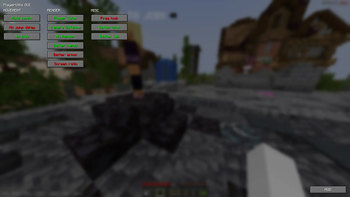
PlayerUtils mod adds several new features to the game that will make your gameplay more enjoyable and convenient.
Commands:
/coords - copy your current position to the clipboard
/coords [player] - send your position to the specified player in dms
/social friend/enemy add/remove [player] - adds or removes a player to/from your friends or enemies list
/social friend/enemy clear - clears the friends/enemies list
Features:
Movement:
AutoSprint - automatically sprints
NoJumpDelay - removes jump delay
NoSlow - allows you to open the inventory or chat in a portal, and move while the options screen is open
Render:
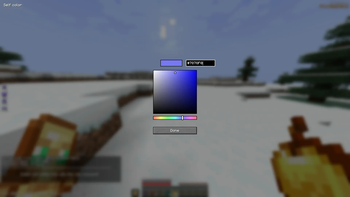
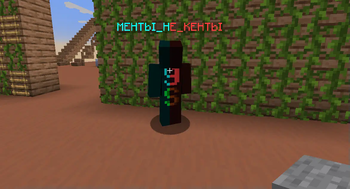
PlayerColor - changes the color of friends/enemies/yourself in chat, the tab list, alters player name colors, and player model
CameraDistance - adjusts the camera distance
NoRender - allows disabling certain in-game rendering elements
BetterHands - reduces item size in hand, changes hand bobbing
BetterArmor - changes armor color
ScreenRatio - changes the screen aspect ratio
Misc:
FreeLook - allows free third-person camera movement without changing head position
BetterChat - saves chat history upon server exit and increases the maximum number of messages in the chat
BetterTab - increases the maximum number of players displayed in the tab list
HUD:
EffectList - lists active effects on the player, sorted by remaining duration (effects with shorter durations are rendered at the bottom)
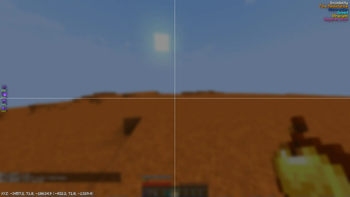
Coordinates - displays player's coordinates (in brackets, coordinates for the Nether divided by 8, and coordinates for the Overworld multiplied by 8)
ArmorHud - shows the player's armor status (including durability)
Available Versions
How to Install Player Utils on Your Server
Order Server
Order a Minecraft Java server with at least 3 GB RAM (4 GB recommended).
Set fabric Loader
In the panel under "Egg", select the fabric loader and matching Minecraft version (1.21.7).
Install Mod
Open the mod browser in the dashboard and search for "Player Utils". Click "Install" – done! Alternatively, upload the .jar via SFTP to the /mods folder.
Compatibility
Mod Loaders
Minecraft Versions
1.21.7, 1.21.6, 1.21.5 (+1 more)
Server-side
✗ UnsupportedRecommended RAM
4 GB(min. 3 GB)Frequently Asked Questions
Player Utils server crashes on startup – what to do?
Most common cause: wrong fabric version or insufficient RAM. Check the server log (latest.log) for "OutOfMemoryError" or "Mixin" errors. With Mado Hosting: ensure at least 3 GB RAM is allocated and the loader matches the mod version (1.21.7). You can switch loaders with one click in the panel.
Is Player Utils compatible with fabric?
Player Utils officially supports fabric for Minecraft 1.21.7, 1.21.6, 1.21.5. The Mado dashboard automatically detects incompatible loader combinations.
Server lagging with Player Utils – how to optimize performance?
Recommended RAM: 4 GB (per 8 players). Use /spark profiler to check if Player Utils consumes the most tick time. Common fixes: reduce server view-distance to 8-10, install "performant" or "starlight" as supplementary mods on Forge. With Mado Hosting, your server runs on NVMe SSDs with dedicated CPU cores for minimal latency.
Similar Mods






Rent Modded Server
Install Player Utils with just one click on your server.