
Playtime Limiter
A server-side mod for Minecraft Fabric that enforces customizable playtime limits for each player.
Screenshots
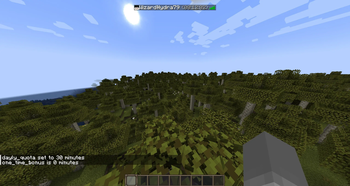
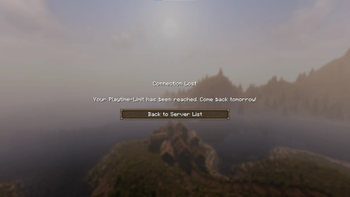
About this Mod
Playtime Limiter Mod (Fabric)
A server-side mod for Minecraft Fabric that enforces customizable playtime limits for each player.
Core Features
- Daily Playtime Limit:
- Players are restricted to a
daily_quota(default: 120 minutes) per day. - The start date of the server is automatically calculated based on the first server boot-up, but can be customized later if needed.
- If the
daily_quotais not used fully, it will carry over to the next day.
- Players are restricted to a
- One-Time Bonus:
- Each player receives a
one_time_bonus(default: 60 minutes) that can be used at any time.
- Each player receives a
- Customizable Settings:
- Both the daily quota and bonus time can be adjusted via in-game commands.
- Playtime Display:
- Remaining playtime for each player is shown next to their name in the tab menu and in chat.
- Automatic Kick:
- Players are automatically kicked from the server if they exceed their allowed playtime.
Commands
/playtime-limiter daily_quota– Show the daily playtime quota for all players./playtime-limiter one_time_bonus– Show the one-time bonus time for all players./playtime-limiter start_date– Show the (auto-generated) start date of the server./playtime-limiter daily_quota [minutes]– Set the daily playtime quota for all players./playtime-limiter one_time_bonus [minutes]– Set the one-time bonus time for all players./playtime-limiter start_date [YYYY-MM-DD]– Set the start date of the server.
Example Use Case
Imagine you run a private Minecraft server for a group of friends. One player tends to play for long periods—sometimes up to 8 hours daily—while others can only join for about 2 hours each day. After just one week, the dedicated player has already built massive structures and explored most of the world, leaving their friends far behind and feeling left out. With the Playtime Limiter Mod, you set a daily quota of 120 minutes for everyone. Now, everyone advances at a similar pace, ensuring that all players can enjoy the game together and stay engaged. The playing field is leveled and the experience is fair and fun for all.
To the Aternos Moderator reviewing this mod:
There isn’t currently a mod available on Aternos for the use case mentioned above. That’s why I decided to create my own mod for me and my friends. I would be very grateful if you could consider approving it for us. Thank you so much! 😊
Available Versions
How to Install Playtime Limiter on Your Server
Order Server
Order a Minecraft Java server with at least 3 GB RAM (4 GB recommended).
Set fabric Loader
In the panel under "Egg", select the fabric loader and matching Minecraft version (1.21.5).
Install Mod
Open the mod browser in the dashboard and search for "Playtime Limiter". Click "Install" – done! Alternatively, upload the .jar via SFTP to the /mods folder.
Compatibility
Mod Loaders
Minecraft Versions
1.21.5
Server-side
✓ RequiredRecommended RAM
4 GB(min. 3 GB)Frequently Asked Questions
Playtime Limiter server crashes on startup – what to do?
Most common cause: wrong fabric version or insufficient RAM. Check the server log (latest.log) for "OutOfMemoryError" or "Mixin" errors. With Mado Hosting: ensure at least 3 GB RAM is allocated and the loader matches the mod version (1.21.5). You can switch loaders with one click in the panel.
Is Playtime Limiter compatible with fabric?
Playtime Limiter officially supports fabric for Minecraft 1.21.5. The Mado dashboard automatically detects incompatible loader combinations.
Server lagging with Playtime Limiter – how to optimize performance?
Recommended RAM: 4 GB (per 8 players). Use /spark profiler to check if Playtime Limiter consumes the most tick time. Common fixes: reduce server view-distance to 8-10, install "performant" or "starlight" as supplementary mods on Forge. With Mado Hosting, your server runs on NVMe SSDs with dedicated CPU cores for minimal latency.
Similar Mods






Rent Modded Server
Install Playtime Limiter with just one click on your server.