
Pluman
Pluman is a mod where the world is treated as one enormous organism. Are you ready to take it on?
Screenshots
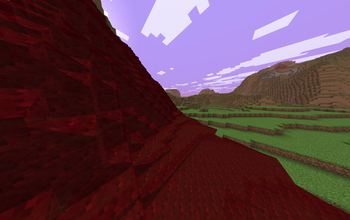
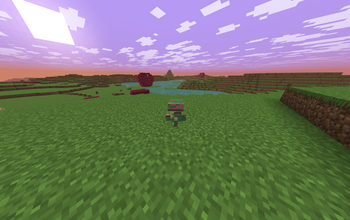
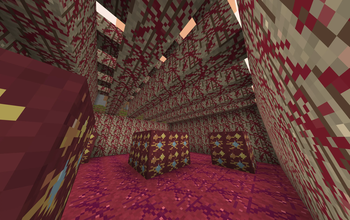
About this Mod
Pluman Mod Description
Pluman is a Fabric total-conversion survival mod where Minecraft itself is alive. The world is not a passive collection of blocks; it is a creature with pain, stress, trust, anger, weather moods, immune responses, and a path toward symbiosis.
Players can still dig, fight, build, and explore, but every destructive action has ecological consequences. Fast digging and explosions raise the planet's pain. Damaged regions build stress. If stress rises too high, the world shakes and sends antibody creatures. If anger gets worse, weather turns acidic or violent.
Progression is built around negotiation. Instead of strip-mining ore from stone, players feed Tissue Mouths with organic offerings. The organism responds by growing Ore Nodules. This turns resource gathering into a relationship: take too much and the world fights back; feed and heal it, and it gives resources willingly.
Organic crafting replaces part of vanilla crafting. Stomach Chests act as living storage pods. Tool Seeds can be fed with Sap Vials, Symbiotic Spores, and Marrow Shards until they mature into living equipment. Living gear is meant to feel grown, cared for, and earned.
Weather expresses the planet's mood. A trusted world produces Healing Mist. An abused world produces Acid Rain and, at high anger, targeted thunder. Commands expose the current state for testing and servers.
The worldgen direction transforms all dimensions into organ systems, but only when the player chooses the Pluman World Type during world creation. The Overworld becomes skin, flesh, ribs, marrow caves, sap rivers, and tissue forests. The Nether becomes bile, fever, heat, inflammation, and parasite ecology. The End becomes nervous tissue, synapse islands, watchers, and dreamlike void structures. Normal Minecraft worlds remain normal when the mod is installed.
Pluman's long-term endgame is symbiosis. The goal is not to conquer the creature-world, but to survive long enough, learn its language, repair enough damage, and become trusted by the enormous organism you live inside.
Available Versions
How to Install Pluman on Your Server
Order Server
Order a Minecraft Java server with at least 4 GB RAM (6 GB recommended).
Set fabric Loader
In the panel under "Egg", select the fabric loader and matching Minecraft version (26.1.2).
Install Mod
Open the mod browser in the dashboard and search for "Pluman". Click "Install" – done! Alternatively, upload the .jar via SFTP to the /mods folder.
Compatibility
Mod Loaders
Minecraft Versions
26.1.2, 26.1.1, 26.1
Server-side
✓ RequiredRecommended RAM
6 GB(min. 4 GB)Frequently Asked Questions
Pluman server crashes on startup – what to do?
Most common cause: wrong fabric version or insufficient RAM. Check the server log (latest.log) for "OutOfMemoryError" or "Mixin" errors. With Mado Hosting: ensure at least 4 GB RAM is allocated and the loader matches the mod version (26.1.2). You can switch loaders with one click in the panel.
Is Pluman compatible with fabric?
Pluman officially supports fabric for Minecraft 26.1.2, 26.1.1, 26.1. The Mado dashboard automatically detects incompatible loader combinations.
Server lagging with Pluman – how to optimize performance?
Recommended RAM: 6 GB (per 5 players). Use /spark profiler to check if Pluman consumes the most tick time. Common fixes: reduce server view-distance to 8-10, install "performant" or "starlight" as supplementary mods on Forge. With Mado Hosting, your server runs on NVMe SSDs with dedicated CPU cores for minimal latency.
Similar Mods





Rent Modded Server
Install Pluman with just one click on your server.