
PMWU-AO
PMWU-AO (Atmospheric Overhaul) completely overhauls the atmosphere storms spawn in, and how they behave.
About this Mod
Introduction
PMWU-AO (Atmospheric Overhaul) completely overhauls the atmosphere storms spawn in, and how they behave.
Weather Soundings
Using 295 real-life atmospheric events sourced across the United States, PMW now pulls sounding data from each event and injects it directly into a fully restructured Skew-T/Hodograph system, overhauling the Sounding Viewer, Balloon Platform, and Weather Balloon blocks and items. Every hour of the day is correlated to one of the 295 base soundings, bringing the total to 7,080 unique soundings in PMWU-AO! When a "NONE" day is selected, the sounding system reverts back to the default PMW state and background weather system.
Outlooks
Convective outlooks have been overhauled with a new 7-day system. Each season carries its own percentage-based odds of categorical upgrades on any given day, so Spring has a 30% chance of a Day 1 categorical risk upgrade while Winter sits at just 5%. Fire weather and winter weather event days are also woven into the outlook sequence.
Storm Mechanic Changes
Storms now spawn during windows anchored to their original sounding time, opening 2 hours before and closing 1 hour after, so a 4pm sounding allows storms to spawn anywhere from 2pm to 5pm. Skies will generally remain clear before the window opens, with a cumulus field gradually building as it approaches. Supercells will also develop without precipitation initially, not producing rainfall until they reach Stage 1.
Tornado Behavior Changes
Tornadoes now last longer than in traditional PMW and feature cyclic behavior. When a tornado dissipates, it has a chance to re-form from its parent storm a few minutes later. Each cycle takes 2 to 5 minutes by default, though this is configurable in the PMWU-AO configuration folder. Tornado strength and width are now also dependent on sounding data.
Storm Behavior Changes
Storms now fall into one of six classification types: LP1, LP2, Classic1, Classic2, HP1, and HP2. LP1 produces the least precipitation beneath the base and mesocyclone, while HP2 results in a fully rain-wrapped tornado. Each classification is directly tied to the sounding generated for that hour, and storms can morph between types over their lifetime.
Fire Weather Changes
Fire weather now uses three risk categories — Elevated, Critical, and Extremely Critical — determined by surface humidity and wind values pulled from PMWU-AO soundings. On non-fire event days, wildfires will gradually smolder until extinguished, while spread rates scale with the active risk category. Fire weather risk days are limited to April through September.
Winter Weather Changes
Winter weather now uses three risk categories — Winter Storm, Blizzard, and Ice Storm — each with low-end to high-end intensity ranges. Precipitation can begin up to 6 hours before the peak sounding and taper off up to 6 hours after, with a gradual ramp-up leading into the peak and a wind-down through the end of the event. Winter weather risk days are limited to October through March.
Extended Time
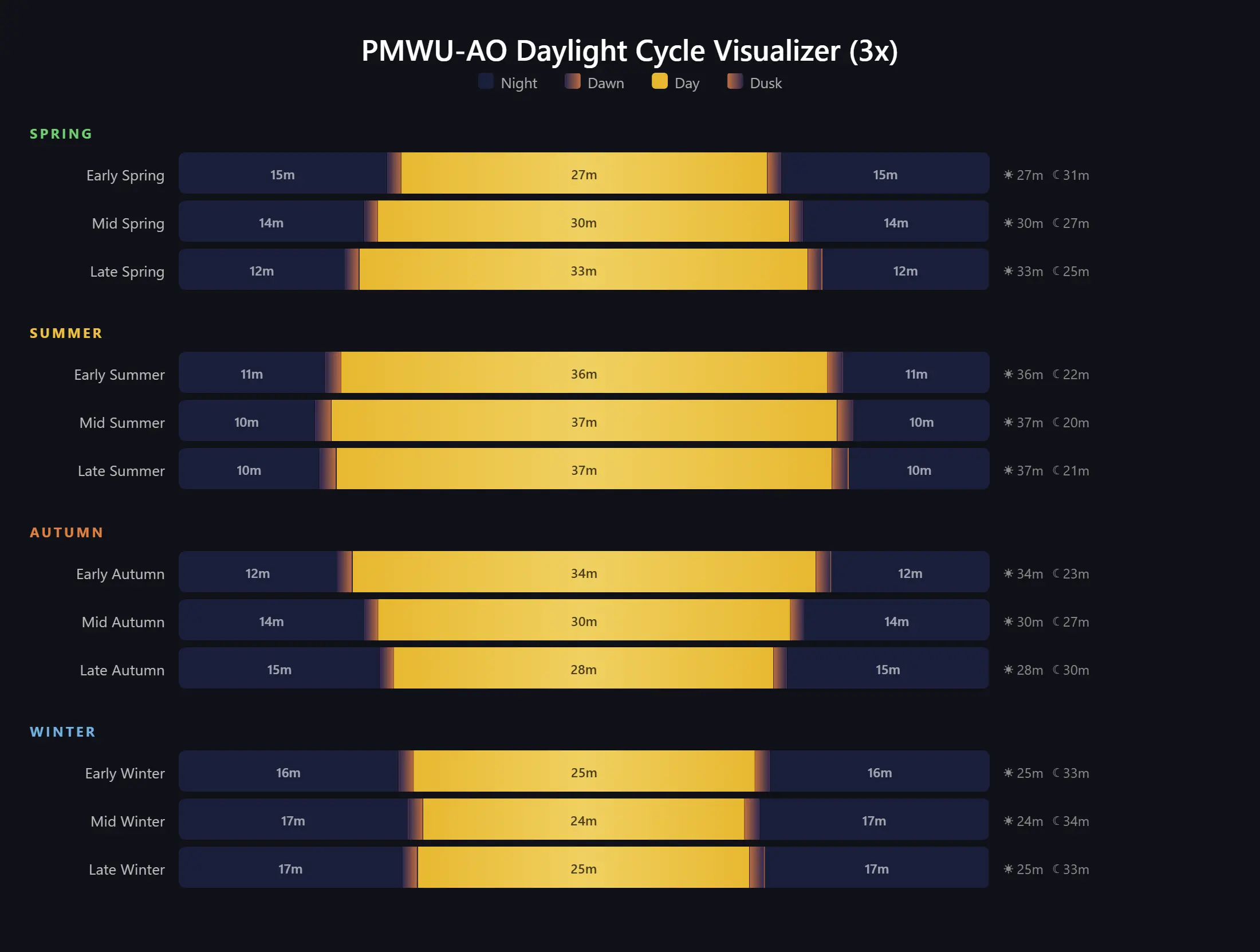
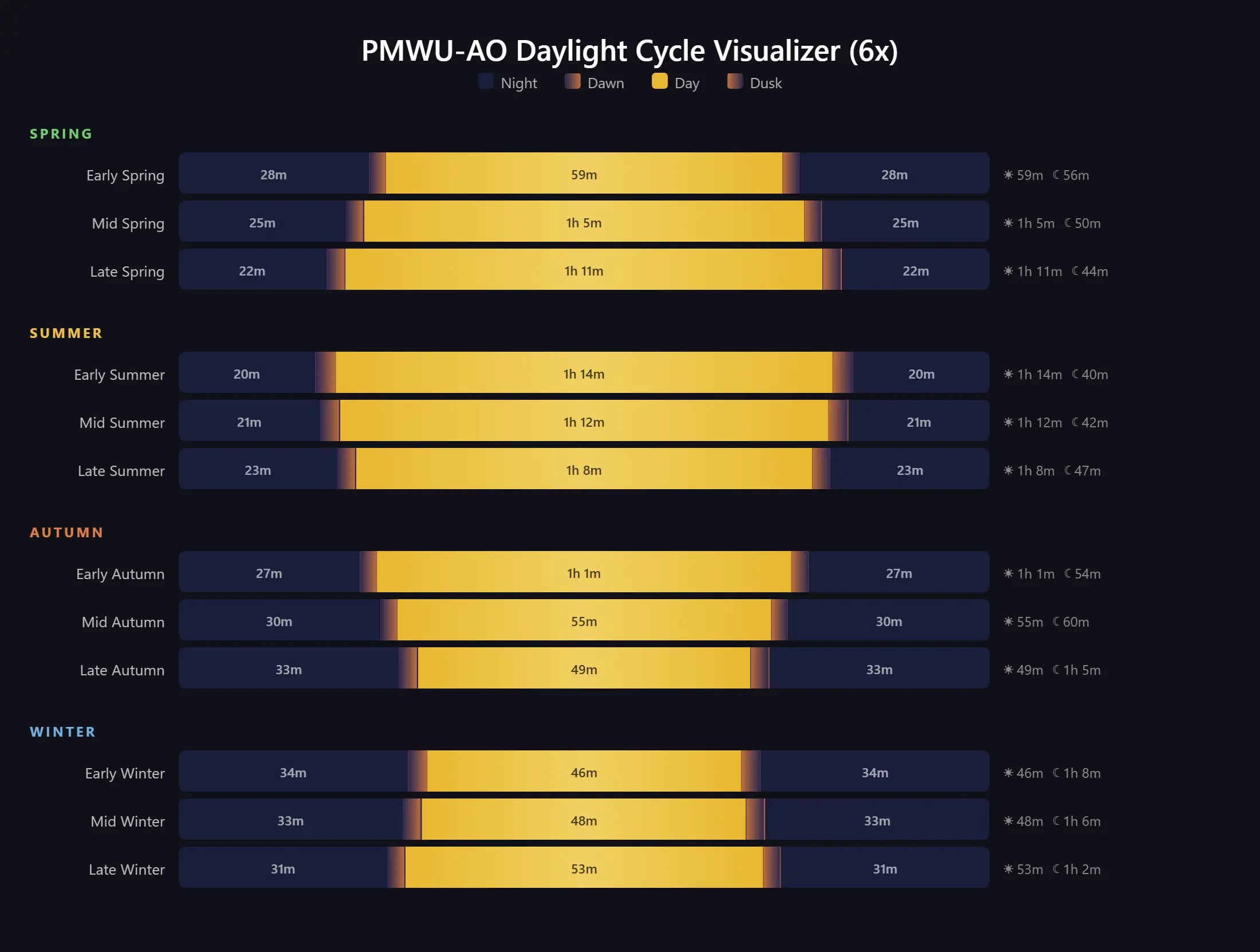
Users can enable extended time, stretching day and night cycles to 3x or 6x their normal vanilla length. Sunrise and sunset times also shift with the seasons, as shown in the image below.
Day/Night Cycle Times
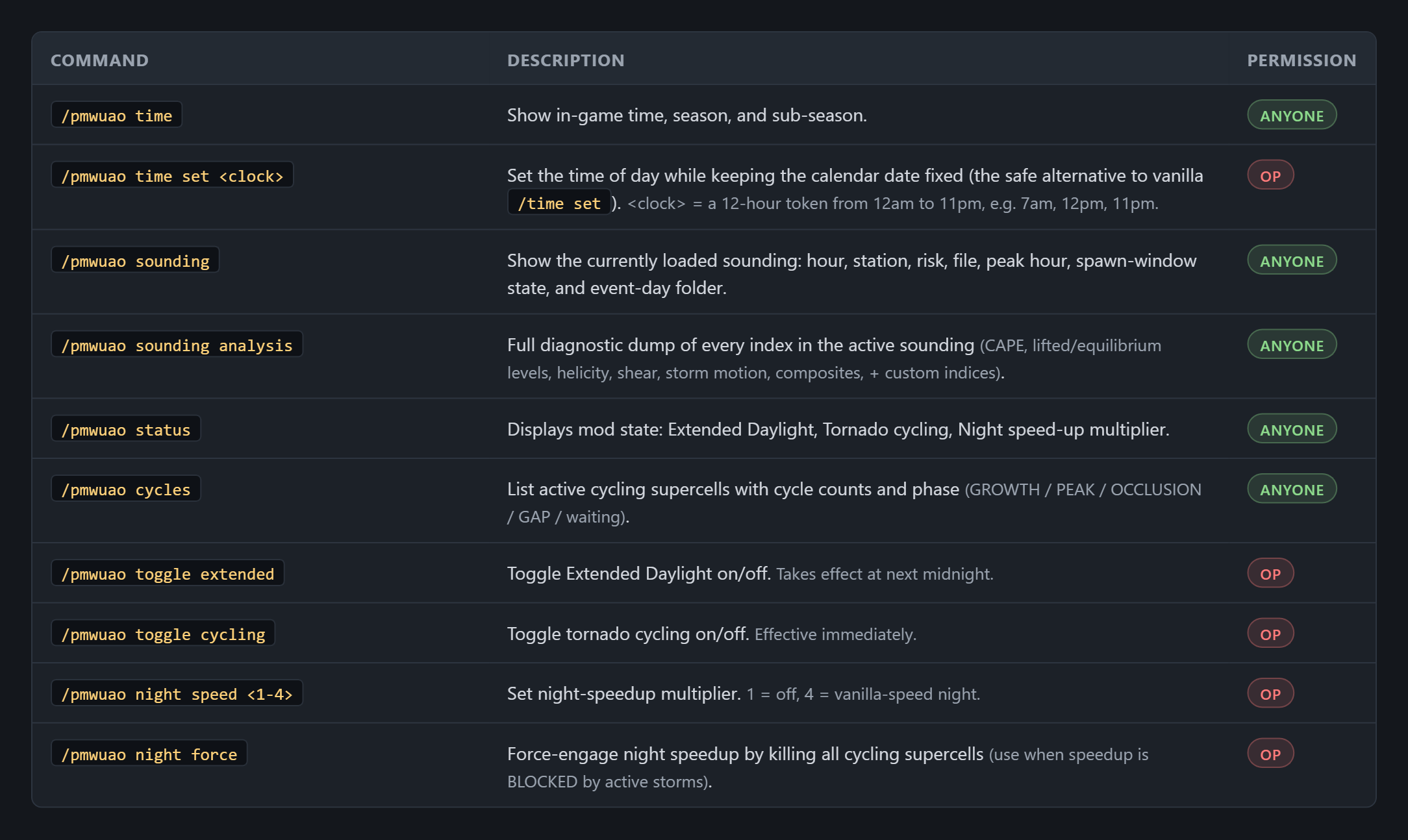
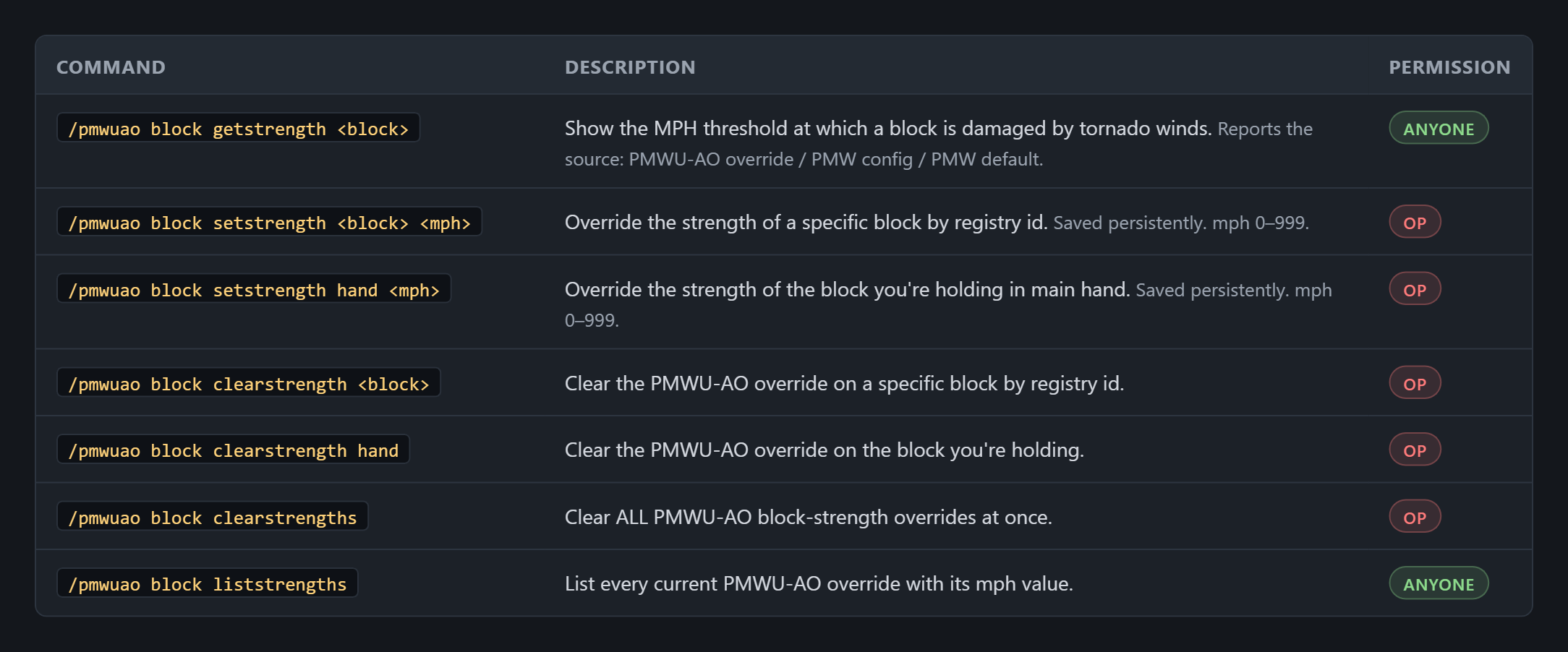
Commands
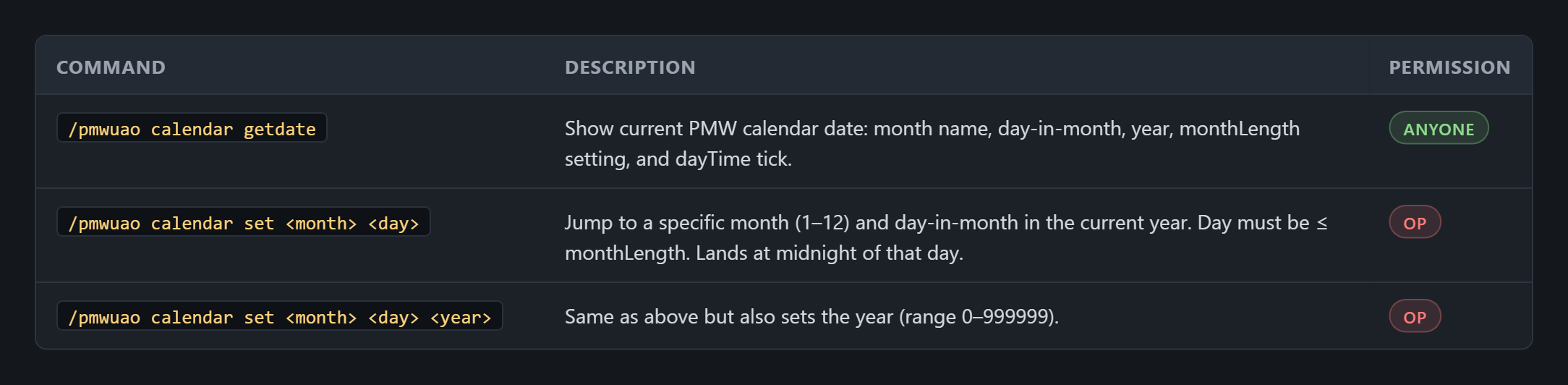
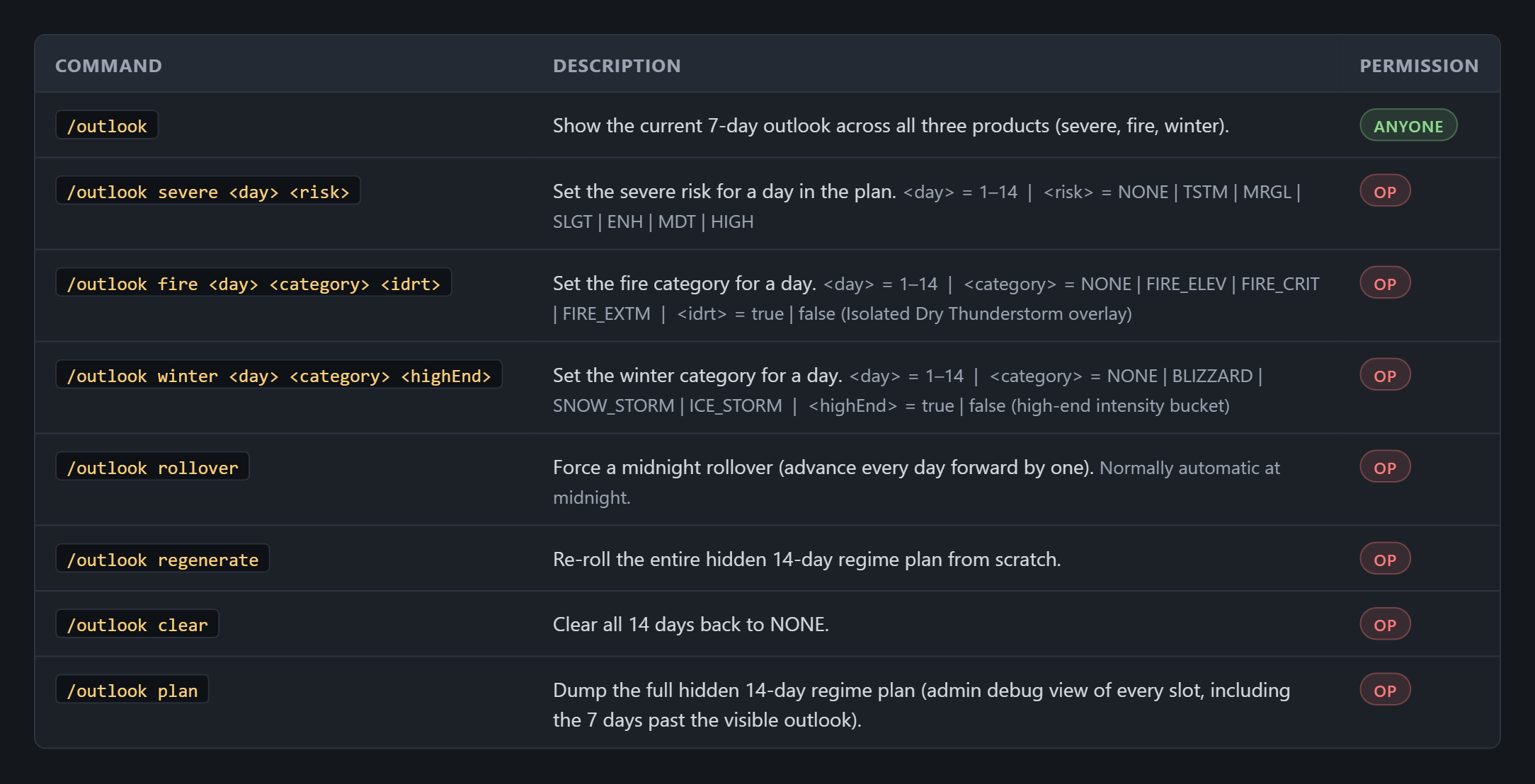
Requirements
- ProtoManly's Weather
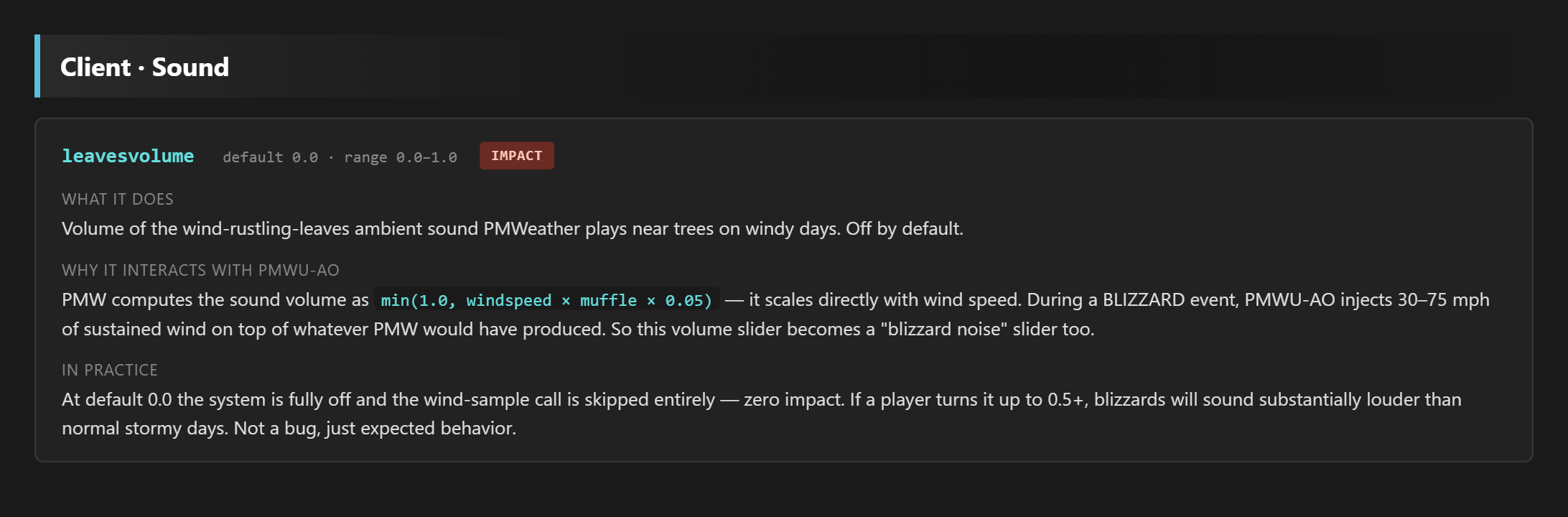
Config Interferences
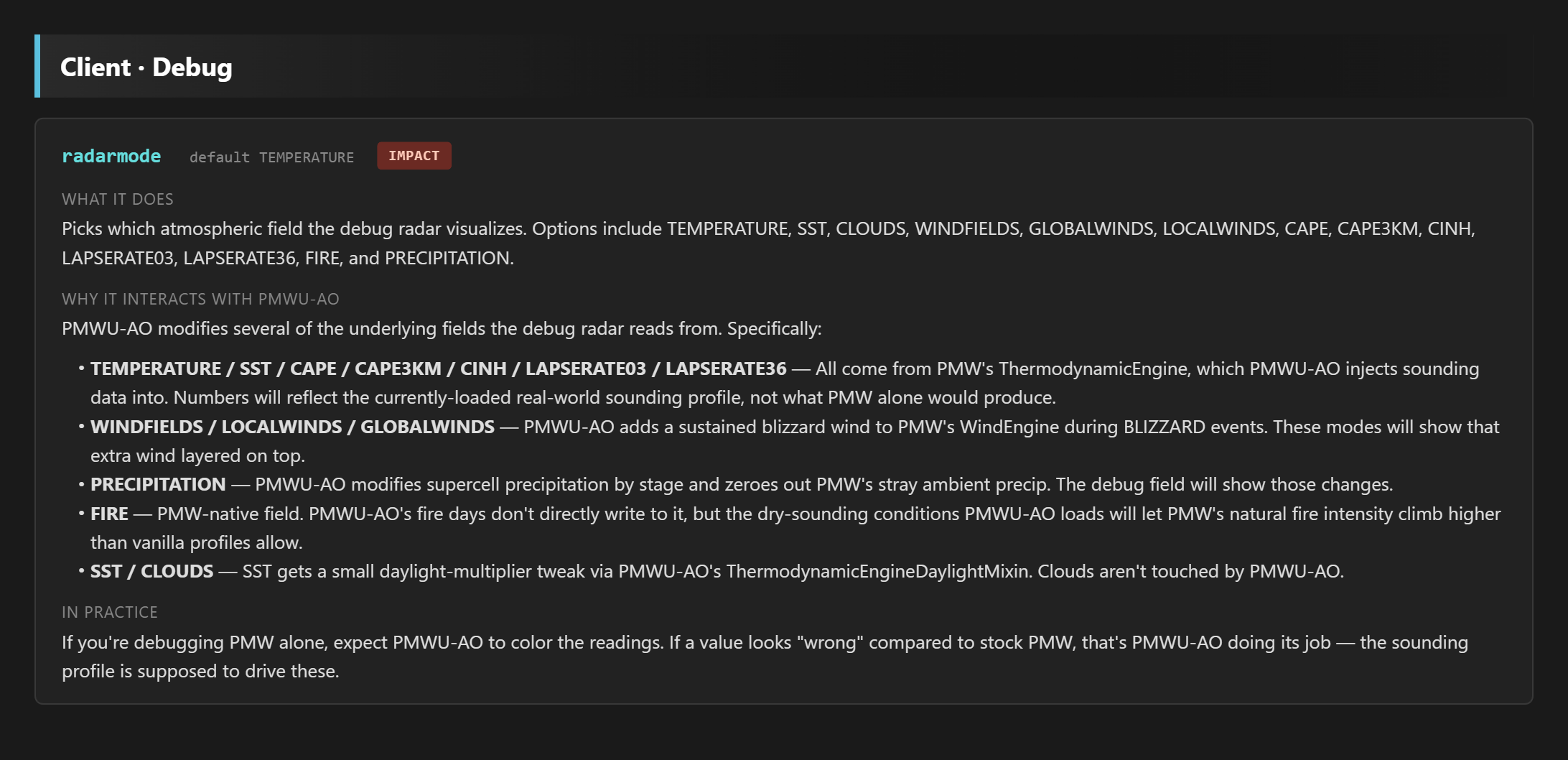
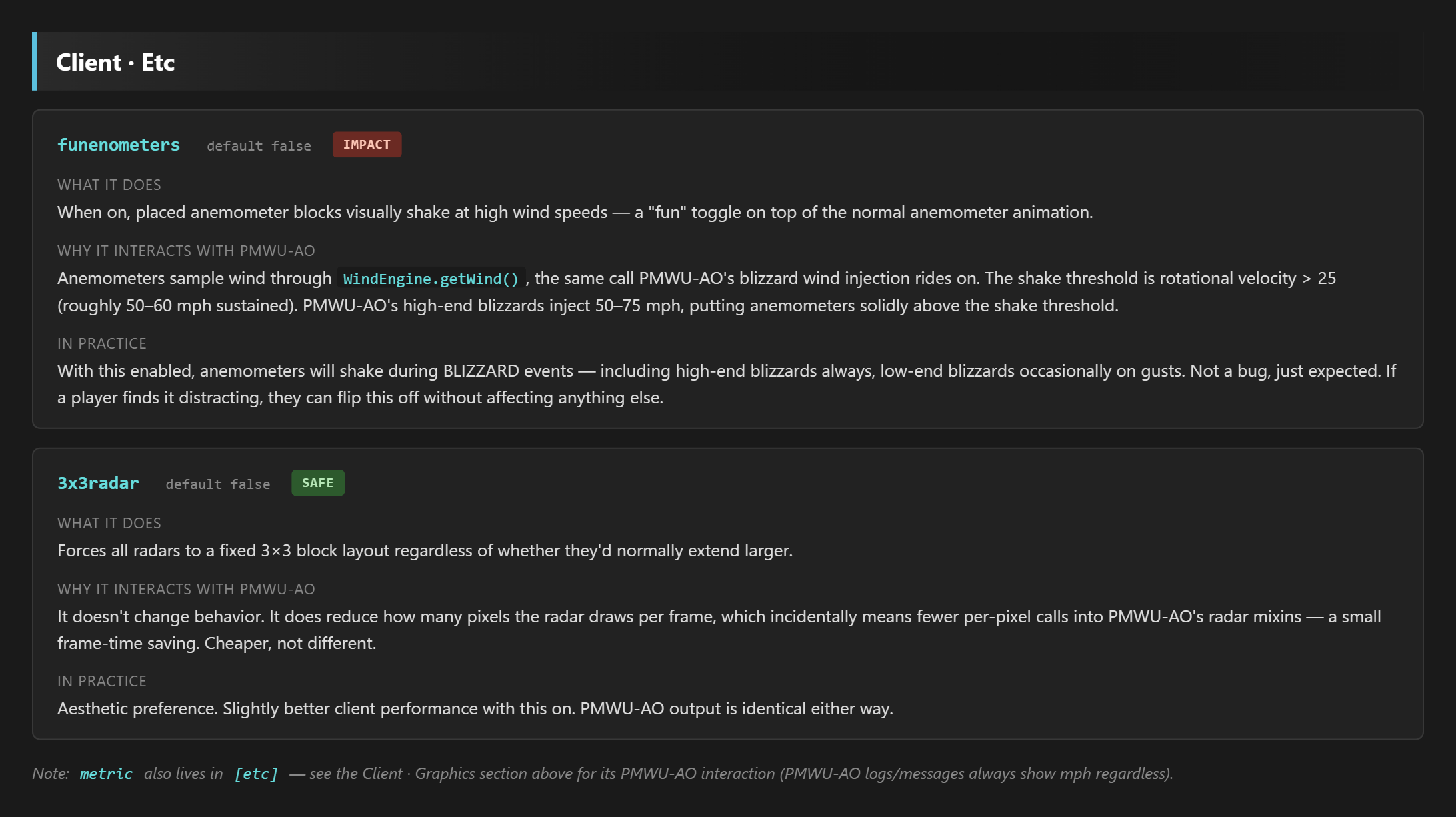
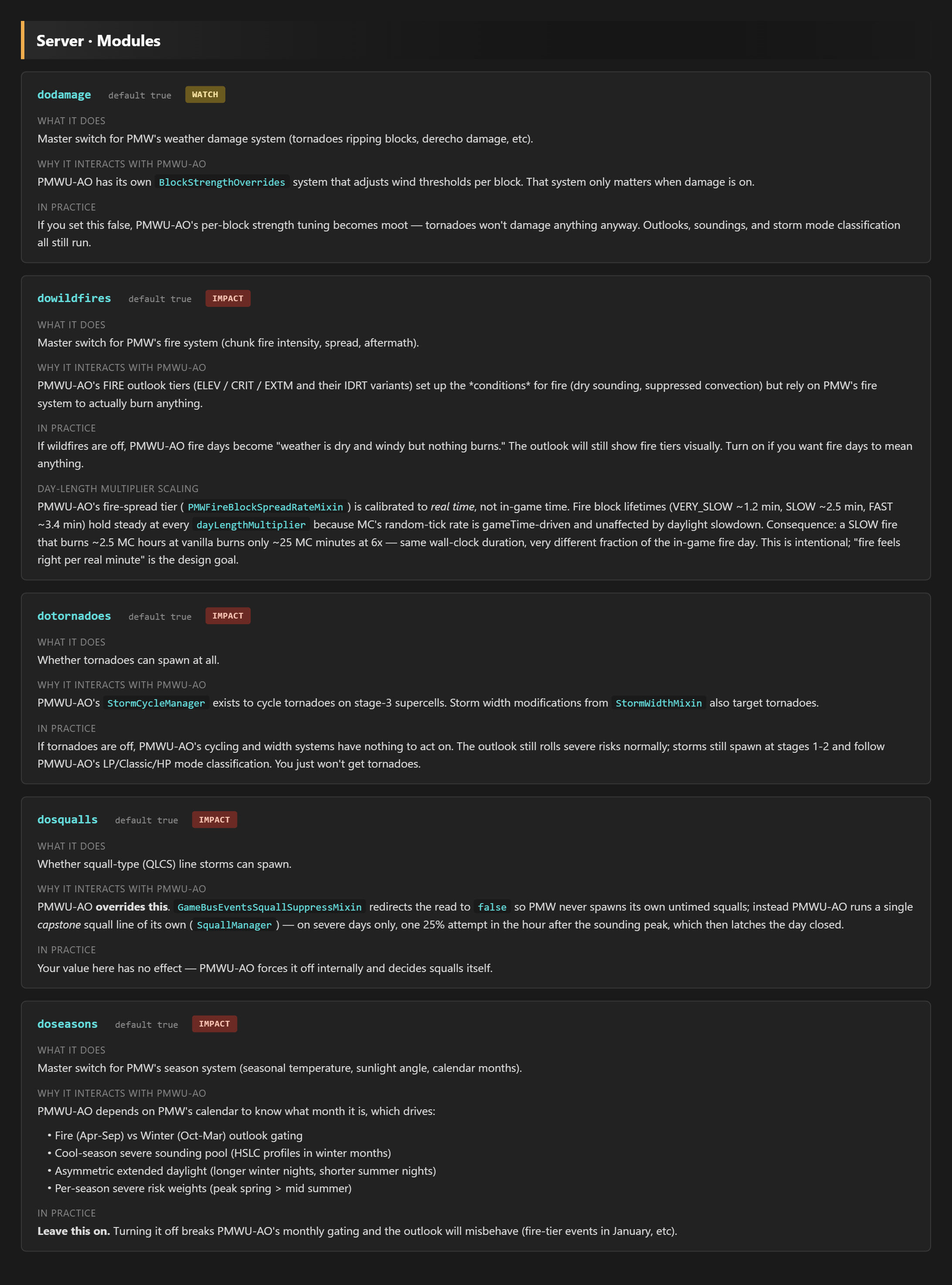
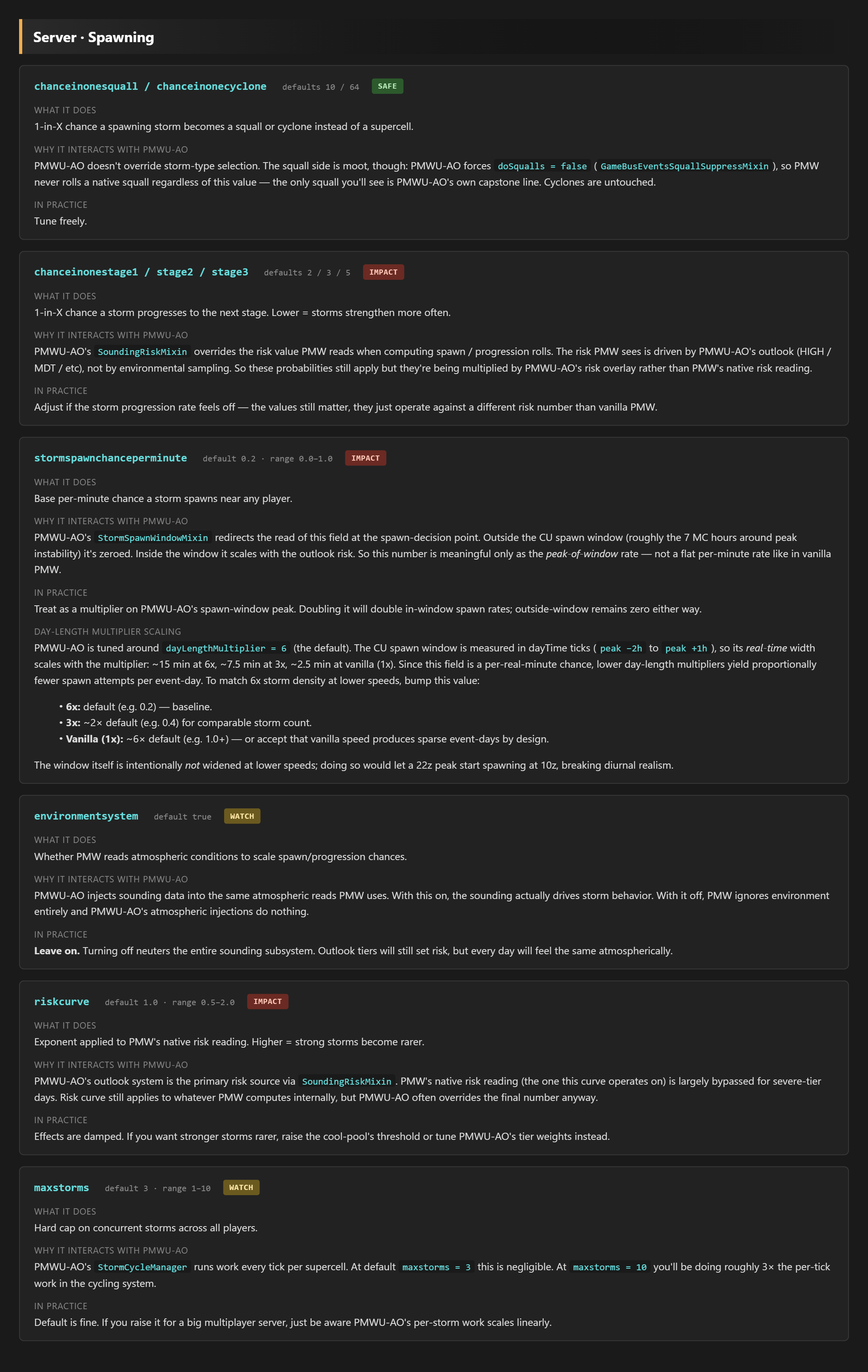
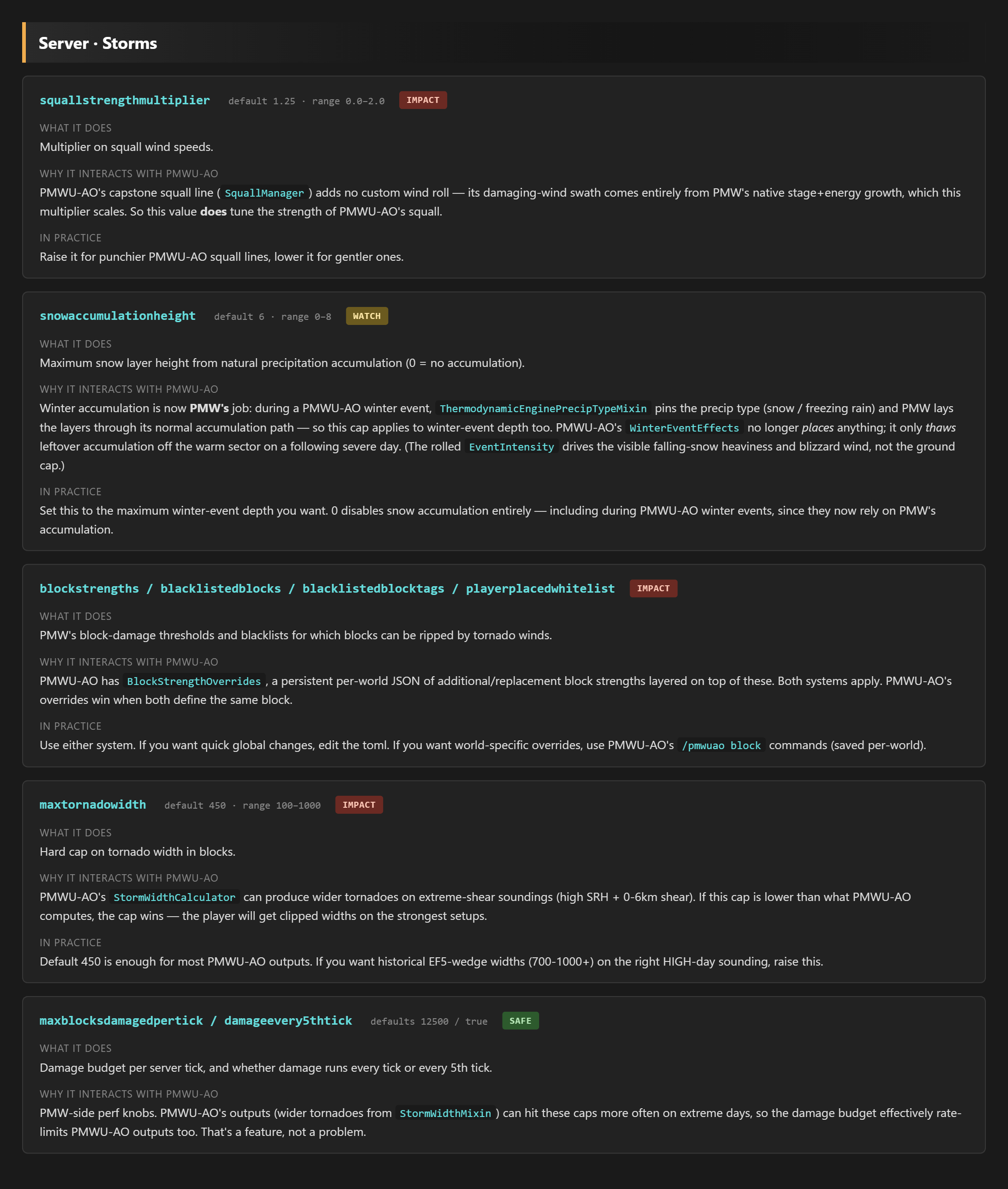
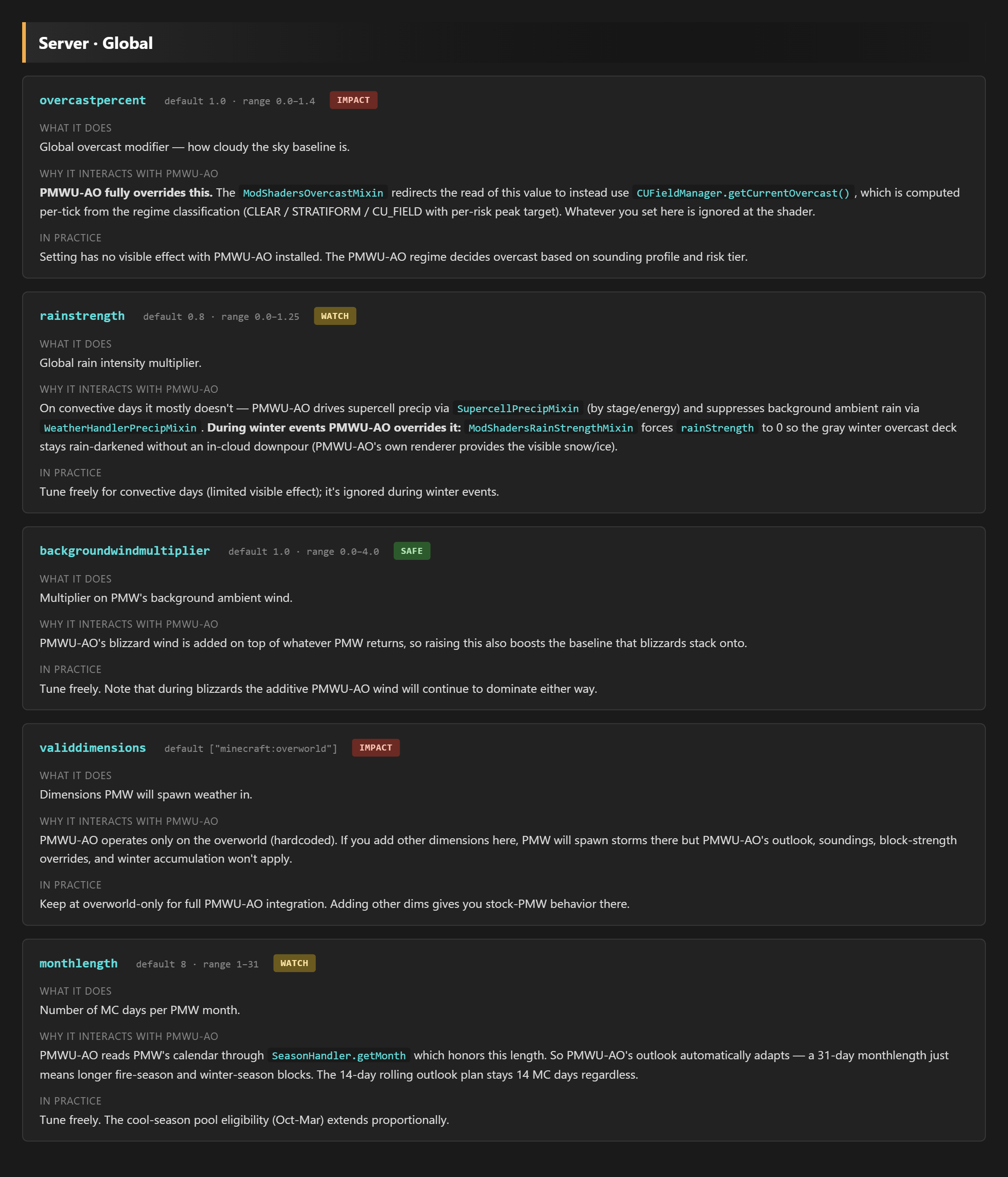
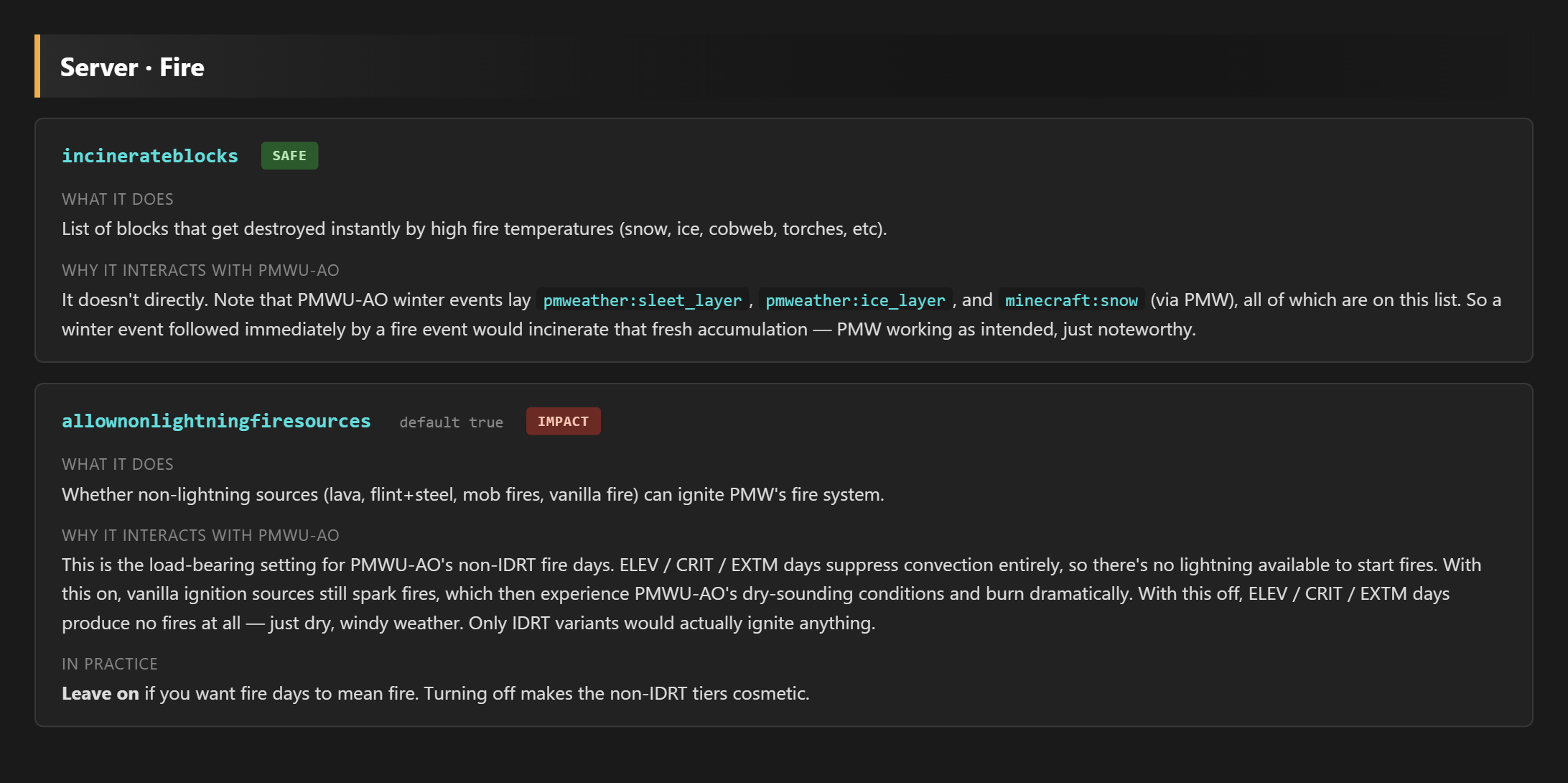
Some configuration options from PMW directly affect PMWU-AO features, here is a full list of what options affect PMWU-AO.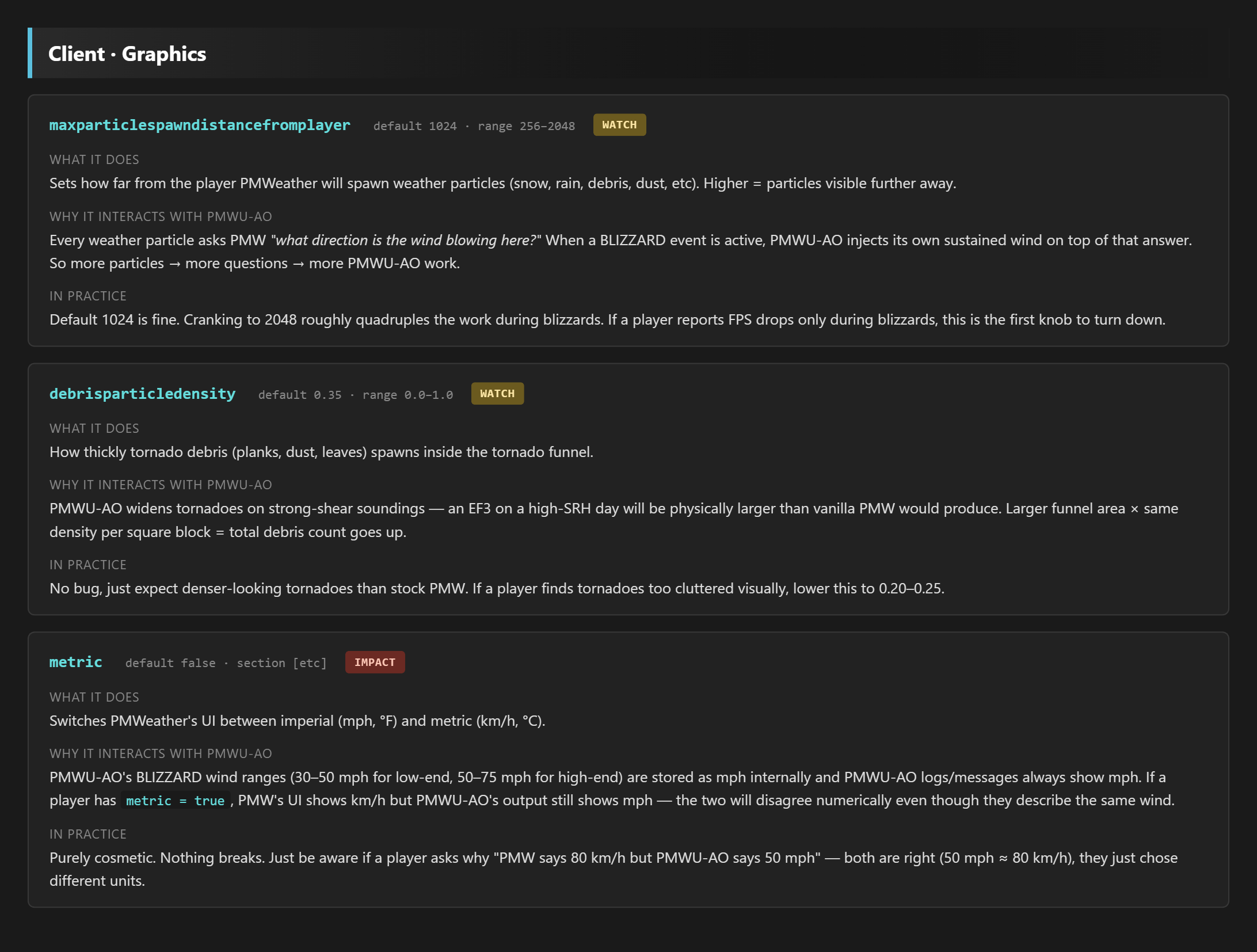
Support
Support for all PMWU mods are available within the PMWU Support Discord server.
Extra
This mod is apart of the PMWU modline, which was created to add multiple addon mods to ProtoManly's Weather. All PMWU mods are compatible with each other, but they have not been tested for compatability with other PMW sidemods.
This mod has been vigorously tested, but bugs may still appear. If you encounter a bug, please submit it to the PMWU Support Discord server in a ticket.
Skew-T Information


Hodograph Information


Available Versions
How to Install PMWU-AO on Your Server
Order Server
Order a Minecraft Java server with at least 3 GB RAM (4 GB recommended).
Set neoforge Loader
In the panel under "Egg", select the neoforge loader and matching Minecraft version (1.21.1).
Install Mod
Open the mod browser in the dashboard and search for "PMWU-AO". Click "Install" – done! Alternatively, upload the .jar via SFTP to the /mods folder.
Compatibility
Mod Loaders
Minecraft Versions
1.21.1
Server-side
~ OptionalRecommended RAM
4 GB(min. 3 GB)Frequently Asked Questions
PMWU-AO server crashes on startup – what to do?
Most common cause: wrong neoforge version or insufficient RAM. Check the server log (latest.log) for "OutOfMemoryError" or "Mixin" errors. With Mado Hosting: ensure at least 3 GB RAM is allocated and the loader matches the mod version (1.21.1). You can switch loaders with one click in the panel.
Is PMWU-AO compatible with neoforge?
PMWU-AO officially supports neoforge for Minecraft 1.21.1. The Mado dashboard automatically detects incompatible loader combinations.
Server lagging with PMWU-AO – how to optimize performance?
Recommended RAM: 4 GB (per 8 players). Use /spark profiler to check if PMWU-AO consumes the most tick time. Common fixes: reduce server view-distance to 8-10, install "performant" or "starlight" as supplementary mods on Forge. With Mado Hosting, your server runs on NVMe SSDs with dedicated CPU cores for minimal latency.
Rent Modded Server
Install PMWU-AO with just one click on your server.