
portalextras
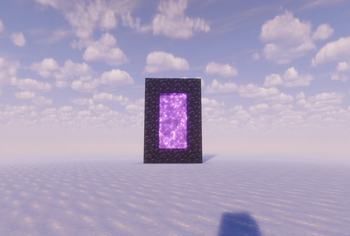
This adds customizable portals that can be used like the unstable universe.
Screenshots
About this Mod
Portal Extras
How to Use
You need OP permissions and a destination — both a dimension and a set of coordinates.
Format: /portal
Example: /portal overworld 143 85 4321
Modes ------------------------->
Overworld Travel
/portal overworld
Teleports you to the given coordinates in the Overworld. If you're currently in the Nether or End, you'll be moved across dimensions automatically — no need to find a portal block. The X/Y/Z values are the exact destination, so double-check Y (height) to avoid spawning inside terrain. If the chunk isn't loaded yet, expect a brief pause while it generates.
Nether Travel
/portal nether
Teleports you to the given coordinates in the Nether. Unlike vanilla Nether portals, this does not apply the 1:8 coordinate scaling — the numbers you type are the literal Nether coordinates, not Overworld ones. Useful for jumping directly to a known Nether base or fortress. Be cautious with low Y values around lava oceans.
Player Portal
/portal player [safeSpawn]
Teleports you near another player, offset in the direction they're facing.
playername — the target player. Must be online.
blocksInFront — how many blocks ahead of them you'll appear.
safeSpawn (true/false) — when true, the command finds the nearest safe, non-suffocating block so you don't spawn inside a wall, in lava, or mid-air. Defaults to false.
Available Versions
How to Install portalextras on Your Server
Order Server
Order a Minecraft Java server with at least 3 GB RAM (4 GB recommended).
Set fabric Loader
In the panel under "Egg", select the fabric loader and matching Minecraft version (26.1.2).
Install Mod
Open the mod browser in the dashboard and search for "portalextras". Click "Install" – done! Alternatively, upload the .jar via SFTP to the /mods folder.
Compatibility
Mod Loaders
Minecraft Versions
26.1.2, 1.21.11
Server-side
✓ RequiredRecommended RAM
4 GB(min. 3 GB)Frequently Asked Questions
portalextras server crashes on startup – what to do?
Most common cause: wrong fabric version or insufficient RAM. Check the server log (latest.log) for "OutOfMemoryError" or "Mixin" errors. With Mado Hosting: ensure at least 3 GB RAM is allocated and the loader matches the mod version (26.1.2). You can switch loaders with one click in the panel.
Is portalextras compatible with fabric?
portalextras officially supports fabric for Minecraft 26.1.2, 1.21.11. The Mado dashboard automatically detects incompatible loader combinations.
Server lagging with portalextras – how to optimize performance?
Recommended RAM: 4 GB (per 8 players). Use /spark profiler to check if portalextras consumes the most tick time. Common fixes: reduce server view-distance to 8-10, install "performant" or "starlight" as supplementary mods on Forge. With Mado Hosting, your server runs on NVMe SSDs with dedicated CPU cores for minimal latency.
Similar Mods




Rent Modded Server
Install portalextras with just one click on your server.