
Pot Tracker
See how many healing pots your opponent has left — a configurable pot counter that follows the last player you hit.
Screenshots
About this Mod
Description
PotTracker is a lightweight, client‑side PvP utility that keeps count of your opponent's potions for you.
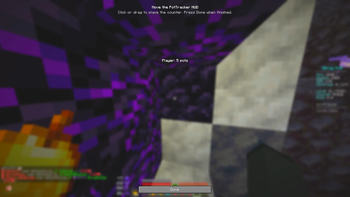
The moment you hit a player, they become your tracked target and a clean HUD readout shows how many pots they have left. Every splash (and optionally lingering) potion that player throws is subtracted from a configurable starting amount, so you always know roughly how many heals they have in the tank. Walk away and the counter quietly disappears once they leave your range; come back and it returns. Land a hit on someone else and the tracker instantly switches to the new target.
No server‑side mod, no commands — just install it and play.
Features
- 🎯 Auto‑targeting — the last player you hit is tracked automatically.
- 🧪 Live pot counting — counts thrown splash/lingering potions and subtracts from a starting count you choose.
- 📏 Range‑aware — the HUD hides when the target gets farther than your configured forget‑distance (default 5 blocks) and reappears when you close back in.
- 🟥 Low‑pot alert — the counter turns to an alert colour (and can blink) once the target is running low.
- 🎨 Fully customisable HUD — position, alignment, colours, background box, opacity, text shadow, one‑ or two‑line layout, and more.
- 🔔 Optional feedback — chat messages on a new target / on every pot used, and a sound cue when the target heals.
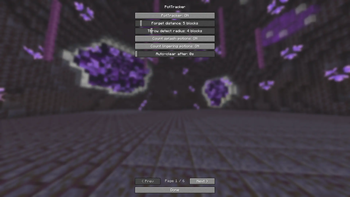
- ⚙️ 30+ settings, all in a tidy multi‑page Mod Menu screen.
Settings (all in Mod Menu)
- General — enable, starting pot count, forget distance, throw‑detection radius, count splash, count lingering, auto‑clear timeout
- Display — keep showing at 0, show name, show count, show "pots" label, name on separate line, text shadow, alignment
- Position & text colour — HUD X / Y, text RGB
- Low‑pot alert — alert threshold, alert RGB, blink when low
- Background — box on/off, padding, opacity, background RGB
- Alerts — chat on new target, chat on pot used, sound on pot used
Supported versions (Fabric)
- 1.21
- 1.21.1
- 1.21.4
- 1.21.8
- 1.21.11
- 26.1
- 26.1.1
- 26.1.2
Requirements
- Fabric Loader + Fabric API
- Mod Menu (optional, recommended) — used to open the settings screen.
Client‑side only. Settings are saved to
config/pottracker.json.
Notes
Pot detection is heuristic: a thrown potion is credited to the nearest player at the moment it appears, and your own throws are ignored. The starting count is an estimate you set for your server's kit — adjust it to match how many pots players spawn with.
Creators - xProducts - x1en
Available Versions
How to Install Pot Tracker on Your Server
Order Server
Order a Minecraft Java server with at least 3 GB RAM (4 GB recommended).
Set fabric Loader
In the panel under "Egg", select the fabric loader and matching Minecraft version (26.1.2).
Install Mod
Open the mod browser in the dashboard and search for "Pot Tracker". Click "Install" – done! Alternatively, upload the .jar via SFTP to the /mods folder.
Compatibility
Mod Loaders
Minecraft Versions
26.1.2, 26.1.1, 26.1 (+5 more)
Server-side
✗ UnsupportedRecommended RAM
4 GB(min. 3 GB)Frequently Asked Questions
Pot Tracker server crashes on startup – what to do?
Most common cause: wrong fabric version or insufficient RAM. Check the server log (latest.log) for "OutOfMemoryError" or "Mixin" errors. With Mado Hosting: ensure at least 3 GB RAM is allocated and the loader matches the mod version (26.1.2). You can switch loaders with one click in the panel.
Is Pot Tracker compatible with fabric?
Pot Tracker officially supports fabric for Minecraft 26.1.2, 26.1.1, 26.1. The Mado dashboard automatically detects incompatible loader combinations.
Server lagging with Pot Tracker – how to optimize performance?
Recommended RAM: 4 GB (per 8 players). Use /spark profiler to check if Pot Tracker consumes the most tick time. Common fixes: reduce server view-distance to 8-10, install "performant" or "starlight" as supplementary mods on Forge. With Mado Hosting, your server runs on NVMe SSDs with dedicated CPU cores for minimal latency.
Similar Mods



![[TaCZ] Timeless and Classics Zero](https://cdn.modrinth.com/data/SzzJttH8/fd27766d2bb8390d284696b1dbd358f87e081439_96.webp)


Rent Modded Server
Install Pot Tracker with just one click on your server.