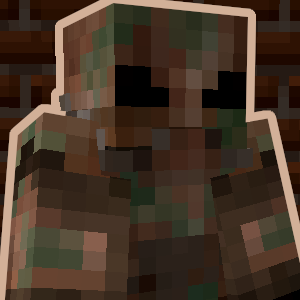
Power Armor
Adds a fully functional power armor system inspired by the Fallout series!
Screenshots
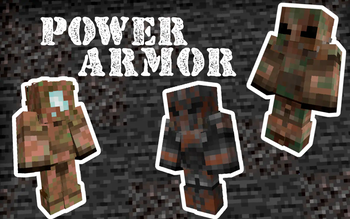
About this Mod
This datapack introduces a fully functional Power Armor system!
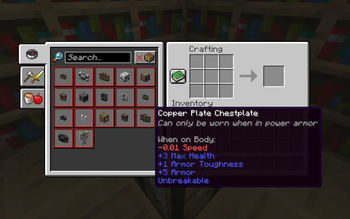
The recipes for all items added by this datapack can be viewed in the recipe book inside the crafting table. Alternativly, all items can also be obtained via the give commands: /function give:[item_name].
Power Armor is a special type of armor that cannot be worn like traditional armor. Instead, you must first craft a Power Armor Frame and then place it on the ground. Once placed, you will need to power it. Add power to the suit by right-clicking with redstone blocks on the back. Once you do this, you can enter the suit by right-clicking on the back.
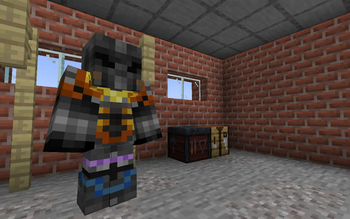
To get the most out of Power Armor, you will need to craft individual pieces of power armor. There are multiple different pieces of Power Armor you can craft, some are more powerful than others. Whichever piece you choose to craft, each armor piece you add will further boost your stats. To customize your armor even further, you can add any vanilla or modded armor trims to give your Power Armor extra flair.
When you want to exit the power armor, simply look straight down and sneak. Alternatively, when you die, your power armor will be placed on the spot where you died. Any unused redstone power left in the suit will remain until your next use.
Obviously, this Power Armor system is inspired by the Fallout series of games, with inspiration taken mostly from Fallout 4 and Fallout 76.
https://discord.gg/dKMxTjchsg
Need help with my datapacks? Found a bug? Want to share some feedback? Join my Discord server! There, I can offer personal help towards any problem you may be having!

Available Versions
How to Install Power Armor on Your Server
Order Server
Order a Minecraft Java server with at least 3 GB RAM (4 GB recommended).
Set datapack Loader
In the panel under "Egg", select the datapack loader and matching Minecraft version (26.1.2).
Install Mod
Open the mod browser in the dashboard and search for "Power Armor". Click "Install" – done! Alternatively, upload the .jar via SFTP to the /mods folder.
Compatibility
Mod Loaders
Minecraft Versions
26.1.2, 26.1.1, 26.1 (+10 more)
Server-side
✓ RequiredRecommended RAM
4 GB(min. 3 GB)Frequently Asked Questions
Power Armor server crashes on startup – what to do?
Most common cause: wrong datapack version or insufficient RAM. Check the server log (latest.log) for "OutOfMemoryError" or "Mixin" errors. With Mado Hosting: ensure at least 3 GB RAM is allocated and the loader matches the mod version (26.1.2). You can switch loaders with one click in the panel.
Is Power Armor compatible with datapack and fabric and forge and minecraft and neoforge and quilt?
Power Armor officially supports datapack, fabric, forge, minecraft, neoforge, quilt for Minecraft 26.1.2, 26.1.1, 26.1. Note: Forge and Fabric mods are NOT cross-compatible – pick one loader and stick with it. The Mado dashboard automatically detects incompatible loader combinations.
Server lagging with Power Armor – how to optimize performance?
Recommended RAM: 4 GB (per 8 players). Use /spark profiler to check if Power Armor consumes the most tick time. Common fixes: reduce server view-distance to 8-10, install "performant" or "starlight" as supplementary mods on Forge. With Mado Hosting, your server runs on NVMe SSDs with dedicated CPU cores for minimal latency.
Similar Mods




![[TaCZ] Timeless and Classics Zero](https://cdn.modrinth.com/data/SzzJttH8/fd27766d2bb8390d284696b1dbd358f87e081439_96.webp)

Rent Modded Server
Install Power Armor with just one click on your server.
Details
- License
- Creative Commons Attribution Non Commercial No Derivatives 4.0 International
- Server-side
- Required