
PowerPots *Unofficial Port*
This Mod is a port of FTB Power Pots 1.16.5 to more modern version
Screenshots
About this Mod
Introduction
Welcome to the world of Tech, do you like botany puts but think its a little to slow. Do you have excess power but dont know what to do with it. Then Power Pots is your new friend, with tiered pots allowing a faster and more output.
It's an addon of botany pots
Features
- PowerPots adds in where you can double or more the speed and the output amount
- It's automatically Hopper pot
- uses any power to start producing the crops
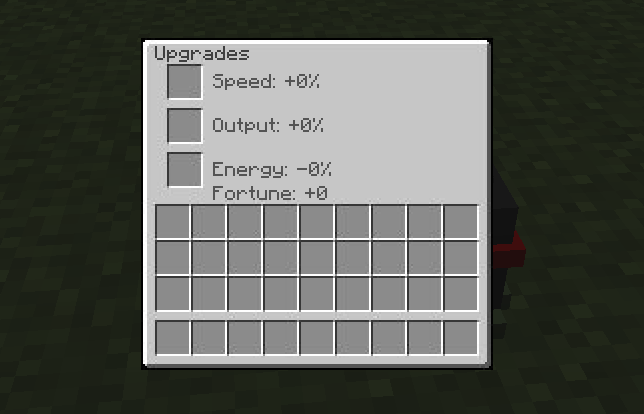
- Crouch + Right click to open the gui for the upgrades that is limited to 3 slots
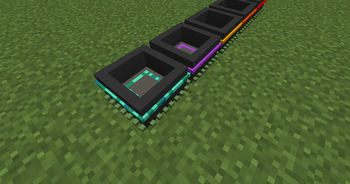
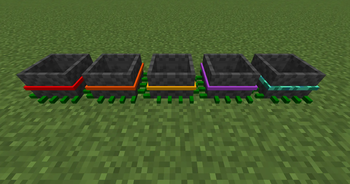
- The Tiers go up to 5
Upgrades
These Upgrades can be added into upgrade gui that can be open with crouch + right click but with Version 1.0.8 you can configure button in controls to open the GUI
- Speed upgrade - Increase speed in production
- Fortune upgrade - give a bonus amount on top of the amout you get
- Energy upgrade - This makes the PowerPot power efficient
- Output upgrade - This can double the Amolunt you get from PowerPot
Credits
I'm giving credit to FTB for the idea so can port it this is link to the official https://www.curseforge.com/minecraft/mc-mods/ftb-power-pots
and give a bit of credit to MtChloe05 but never added a recipes so i forked the project added in recipes
https://www.curseforge.com/minecraft/mc-mods/energy-pots
and credit to the creators of botany pots and bookshelf https://modrinth.com/mod/bookshelf-lib https://modrinth.com/mod/botany-pots
Available Versions
How to Install PowerPots *Unofficial Port* on Your Server
Order Server
Order a Minecraft Java server with at least 3 GB RAM (4 GB recommended).
Set forge Loader
In the panel under "Egg", select the forge loader and matching Minecraft version (1.21.1).
Install Mod
Open the mod browser in the dashboard and search for "PowerPots *Unofficial Port*". Click "Install" – done! Alternatively, upload the .jar via SFTP to the /mods folder.
Compatibility
Mod Loaders
Minecraft Versions
1.21.1, 1.20.1
Server-side
✓ RequiredRecommended RAM
4 GB(min. 3 GB)Frequently Asked Questions
PowerPots *Unofficial Port* server crashes on startup – what to do?
Most common cause: wrong forge version or insufficient RAM. Check the server log (latest.log) for "OutOfMemoryError" or "Mixin" errors. With Mado Hosting: ensure at least 3 GB RAM is allocated and the loader matches the mod version (1.21.1). You can switch loaders with one click in the panel.
Is PowerPots *Unofficial Port* compatible with forge and neoforge?
PowerPots *Unofficial Port* officially supports forge, neoforge for Minecraft 1.21.1, 1.20.1. The Mado dashboard automatically detects incompatible loader combinations.
Server lagging with PowerPots *Unofficial Port* – how to optimize performance?
Recommended RAM: 4 GB (per 8 players). Use /spark profiler to check if PowerPots *Unofficial Port* consumes the most tick time. Common fixes: reduce server view-distance to 8-10, install "performant" or "starlight" as supplementary mods on Forge. With Mado Hosting, your server runs on NVMe SSDs with dedicated CPU cores for minimal latency.
Similar Mods



Rent Modded Server
Install PowerPots *Unofficial Port* with just one click on your server.