
PPE Essentials
A lightweight mod that adds useful commands (like /tpa /repeat) and tweaks
Screenshots
About this Mod
PPE Essentials



PPE Essentials is a lightweight mod that adds useful commands (like /tpa /repeat) and tweaks, with highly configurable options.
Features
- Server-side only mod (Can still be installed on your client for singleplayer use.)
- Configurable command toggles, permission levels and more.
- Configurable protection against creeper, enderman, and ravager block damage.
- No extra dependencies, ready out of the box.
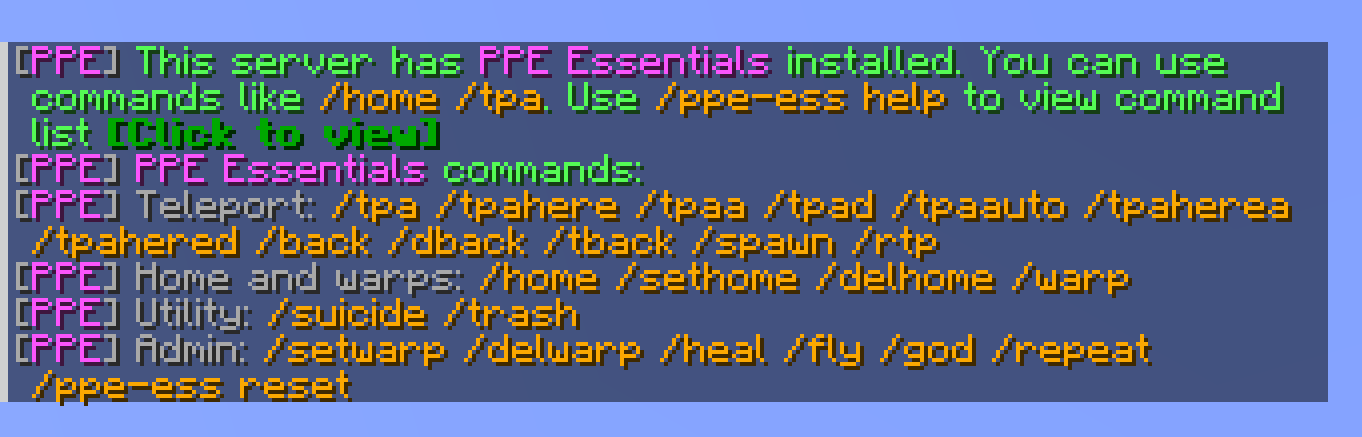
- Polished messages with clickable buttons, titles, and sounds.
- Multilingual support with automatic client language detection and a configurable
fallbackLanguage. - Persistent player data for homes, warps, back locations, fly, god mode, and notice triggers.
Supported Versions
- NeoForge 1.21.1, 1.21.11, 26.1.2
- Fabric 1.21.1, 1.21.11, 26.1.2
Commands
Teleport
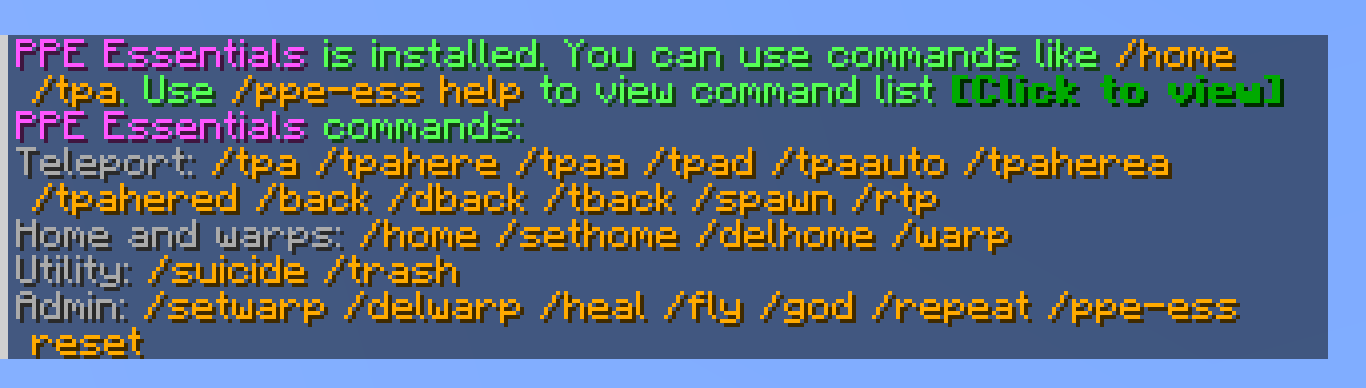
| Command | Description |
|---|---|
/tpa <player> |
Request to teleport to another player. |
/tpaa |
Accept a pending TPA request. |
/tpad |
Deny a pending TPA request. |
/tpaauto |
Toggle automatic TPA acceptance. |
/tpahere <player> |
Request another player to teleport to you. |
/tpaherea |
Accept a pending TPAhere request. |
/tpahered |
Deny a pending TPAhere request. |
/rtp |
Randomly teleport nearby. |
/spawn |
Teleport to world spawn. |
/back or /dback |
Return to your last death location. |
/tback |
Return to your previous teleport location. |
Homes And Warps
| Command | Description |
|---|---|
/sethome |
Set your home. |
/home |
Teleport home. |
/delhome |
Delete your home. |
/setwarp <name> |
Create a server warp. |
/warp <name> |
Teleport to a server warp. |
/delwarp <name> |
Delete a server warp. |
Utility And Admin
| Command | Description |
|---|---|
/trash |
Open a temporary trash inventory that clears on close. |
/suicide |
Kill yourself. |
/heal [player] |
Heal yourself or another player. |
/fly [player] |
Toggle persistent flight for yourself or another player. |
/god [player] |
Toggle god mode for yourself or another player. |
/repeat <times> [command] |
Repeat your last command or a specified command. |
/ppe-ess help |
Show the command list. Disabled or unavailable commands are shown in red. |
/ppe-ess reset all |
Clear all player data. |
/ppe-ess reset notice |
Clear notice trigger data. |
Configuration
All configuration options are located in config/ppe_essentials-common.toml.
Available Versions
How to Install PPE Essentials on Your Server
Order Server
Order a Minecraft Java server with at least 3 GB RAM (4 GB recommended).
Set fabric Loader
In the panel under "Egg", select the fabric loader and matching Minecraft version (26.1.2).
Install Mod
Open the mod browser in the dashboard and search for "PPE Essentials". Click "Install" – done! Alternatively, upload the .jar via SFTP to the /mods folder.
Compatibility
Mod Loaders
Minecraft Versions
26.1.2, 1.21.11, 1.21.1
Server-side
✓ RequiredRecommended RAM
4 GB(min. 3 GB)Frequently Asked Questions
PPE Essentials server crashes on startup – what to do?
Most common cause: wrong fabric version or insufficient RAM. Check the server log (latest.log) for "OutOfMemoryError" or "Mixin" errors. With Mado Hosting: ensure at least 3 GB RAM is allocated and the loader matches the mod version (26.1.2). You can switch loaders with one click in the panel.
Is PPE Essentials compatible with fabric and neoforge?
PPE Essentials officially supports fabric, neoforge for Minecraft 26.1.2, 1.21.11, 1.21.1. The Mado dashboard automatically detects incompatible loader combinations.
Server lagging with PPE Essentials – how to optimize performance?
Recommended RAM: 4 GB (per 8 players). Use /spark profiler to check if PPE Essentials consumes the most tick time. Common fixes: reduce server view-distance to 8-10, install "performant" or "starlight" as supplementary mods on Forge. With Mado Hosting, your server runs on NVMe SSDs with dedicated CPU cores for minimal latency.
Similar Mods






Rent Modded Server
Install PPE Essentials with just one click on your server.